
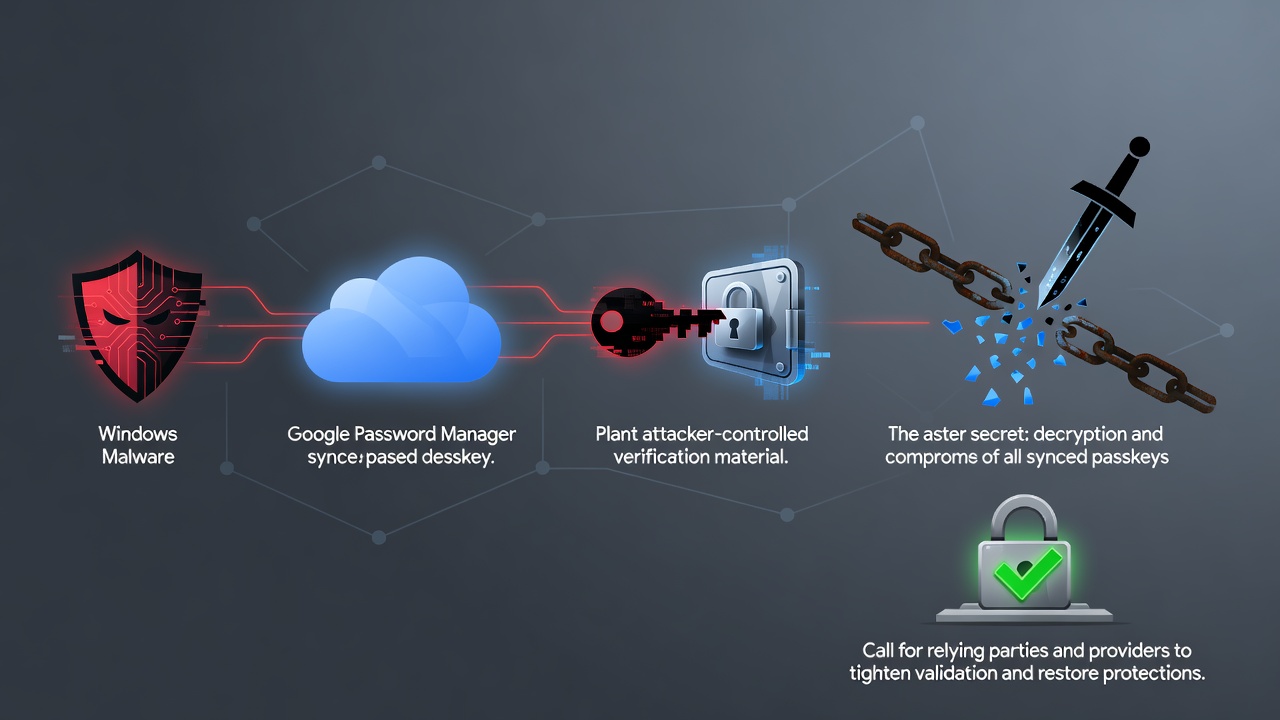

Palo Alto Networks’ Unit 42 has described three attacks that let malware on an already-compromised Windows computer abuse passkeys synced through Google Password Manager, from signing in without a PIN or biometric prompt to extracting the key that decrypts every synced passkey on the account. The research, published in a Unit 42 report, covers Chrome on Windows devices with a Trusted Platform Module (TPM).
None of the attacks breaks the cryptography behind passkeys, and all of them need malware already running on the victim’s machine. Instead, they exploit how Chrome and Google’s cloud authenticator handle device trust, onboarding, recovery and synced credentials, BleepingComputer reported. Unit 42 calls the family “Pass-ta-key,” a blend of “passkey” and “pass the key” with a nod to a tangled plate of pasta.
Three attacks, rising in severity
In the basic Pass-ta-key attack, unprivileged malware uses Chrome’s TPM-backed device identity key to sign a request to Google’s cloud authenticator, without admin rights, user interaction, biometrics or a device unlock. The authenticator returns a valid assertion, but its User Verified flag stays unset, so the login fails at services that require and check that flag. GitHub rejected it. eBay required user verification but didn’t validate the flag, and the researchers logged in successfully before eBay fixed the gap after their report.
Silver Pass-ta-key forces Chrome to re-register with the cloud authenticator, either by invalidating its verification key or deleting the local file holding its passkey state. Because the authenticator doesn’t check whether a new user-verification key came from trusted hardware, the malware can register its own. Google then treats requests signed with that key as proof the victim unlocked the device, and the attacker can sign in from another machine with no further access to the victim’s PC.
Golden Pass-ta-key goes after the security domain secret, the master key that encrypts all passkeys synced to the account. Unit 42 first found Chrome writing it in plaintext to internal FIDO logs. “Although Google removed this secret from Chrome’s logging output following our report, the SDS is still sent to the client and remains accessible in Chrome’s process memory,” the researchers wrote. With it, an attacker can decrypt the synced passkey records and move the private keys to another system. Unit 42 said the secret also protects future synced passkeys, and Google’s current implementation reportedly offers no way to rotate or revoke it.
What Unit 42 recommends
The researchers say passkeys are still much safer than passwords, but they don’t remove the risk from malware already on a device. They recommend that websites require user verification and actually validate the flag, and that credential managers validate newly registered device keys, harden recovery and re-registration, and keep master keys out of browser memory. Unit 42 disclosed the findings to Google and the affected services before publishing. Google didn’t immediately respond to BleepingComputer’s question about whether the attacks have been fully addressed.


 WebProNews is an iEntry Publication