


Microsoft is testing a way for a single Excel cell to hold several values at once. The preview, announced Thursday, adds lists, arrays in cells and nested arrays, and it is opt-in for Microsoft 365 Insiders on the Excel Beta Channel for Windows and Mac.
“One of the oldest rules of spreadsheets: one cell, one value,” Jake Armstrong, a product manager on the Excel team, wrote on LinkedIn. “No longer!” The Register described it as the end of 40 years of single occupancy for Excel cells.
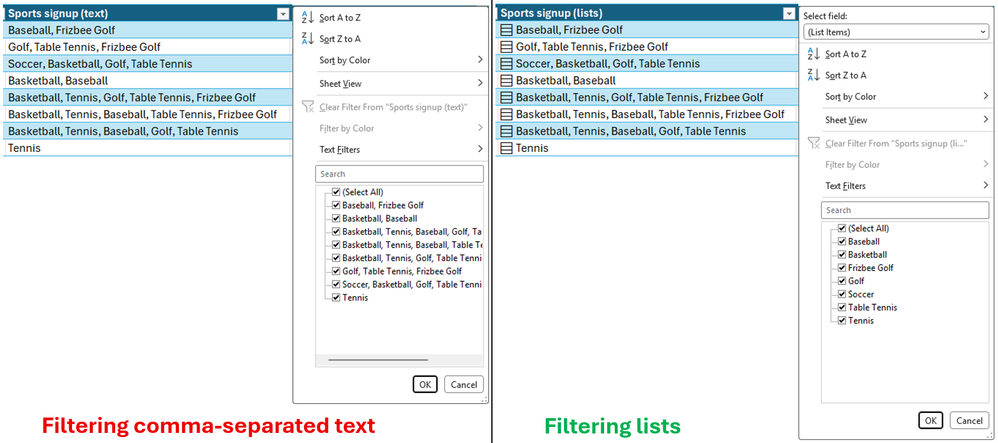
Lists are the simplest piece. Users create one with Insert > List or Ctrl+J, then type or paste items separated by commas or semicolons depending on regional settings, according to Microsoft’s announcement. An icon in the cell shows the individual values, and filters can pick out single items instead of treating the whole cell as one block of text.
Microsoft’s example is a project tracker where each project has several owners. “Traditionally, you’d need separate columns, helper tables, or text like ‘Carlos, Henrietta, Jacob’ packed into a single cell,” the Excel team wrote.
Arrays in cells go further. A formula that would normally spill its results across a range can keep the whole array in one cell if the formula body is wrapped in braces. Arrays can also contain other arrays, so supported formulas that used to return a truncated result or a #CALC! error can now return the full nested result, Neowin reported.
Four new functions come with the preview. FLATTEN removes one or more levels of nesting, HAS checks whether a value appears in an array, and HASANY and HASALL check for any or all of a set of values.
The preview has limits, and Microsoft lists them. PivotTables don’t read array values as source data, Power Query doesn’t load array-valued columns, charts don’t expand an array into data points, and data validation can’t use a list as dropdown items. Most nested-array calculations also need a new workbook setting, Compatibility Version 3, which can change the results of existing formulas.
Some commenters on Armstrong’s post worried the change could break things and make business logic harder to audit, The Register reported. Libraries such as openpyxl and pandas that expect a cell to hold a single string, number, boolean or date may need updates, and Microsoft hasn’t yet published how the new types will be stored in .xlsx files.
The rollout to Beta Channel users is gradual and needs Version 2610 (Build 20520.20000) or later on Windows, or Version 16.114 (Build 26092111) or later on Mac. Microsoft says the features could change before general availability, which it hasn’t dated, and advises against relying on them in important workbooks for now.


 WebProNews is an iEntry Publication