
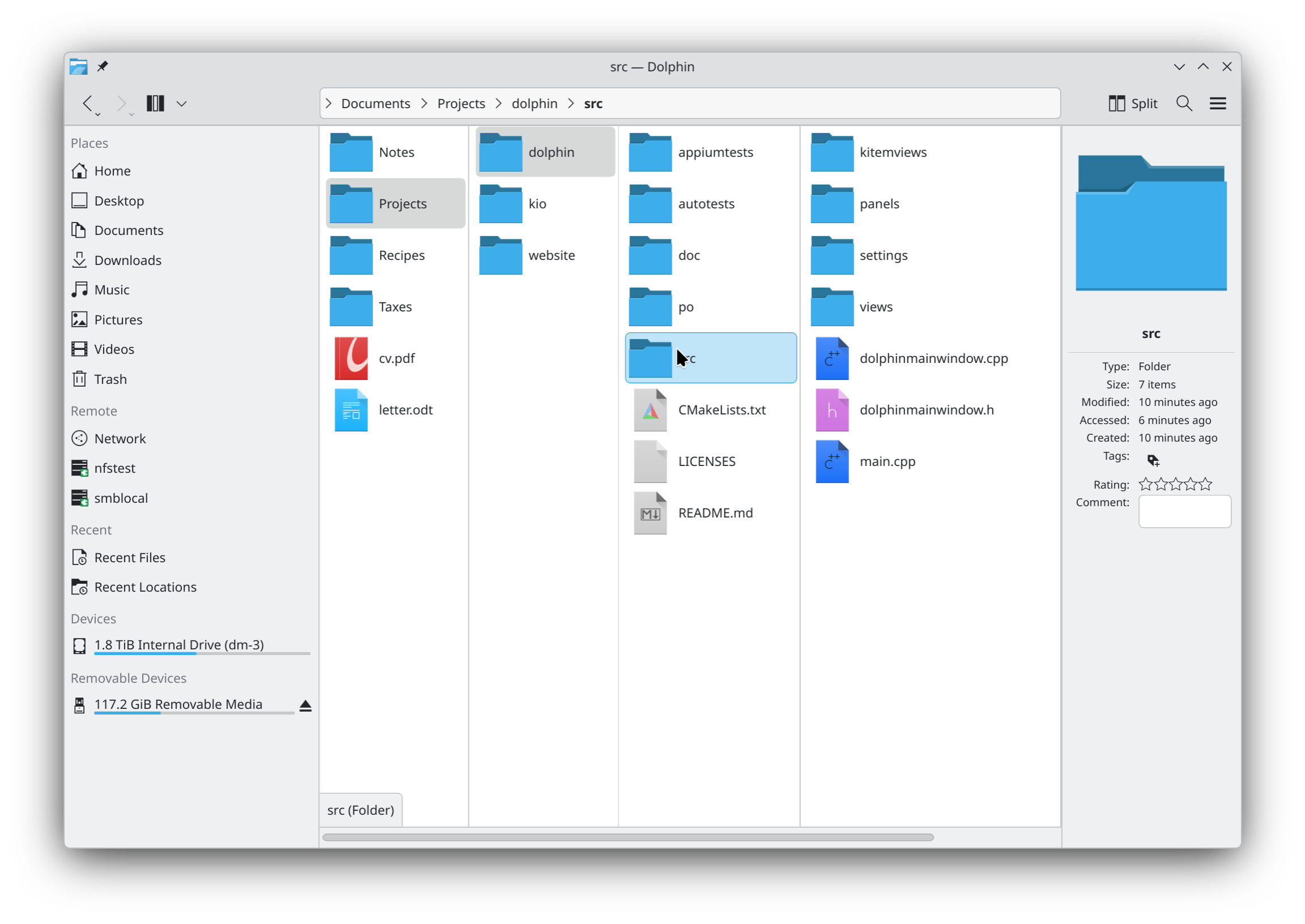

KDE Plasma’s Dolphin file manager once again has column view, a feature that has been missing since 2011, despite users clamoring for it.
Dolphin had column view in KDE 4.0, but in the upgrade to Dolphin 2.0, column view got left behind. Users have continued to ask for it, and after 15 years it looks like they’re finally getting their wish. KDE developer Méven Car made the announcement of column view’s return in a blog post.
I am happy to announce that Dolphin has a new view mode: Columns. Each column shows one folder. Select a folder and its content opens in the next column, so the path from the folder you opened down to your selection stays on screen. This layout is known as Miller columns, after Mark S. Miller, who created it in 1980.
It is now in the master branch of Dolphin, not yet in Dolphin 26.12. We can still bring it into 26.12 until November 12th, if the testers find it ready. Otherwise it will ship in Dolphin 27.04. Either way it needs testers, so read on.
Column view was popularized on macOS (then Mac OS X), so many users are familiar with how it works. For those who aren’t, Car described its operation.
- The folder that you open is the first column. Up, Back and the breadcrumb add its parent in front.
- A folder or an archive that you select opens the next column. Left, Right and Return move between the columns.
- The location bar, the window title, New Folder, Paste and the terminal panel follow the last column.
- Columns fit their content by default, or use a fixed width. Drag a handle to resize a column, double click it to fit the columns.
- Sort, grouping, hidden files, zoom and previews apply to every column, and a restored session brings back the open columns.
- Ctrl+4 switches to the mode, and Settings > View > Columns has its options.
The Columns mode is in the Dolphin application only for now. Konqueror and other apps that embed Dolphin’s file view do not offer it yet.
KDE Plasma is already the most full-featured desktop environment in existence, on any platform. The re-addition of column view adds back one of the most obvious holes in its feature set.


 WebProNews is an iEntry Publication