
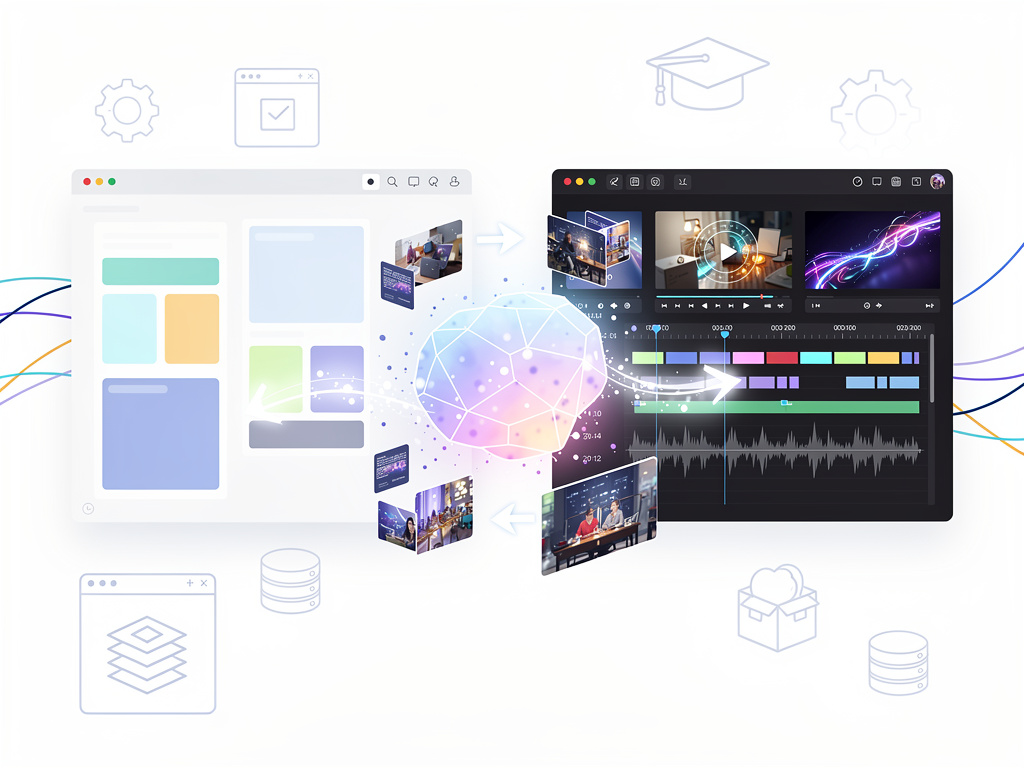
Google has stitched its presentation tool directly into its video editor. The latest integration lets users record a Slides deck inside the familiar interface and hand the result over to Google Vids for transcript-driven edits. No more exporting to PowerPoint, firing up OBS, or stitching clips in another app. The move tightens the connection between two Workspace products that many professionals already juggle daily.
But that’s only part of the story. Earlier this year Google opened the other direction. Creators can now import an entire slide deck into Vids, where each slide becomes a scene. Gemini then suggests scripts, adds voiceovers, applies animations, and even generates short video clips with Veo 3. The combination turns static content into something closer to a produced video. And the timing matters. As teams look for faster ways to share updates without scheduling another Zoom, these bridges matter.
The Recorder Lands Inside Slides
A new Record option appeared in the right-hand menu of Google Slides this week. MakeUseOf reported the rollout began August 20 for Rapid Release domains and reaches Scheduled Release domains on September 7. The feature works for Workspace customers, Workspace Individual subscribers, and even personal Google accounts.
Users choose whether to appear on camera alongside the slides or deliver voice-over only. External microphones and cameras are supported. Visual effects can be applied before recording starts. Once finished, the video can be shared with one click or opened straight in Vids. There the transcript appears. Filler words, long pauses, and entire sentences can be struck from the text. The corresponding video frames disappear at the same time. The workflow saves hours that used to be spent scrubbing timelines.
Limitations exist. Recording requires Chrome or Edge. Maximum length sits at 30 minutes. Files count against Google storage quotas, a fact personal users with 15GB free accounts will feel quickly. Still, for decks that already live in Slides the path from creation to polished video just shortened dramatically.
The recorder builds on Vids’ existing strength in transcript editing. Google Workspace Updates first teased deeper ties between the apps at I/O 2025. What launched in June focused on importing slides into new Vids projects. The August update brings recording capability inside Slides itself. The pieces now connect in both directions.
Consider a typical use case. A product manager finishes a quarterly review deck. Instead of scheduling a live walkthrough or recording a clunky screen capture, she hits Record. She speaks through the slides once. In Vids she removes two awkward pauses and one tangent that ran long. The final video drops into the team drive, complete with captions generated from the cleaned transcript. Total time: under an hour.
Yet not every organization will see the same gains. Teams already invested in Loom or dedicated video platforms may weigh the trade-offs. Loom offers screen annotation and comment threads that Vids does not yet match. Google’s tool shines brightest when the source material already sits in Slides. Context, speaker notes, and existing branding travel over automatically.
Importing Slides as Ready-Made Scenes
The import path offers a different kind of speed. Open Google Vids, start a new project, and select Import Slides. Pick a presentation, choose which slides to bring in, up to 100 without AI assistance or 45 when using Gemini features. Each slide turns into a scene populated with its text, images, and layout elements.
From the official help page, users can generate a full script based on slide content or speaker notes. They select an AI avatar and voice, adjust tone, or replace sections with custom narration. Background music, animations, and scene timing adjust to match the voiceover. The support document notes that scene length defaults to five seconds but stretches or shrinks to fit spoken words. Placeholders for avatars take a few minutes to lip-sync.
Requirements remain strict. Full Gemini capabilities demand an eligible Google Workspace or Google AI plan. Education Plus, certain Enterprise tiers, and add-ons qualify. Basic import works more broadly but loses the AI polish. Limits also apply: imported videos top out around 10 minutes before warnings appear, and certain elements like embedded videos or Word Art do not transfer.
Google’s support article makes the bidirectionality explicit. A finished Vids project can generate a Slides deck, though the reverse path currently receives more attention from users. Recent X posts from educators show teachers converting lesson slides into narrated videos their students can watch asynchronously. One instructor noted how simple it became to customize videos before final creation so every learner could follow along.
Analysts watching Workspace updates see a pattern. Google continues to knit its productivity apps into a tighter content creation loop. Slides feeds Vids. Vids can feed back into Slides. Gemini sits in the middle suggesting, scripting, and generating. The approach contrasts with Microsoft’s more fragmented Copilot experiences across PowerPoint and Clipchamp. Whether Google’s bet pays off depends on how many teams adopt Vids as their default video tool rather than bolting on specialized platforms.
Recent coverage adds color. A September 2025 Chrome Unboxed article highlighted the “Help me create” prompt in Vids that now accepts @ references to Slides files. Gemini reads the deck and drafts a video automatically. Combined with Veo 3 image-to-video and AI avatars announced later that month, the toolkit keeps expanding. Yet the core appeal stays practical. Professionals want to stop fighting with timelines and start communicating ideas.
Storage and browser restrictions may frustrate power users. The 30-minute cap forces longer presentations to be broken into chapters. Heavy reliance on Google storage could push some teams toward paid Google One plans. These frictions echo broader Workspace limitations that administrators already manage.
Even so, the integration removes friction that once felt inevitable. No separate recording software. No manual slide-by-slide timing in a video editor. No loss of formatting when moving between tools. For organizations already deep in Google Workspace the combination feels almost overdue.
Look ahead and the trajectory sharpens. Gemini Omni, unveiled at I/O 2026, promises richer video understanding and editing from any input. Veo models continue to improve. If those capabilities flow back into Vids and Slides, the line between presentation and produced video may blur further. For now the bridges Google built this year already change daily workflows for anyone who lives in decks and needs to ship videos.
Teams that test the new recorder will quickly discover its rhythm. Record once. Edit the words. Export. The presentation that once required a live audience or a separate production pass now becomes a self-contained asset. In a workplace drowning in meetings and follow-up videos, that shift carries weight.


 WebProNews is an iEntry Publication