
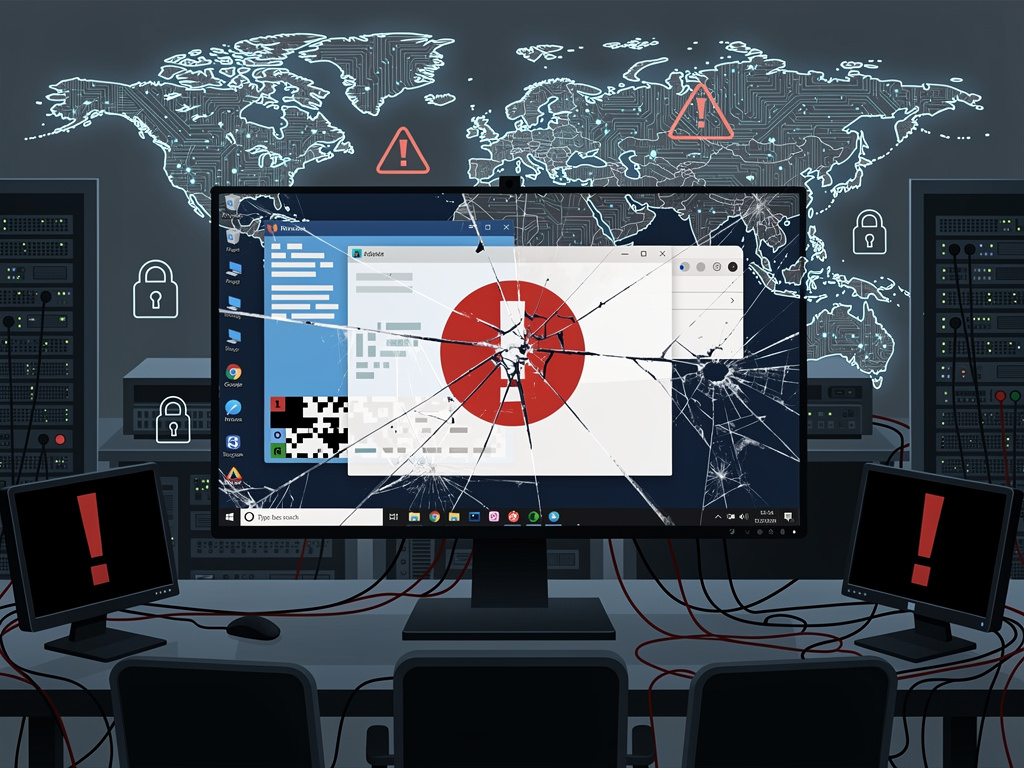
Microsoft’s Windows 11 operating system has encountered one of its most severe technical failures to date, with a critical bug rendering entire desktop environments completely unusable for thousands of users worldwide. The flaw, which emerged following recent system updates, represents a stark reminder of the fragility inherent in modern operating systems and raises questions about quality assurance protocols at one of the world’s largest technology corporations.
According to TechRadar, the bug manifests by completely breaking the desktop interface, leaving users unable to access files, applications, or system functions through normal means. The issue appears to stem from conflicts within Windows Explorer, the fundamental component responsible for managing the desktop environment, taskbar, and file navigation system. When the bug triggers, users are left staring at blank screens or frozen interfaces, effectively rendering their computers inoperable for standard workflows.
The timing of this failure proves particularly problematic for enterprise environments, where Windows 11 adoption has been steadily increasing despite initial resistance from IT departments concerned about compatibility and stability issues. Many organizations that recently completed migrations to the new operating system now find themselves managing emergency support tickets and implementing workarounds to keep productivity from grinding to a halt.
The Technical Anatomy of a System-Wide Failure
Technical analysis reveals that the desktop breakdown occurs when specific Windows Explorer processes encounter conflicts with recent cumulative updates. The Windows Explorer executable, explorer.exe, serves as the backbone of the user interface, managing everything from the Start menu to file browsing capabilities. When this process fails to initialize correctly or crashes repeatedly, users lose access to virtually all graphical interface elements.
Microsoft’s update delivery system, while designed to provide seamless security patches and feature enhancements, has occasionally introduced destabilizing elements into otherwise functional installations. This particular bug appears to affect systems across various hardware configurations, suggesting the root cause lies within the update code itself rather than specific driver incompatibilities or hardware limitations. The widespread nature of reports indicates that Microsoft’s pre-release testing procedures may have failed to catch this critical flaw before public deployment.
User Impact and Business Disruption Patterns
The immediate impact on end users ranges from minor inconvenience to complete work stoppage, depending on technical proficiency and access to alternative computing resources. Home users report frustration at losing access to personal files and applications, while business users face more severe consequences including missed deadlines, disrupted communications, and lost productivity. IT support teams have been overwhelmed with incident reports, forcing many to implement emergency protocols typically reserved for security breaches or major infrastructure failures.
Small and medium-sized businesses without dedicated IT departments face particularly acute challenges, as they often lack the technical expertise to implement workarounds or troubleshoot complex system issues. The bug has exposed vulnerabilities in the support ecosystem surrounding Windows 11, with many users reporting difficulty accessing Microsoft’s official support channels or finding clear guidance on resolution procedures. This communication gap has led to increased reliance on community forums and third-party technical resources, where information quality varies significantly.
The Workaround Solution and Its Implementation Challenges
Fortunately, technical experts have identified a workable solution that restores desktop functionality without requiring complete system reinstallation. The fix involves accessing Windows through Safe Mode or using Task Manager to manually restart the Windows Explorer process, followed by specific registry modifications or update rollbacks depending on the severity of the issue. However, implementing these solutions requires a level of technical knowledge that many average users simply do not possess.
The most reliable resolution method involves booting into Safe Mode with Networking, which loads Windows with minimal drivers and services, allowing users to access system recovery tools and uninstall problematic updates. From this environment, users can navigate to Windows Update settings and remove the specific cumulative update causing the desktop failure. Alternative approaches include using System Restore to revert to a previous stable configuration or manually terminating and restarting the explorer.exe process through Task Manager, though this latter method provides only temporary relief in many cases.
Microsoft’s Response and Accountability Questions
Microsoft has acknowledged the issue through various support channels, though the company’s official response has been criticized as insufficient given the severity and widespread nature of the problem. The corporation has indicated that engineering teams are investigating the root cause and working on a permanent fix, but has not provided specific timelines for resolution or explained how such a critical bug passed through quality assurance processes.
This incident adds to growing concerns about Microsoft’s update testing procedures and the company’s shift toward more frequent, automated update deployments. While this approach aims to improve security by rapidly distributing patches, it also increases the risk of introducing destabilizing changes that affect millions of users simultaneously. Industry observers note that Microsoft’s quality assurance protocols appear increasingly inadequate for catching issues before they reach production environments, particularly as the company expands its testing reliance on Windows Insider Program participants rather than comprehensive internal validation.
Broader Implications for Operating System Reliability
The desktop bug incident highlights fundamental tensions in modern operating system development between security, stability, and feature advancement. Microsoft faces constant pressure to address emerging security vulnerabilities quickly while simultaneously delivering new capabilities to maintain competitive positioning against alternative platforms. This balancing act becomes increasingly difficult as Windows codebases grow more complex and interdependencies between system components multiply.
Enterprise IT decision-makers are reconsidering update deployment strategies in light of this failure, with many organizations implementing more rigorous testing protocols before allowing Windows updates to reach production systems. The incident reinforces the value of maintaining test environments that mirror production configurations, allowing IT teams to identify potential issues before they impact business operations. Some organizations are extending their update deferral periods, accepting increased security risk in exchange for greater stability assurance.
Long-Term Consequences for Windows 11 Adoption
This bug arrives at a critical juncture for Windows 11 adoption, as Microsoft continues pushing users to migrate from Windows 10 ahead of its scheduled end-of-support date. Organizations that have been hesitant to upgrade now have additional justification for their caution, potentially slowing the overall transition rate and complicating Microsoft’s platform consolidation efforts. The incident may also influence purchasing decisions for new hardware, as some buyers consider whether to seek systems with Windows 10 downgrade rights or explore alternative operating systems entirely.
The desktop failure also raises questions about Microsoft’s overall software quality trajectory and whether the company’s expansion into cloud services, artificial intelligence, and other growth areas has diverted resources and attention from core operating system reliability. Windows remains Microsoft’s flagship product and primary interface for hundreds of millions of users worldwide, making stability and reliability paramount concerns that cannot be subordinated to other business priorities without significant consequences.
As Microsoft works toward a permanent resolution, the incident serves as a sobering reminder that even mature, widely-deployed operating systems remain vulnerable to catastrophic failures. The company’s handling of this crisis, including the speed and effectiveness of its response, will likely influence user trust and adoption decisions for years to come. For now, affected users must rely on workarounds and community support while awaiting official fixes, a situation that underscores the ongoing challenges inherent in maintaining complex software systems at global scale.


 WebProNews is an iEntry Publication