
Windows 11’s Humiliating Benchmark Defeat: Why Microsoft’s Latest OS Lags Behind Its Ancestors
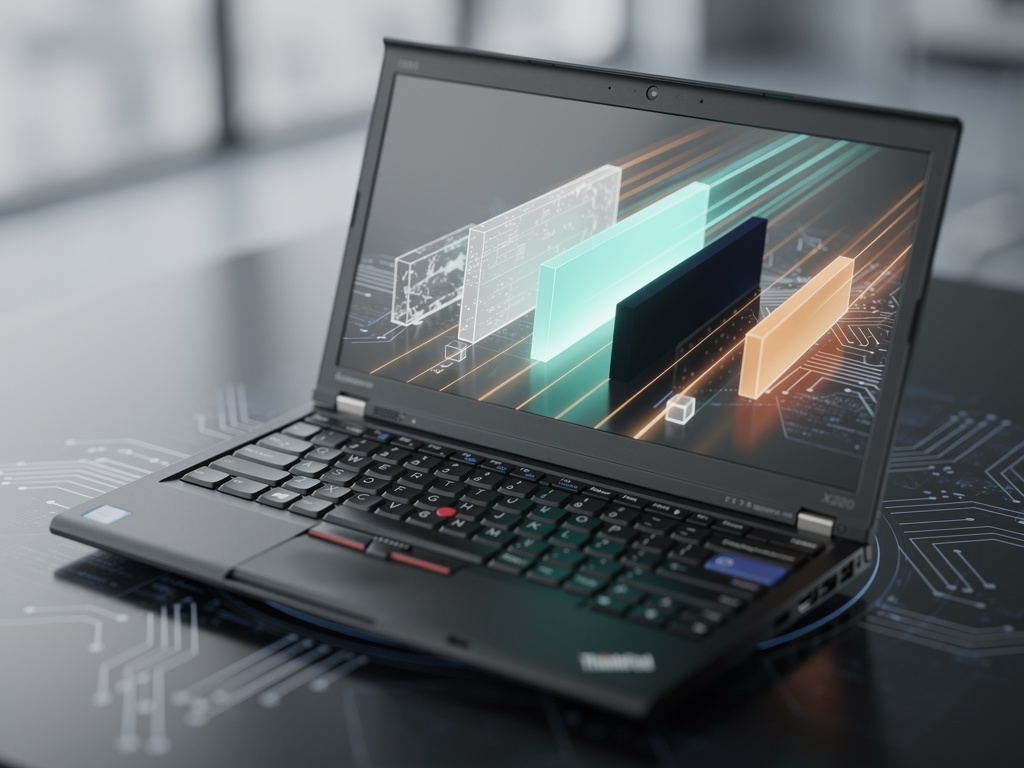
In the ever-evolving world of operating systems, Microsoft’s Windows 11 has been positioned as a sleek, modern upgrade, promising enhanced security, a refreshed interface, and better integration with emerging technologies like AI. Yet, a recent speed test has cast a shadow over these claims, placing Windows 11 at the bottom of a performance comparison against five older versions of Windows. Conducted on identical hardware—a venerable Lenovo ThinkPad X220—the experiment revealed surprising results that have sparked debates among tech enthusiasts and professionals alike. Windows 8.1 emerged as the unexpected victor in many benchmarks, while Windows 11 trailed in tasks ranging from boot times to application launches.
The test, detailed in a report from TechRadar, involved installing Windows XP, Vista, 7, 8.1, 10, and 11 on the same machine and running a series of real-world and synthetic benchmarks. Metrics included startup speeds, file compression, web browsing performance, and more. Windows 11 consistently underperformed, finishing last in most categories. This outcome has fueled discussions on forums and social media, with users questioning whether Microsoft’s focus on new features has come at the expense of raw efficiency.
However, the results come with significant caveats. The ThinkPad X220, released in 2011, features hardware that predates Windows 11’s minimum requirements, such as a lack of TPM 2.0 and a compatible processor. To run Windows 11 on this outdated machine, testers likely bypassed these restrictions, which could have introduced inefficiencies. Moreover, older Windows versions were optimized for the era’s hardware, potentially giving them an edge in this setup.
Unraveling the Methodology’s Flaws and Hardware Mismatches
Critics point out that using a single, aging laptop skews the comparison. As noted in coverage from Tom’s Hardware, a fairer test would involve flagship devices from each Windows era, allowing each OS to shine on hardware it was designed for. The X220’s Intel Core i5-2520M processor and 8GB of RAM are relics by today’s standards, and Windows 11’s architecture, built for modern multicore CPUs and SSDs, may not translate well to such constraints.
Further analysis reveals that Windows 11 incorporates heavier overheads, including advanced security features like Virtualization-Based Security (VBS) and more robust telemetry. These elements, while beneficial for contemporary threats, consume resources that older OSes avoid. Posts on X (formerly Twitter) echo this sentiment, with users sharing anecdotes of sluggish performance on legacy hardware, contrasting with smoother experiences on newer systems.
Industry insiders argue that this test highlights a broader trend: software bloat. Over generations, Windows has accumulated layers of code for compatibility, features, and integrations, potentially slowing it down. A discussion on Windows Forum delves into how newer releases demand more from hardware, explaining why Windows 8.1, known for its lightweight design, topped the charts.
Historical Context: Evolution of Windows Performance
Looking back, Windows XP set a benchmark for speed on modest hardware, prized for its simplicity. Vista introduced visual flair like Aero Glass but was criticized for high resource use, leading to optimizations in Windows 7. Windows 8.1 refined the touch-friendly interface while trimming fat, making it efficient. Windows 10 balanced modernity with performance, but Windows 11’s emphasis on a redesigned Start menu, Snap Layouts, and Copilot AI adds computational demands.
Recent news from Hackaday supports this, noting that despite faster hardware today, the user experience hasn’t proportionally improved since the XP era. Benchmarks show diminishing returns, where added features offset hardware gains.
On high-end setups, the narrative shifts. A Microsoft Q&A thread on Microsoft Learn reports users experiencing slowdowns on powerful laptops, attributing it to background processes. Conversely, some Quora answers, like one from Quora, claim no significant differences, suggesting variability based on configurations.
Implications for Enterprise and Consumer Adoption
For businesses, these findings raise questions about upgrading. Enterprises still running Windows 10 face its end-of-support in 2025, pushing migrations to Windows 11. Yet, if performance lags on older fleets, costs could rise for hardware refreshes. Analysts suggest tweaking settings—like disabling VBS or unnecessary services—to mitigate issues, as discussed in Tom’s Hardware’s analysis.
Consumer sentiment on X reveals frustration, with posts lamenting Windows 11’s bloat compared to leaner alternatives like Linux distributions. One viral thread from 2021, when Windows 11 launched, hailed it as 15% faster than Windows 10 in early benchmarks, per MSPoweruser, but recent tests contradict this on legacy gear.
Microsoft has touted optimizations in Windows 11, such as better power management for laptops and faster resume from sleep. However, in the ThinkPad test, these didn’t shine through, possibly due to the hardware mismatch. A German report from WinFuture echoes the embarrassment, labeling Windows 11 “far behind” in speed.
Expert Opinions and Broader Industry Trends
Tech experts, including those from NotebookCheck in their piece on NotebookCheck.net, describe this as evidence of modern software’s “sad reality”—bloatware eroding efficiency. Hassam Nasir, a hardware enthusiast quoted in Tom’s Hardware, emphasizes fair testing methodologies, warning against drawing broad conclusions from unscientific comparisons.
In conversations with developers, the shift toward cloud integration and AI in Windows 11 adds layers that older versions lack. This aligns with Microsoft’s strategy to embed services like OneDrive and Microsoft 365 deeply, which can slow boot times if not managed.
Comparisons extend beyond Windows. Users on X often pit it against macOS, which maintains snappiness across versions due to tighter hardware-software integration. Windows’ need to support diverse hardware ecosystems contributes to its overhead, a point raised in Windows Central’s 2021 coverage of initial Windows 11 benchmarks.
Potential Fixes and Future Directions
To address performance woes, users can employ tools like debloat scripts or registry tweaks, as shared in community forums. Microsoft’s own updates have aimed to refine Windows 11, with patches improving SSD performance and reducing CPU usage in idle states.
Looking ahead, Windows 12 rumors suggest a leaner core with modular features, potentially resolving these issues. Industry watchers speculate that AI-driven optimizations could dynamically adjust resource allocation, making future versions more efficient.
Meanwhile, the ThinkPad test serves as a reminder of legacy support’s challenges. As per TechRadar’s caveat, results on modern hardware might flip the script, with Windows 11 leveraging AVX instructions and better threading on new CPUs.
Voices from the Community and Real-World Applications
Feedback from X users, including posts from tech influencers, highlights mixed experiences. Some report Windows 11 feeling snappier on Ryzen 7000-series processors, while others on older Intel chips echo the benchmark’s findings. A 2024 thread on CS2 gaming benchmarks showed optimized Windows 11 setups yielding higher FPS than defaults, per a detailed comparison.
In professional settings, video editors and programmers note that while Windows 11’s interface aids productivity, raw speed in tasks like compiling code lags behind Windows 10 on similar hardware. This dichotomy underscores the need for context-specific evaluations.
Ultimately, this benchmark saga illuminates the trade-offs in OS development. Microsoft’s push for innovation must balance with performance, especially as users demand efficiency amid rising hardware costs.
Lessons Learned from Generational Showdowns
Reflecting on the test’s viral spread—garnering attention from outlets like Computer Hoy on X—the episode underscores public interest in OS efficiency. It prompts Microsoft to reassess bloat in updates, perhaps prioritizing lightweight modes for older devices.
For insiders, the key takeaway is methodological rigor. As Hackaday points out, quantifying “feel” versus measurable metrics is tricky, yet crucial for fair assessments.
As Windows evolves, these comparisons will continue, guiding users and developers toward optimized experiences. Whether Windows 11 redeems itself on cutting-edge hardware remains a topic for future benchmarks, but for now, its stumble on the X220 offers valuable insights into the costs of progress.


 WebProNews is an iEntry Publication