
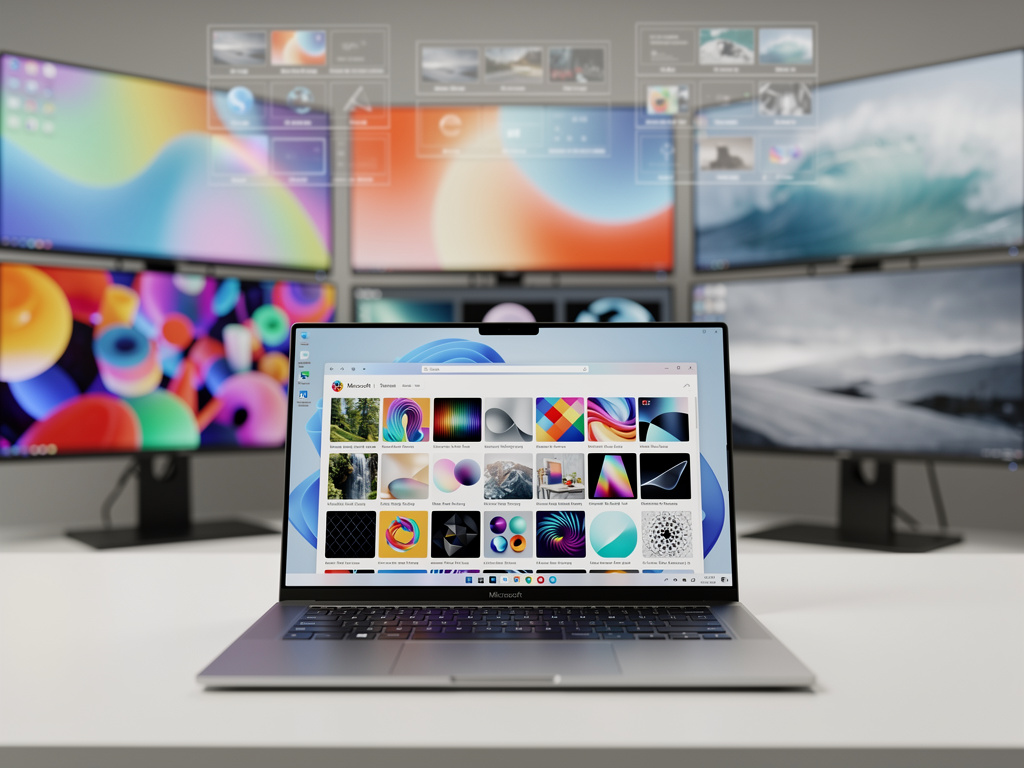
Microsoft’s Windows 11 Makeover: Storefront Themes Usher in Easier Personalization, But Fun Takes a Backseat
Microsoft has long positioned Windows as the backbone of personal computing, but customization has often felt like an afterthought—buried in settings menus or reliant on third-party tools. Now, with the rollout of a dedicated Themes section in the Microsoft Store, the company is attempting to streamline how users personalize their desktops. This move, part of the broader December 2025 update, signals a shift toward making Windows 11 as user-friendly for theming as mobile operating systems, though it stops short of the playful creativity found on Android or iOS. Drawing from recent announcements, this development could reshape how millions interact with their PCs, blending convenience with curated control.
The new Themes hub, quietly introduced in the Microsoft Store, offers over 400 options, including more than 35 fresh additions. Users can now browse, preview, and apply themes with a single click, altering backgrounds, colors, sounds, and cursor styles in one fell swoop. This isn’t just a cosmetic tweak; it’s Microsoft’s bid to centralize personalization, pulling it away from the traditional Settings app and into a more discoverable storefront. According to reports from Digital Trends, the feature mirrors the ease of phone theming but lacks the “fun” factor, with selections feeling more restrained than the vibrant ecosystems on mobile devices.
Insiders note that this integration aims to boost user engagement by making customization feel effortless. For years, Windows users have turned to external sites or apps for skins and icons, sometimes risking security with unverified downloads. By housing themes in the Store, Microsoft not only enhances safety but also opens a potential revenue stream through premium offerings, though most current themes remain free. This strategy aligns with the company’s push toward a more app-centric Windows experience, where the Store serves as a gateway for everything from productivity tools to aesthetic upgrades.
Evolving Customization in the December 2025 Update
Beyond the Themes section, the December 2025 Security Update—officially KB5072033 and KB5071417—introduces a slew of enhancements that deepen personalization options. File Explorer sees improved dark mode support, though some users report inconsistencies, such as lingering light mode elements in certain views. The Start menu gains subtle refinements, including better pinning and search integration, while Virtual Workspaces allow for themed environments tailored to work or leisure. These changes, detailed in a comprehensive breakdown by Windows Central, reflect Microsoft’s iterative approach to refining Windows 11 since its 2021 launch.
One standout is the option to disable the “Drag Tray,” a feature that lets users rearrange taskbar icons but has drawn criticism for accidental activations. Coupled with new Share with Copilot buttons on the taskbar, these updates emphasize AI-assisted personalization, where suggestions for themes could soon be powered by machine learning. Industry observers see this as part of a larger trend: Microsoft leveraging its Copilot AI to make Windows more intuitive, potentially analyzing user behavior to recommend custom setups.
However, not all changes are universally praised. The Settings app, while receiving “tons of improvements” for better navigation, still feels fragmented compared to the cohesive theming on competitors like macOS. Users accustomed to deep tweaks might find the Store’s curated selection limiting, as it prioritizes Microsoft’s vetted themes over community-driven mods. This controlled environment ensures compatibility but could stifle the hacker ethos that has defined PC customization for decades.
Historical Context and User Sentiment on Social Platforms
To understand the significance, it’s worth tracing Windows theming back to its roots. Early versions like Windows 95 introduced basic desktop backgrounds, evolving into full themes with Windows XP’s Luna interface. Windows 11 built on this with Fluent Design, incorporating acrylic effects and rounded corners, but customization remained siloed. Posts on X (formerly Twitter) from users and tech enthusiasts highlight a mix of excitement and nostalgia; many recall the freedom of third-party tools like Rainmeter, now somewhat overshadowed by official options.
Recent chatter on X underscores the appeal of simplicity. One post from a prominent tech account celebrated the one-click installation, noting it could “give your desktop a glow-up” without the hassle of manual tweaks. Yet, there’s a undercurrent of disappointment—users lament the lack of “endless palette” seen in older insider previews, where bold colors and gradients promised more expressive input methods like themed keyboards. This sentiment echoes broader discussions, with some comparing it unfavorably to Android’s Material You, which dynamically adapts themes based on wallpaper.
Microsoft’s own support resources, such as those on Microsoft Support, have long guided users on creating and sharing themes, but the Store integration marks a pivotal evolution. By curating content, the company aims to democratize design, making it accessible to non-tech-savvy users who might otherwise stick with defaults.
Comparing to Mobile Paradigms and Market Implications
The phone analogy isn’t mere hyperbole. On iOS and Android, theming is a core feature—users can swap icons, widgets, and colors in minutes, often with app store integrations. Microsoft’s effort, as analyzed in a piece by TechRadar, positions the Microsoft Store as a similar hub, potentially increasing its relevance in a PC market where app stores have lagged behind mobile counterparts.
Yet, critics argue it’s “not as much fun,” with selections leaning toward professional aesthetics rather than whimsical ones. For instance, while Android allows user-generated themes with wild variations, Windows 11’s hub features handpicked options, many recycled from existing Microsoft galleries. This curation might appeal to enterprise users, where consistency is key, but it could alienate creative individuals seeking radical overhauls.
Market data suggests this could drive adoption. With Windows 11 now on over 400 million devices, per industry estimates, even a small uptick in Store usage could bolster Microsoft’s ecosystem. The update also ties into broader personalization trends, like RGB lighting controls introduced in earlier builds, allowing synced themes across hardware for gaming rigs.
Challenges and Future Directions for Windows Personalization
Despite the positives, hurdles remain. Security updates like this one address vulnerabilities, but they also introduce bugs—reports from Bleeping Computer note fixes for issues in versions 25H2 and 23H2, yet some users experience theme application glitches post-install. Moreover, the reliance on the Store raises privacy concerns; tracking user preferences for recommendations could feed into Microsoft’s data ecosystem.
Looking ahead, insiders speculate on expansions. Virtual Workspaces might evolve to support per-workspace themes, enabling seamless switches between professional and personal setups. Integration with Copilot could allow voice-commanded customizations, like “theme my desktop for productivity,” pulling from the Store’s growing library.
Community forums, such as Reddit’s r/desktops, buzz with recommendations for third-party themes, indicating that while Microsoft’s hub is convenient, it won’t fully replace enthusiast tools. A thread from late 2024, still relevant, lists “easy to install” options, blending official and custom skins for those wanting more depth.
Industry Insider Perspectives on Broader Impacts
For tech executives and developers, this shift has ripple effects. App makers could see opportunities in creating Store-compatible themes, potentially monetizing through in-app purchases. Microsoft’s emphasis on security—ensuring themes don’t introduce malware—aligns with enterprise demands, where customized interfaces must comply with IT policies.
Analysts point to competitive pressures. As Apple refines macOS with dynamic wallpapers and Google pushes Chrome OS themes, Microsoft can’t afford to lag. The December update, as covered in another Windows Central article, positions the Store as an “unlikely savior” for users frustrated with Windows 11’s default look, potentially increasing user satisfaction scores.
Yet, the restrained fun factor might be intentional. In a post-pandemic world, where remote work blurs lines between personal and professional computing, Microsoft seems to favor subtle enhancements over flashy overhauls. This could foster longer-term loyalty, as users grow accustomed to a polished, if not exuberant, experience.
Potential Expansions and User Adoption Strategies
Envisioning the future, Microsoft might expand the Themes section to include user-generated content, moderated for quality. Partnerships with artists or brands could introduce themed packs, similar to mobile collaborations. Early X posts from Windows enthusiasts already hint at demand for more variety, with calls for “bold colors and gradients” reminiscent of 2021 insider builds.
Adoption will hinge on visibility. By embedding the hub directly in the Store, Microsoft ensures it’s front-and-center for users updating apps or browsing. Coupled with free offerings, this lowers barriers, encouraging experimentation among the 1.4 billion Windows users worldwide.
Ultimately, this evolution underscores Microsoft’s balancing act: delivering accessible personalization while maintaining control. As Windows 11 matures, these changes could redefine the PC experience, making it more inviting without sacrificing its core utility.
Reflections on Customization’s Role in Productivity
In professional settings, themed interfaces aren’t just aesthetic—they can boost productivity. Studies suggest personalized environments reduce cognitive load, helping users focus. Microsoft’s updates tap into this, with features like improved dark mode in File Explorer minimizing eye strain during long sessions.
However, for insiders in tech firms, the real value lies in scalability. Large organizations could deploy company-branded themes via the Store, ensuring uniform branding across fleets. This enterprise angle, often overlooked in consumer-focused reports, highlights Microsoft’s dual-market strategy.
As the year closes, the December 2025 update caps a period of refinement for Windows 11. While not revolutionary, the Themes hub and associated features mark a step toward a more cohesive, user-centric OS, setting the stage for further innovations in 2026.


 WebProNews is an iEntry Publication