
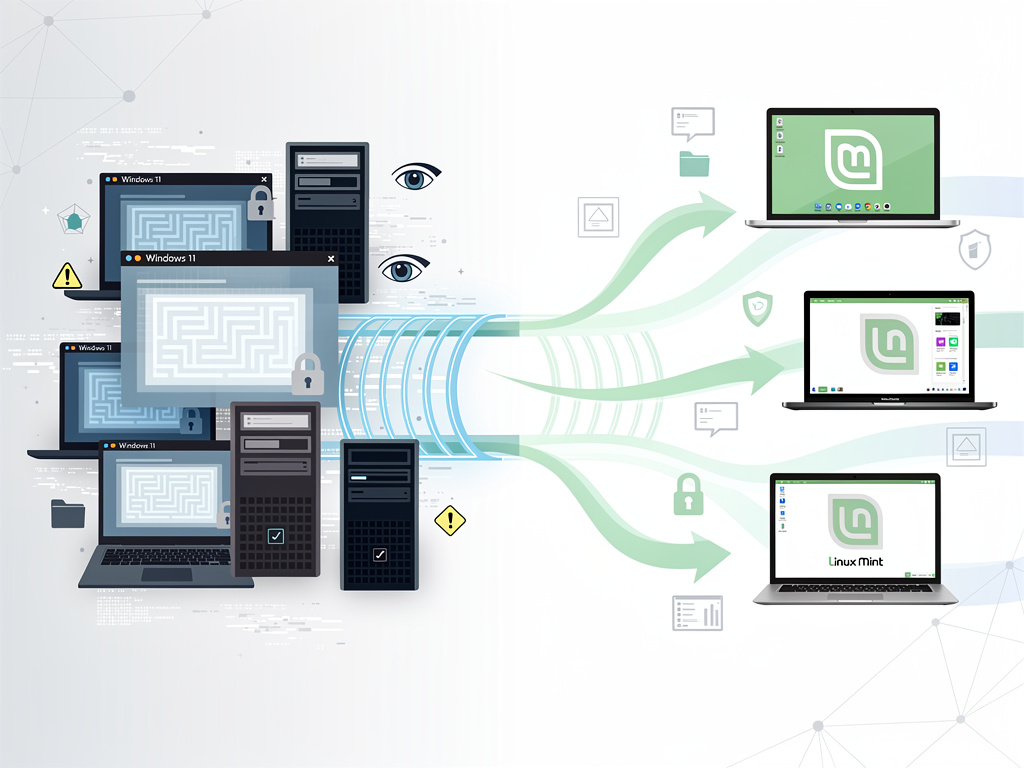
As Microsoft continues to push controversial updates and restrictive hardware requirements through Windows 11, a growing number of users are reconsidering their operating system loyalty. For those contemplating the switch to Linux, the choice of distribution can seem overwhelming—but one option stands out as particularly well-suited for Windows refugees: Linux Mint.
According to MakeUseOf, Linux Mint represents the ideal transition platform for Windows 11 users seeking an alternative without sacrificing familiarity or functionality. The distribution has earned this distinction not through flashy features or cutting-edge technology, but through a deliberate focus on user experience, stability, and accessibility—qualities that resonate particularly well with those accustomed to Windows conventions.
The recommendation comes at a pivotal moment in desktop computing history. Windows 11’s stringent TPM 2.0 and CPU requirements have left millions of perfectly functional computers unable to upgrade, creating both electronic waste concerns and frustration among users whose hardware Microsoft has deemed obsolete. Meanwhile, the operating system’s increasingly aggressive approach to advertising, data collection, and forced Microsoft account integration has alienated privacy-conscious users and those who prefer local control over their computing environment.
The Familiar Face of Linux Mint’s Cinnamon Desktop
Linux Mint’s flagship Cinnamon desktop environment deliberately mirrors the traditional Windows interface paradigm. Users encounter a taskbar along the bottom of the screen, a start menu in the lower-left corner, and system tray icons in the lower-right—a layout that requires virtually no adjustment period for Windows veterans. This design philosophy stands in stark contrast to other popular Linux distributions that embrace radically different interface concepts, such as Ubuntu’s GNOME implementation or elementary OS’s macOS-inspired approach.
The Cinnamon desktop doesn’t simply replicate Windows aesthetics superficially; it incorporates workflow patterns that Windows users have internalized over decades. Right-clicking the desktop provides quick access to display settings and customization options. The file manager, Nemo, operates with the same logic as Windows Explorer, complete with familiar keyboard shortcuts and navigation patterns. Even the system settings panel organizes options in categories that will feel intuitive to anyone who has navigated Windows Control Panel.
Software Availability Bridges the Compatibility Gap
One of the most significant barriers preventing Windows users from exploring Linux has traditionally been software availability. Linux Mint addresses this concern through multiple complementary strategies. The distribution ships with a comprehensive Software Manager that presents thousands of applications in an interface reminiscent of modern app stores, complete with user reviews, screenshots, and detailed descriptions.
For Windows applications that lack native Linux versions, Mint includes Wine pre-configured and ready to use. This compatibility layer enables many Windows programs to run directly on Linux without modification. Additionally, the distribution supports Flatpak out of the box, providing access to an even broader repository of sandboxed applications that work consistently across different Linux distributions. Users can also install Steam’s Proton compatibility layer, which has dramatically expanded Linux gaming capabilities in recent years.
The practical reality is that most common computing tasks—web browsing, email, document editing, media consumption, and basic productivity work—can be accomplished entirely with native Linux applications that often exceed their Windows counterparts in both performance and resource efficiency. LibreOffice handles Microsoft Office formats with increasing fidelity, while browsers like Firefox and Chrome operate identically across operating systems.
Stability and Performance Advantages Over Windows 11
Linux Mint builds upon Ubuntu’s Long Term Support releases, which receive security updates and bug fixes for five years. This foundation provides exceptional stability compared to Windows 11’s more aggressive update cycle, which has repeatedly introduced bugs and compatibility issues that disrupt user workflows. Mint users can choose when to apply updates and can easily roll back problematic changes—luxuries that Windows 11 increasingly restricts.
Performance represents another compelling advantage, particularly for users with older hardware that Windows 11 officially excludes. Linux Mint runs smoothly on systems with 2GB of RAM and modest processors, breathing new life into computers that would otherwise face premature obsolescence. The operating system boots faster, consumes fewer system resources during idle operation, and maintains responsiveness under load conditions that would cause Windows 11 to stutter.
Privacy and Control Return to the User
Perhaps the most philosophically significant difference between Linux Mint and Windows 11 lies in their respective approaches to user autonomy. Mint collects no telemetry data by default, includes no advertising, and requires no online account for basic functionality. Users maintain complete control over their system, from which services run at startup to how updates are applied. This represents a stark departure from Windows 11’s increasingly intrusive data collection practices and Microsoft’s persistent efforts to drive users toward cloud services and subscriptions.
The distribution’s update manager provides granular control over system changes, allowing users to review exactly what will be modified before proceeding. Security updates can be applied immediately while holding back more substantial system changes for user review. This approach respects user agency while maintaining security—a balance that Windows 11’s forced update model fails to achieve.
Community Support and Documentation Excellence
Linux Mint benefits from one of the most welcoming and helpful communities in the open-source ecosystem. The official forums maintain an atmosphere of patience with newcomers, and the distribution’s documentation assumes no prior Linux knowledge. Step-by-step guides cover everything from installation to hardware troubleshooting, written in plain language that avoids unnecessary jargon.
This community-driven support model often proves more responsive than Microsoft’s official channels. Users typically receive detailed, personalized assistance within hours of posting questions, and solutions come from experienced users who genuinely want to help rather than support staff working through scripted responses. The Linux Mint subreddit and various Discord servers provide additional venues for real-time assistance.
The Migration Process Simplified
Linux Mint’s installation process has been refined to accommodate Windows users at every step. The distribution can be tested thoroughly without installation through a live USB environment, allowing users to verify hardware compatibility and explore the interface before committing to any changes. When ready to install, the process guides users through disk partitioning with clear explanations and safe defaults, including the option to dual-boot alongside Windows for those who want to maintain access to both systems.
The distribution includes a comprehensive welcome screen that appears on first boot, offering guided tours of key features and recommendations for initial setup steps. New users receive suggestions for installing multimedia codecs, configuring system snapshots for easy recovery, and personalizing their desktop environment. This onboarding experience demonstrates the distribution’s commitment to accessibility.
When Linux Mint May Not Be the Right Choice
Despite its numerous advantages, Linux Mint isn’t universally suitable for every Windows 11 user. Professionals who depend on industry-specific software with no Linux equivalent—such as Adobe Creative Suite, certain CAD applications, or specialized engineering tools—may find the transition impractical. While alternatives exist for many professional applications, they often require workflow adjustments and may not offer complete feature parity.
Gaming enthusiasts who play the latest AAA titles with anti-cheat systems may encounter compatibility issues, though this situation continues to improve. Users who rely heavily on Microsoft’s ecosystem integration—OneDrive, Office 365 collaborative features, or Windows-specific enterprise management tools—will need to evaluate whether web-based alternatives meet their needs. Hardware with highly specialized Windows-only drivers, particularly some high-end gaming peripherals or professional audio interfaces, may not function fully under Linux.
The Broader Implications for Desktop Computing
The growing interest in Linux Mint among Windows users reflects broader tensions in the desktop operating system market. Microsoft’s strategy of transforming Windows from a product into a service platform has created opportunities for alternatives that respect traditional computing paradigms. As Windows 11 continues to blur the line between operating system and advertising platform, distributions like Mint offer a vision of computing where the user’s interests genuinely come first.
The technical barriers that once made Linux adoption impractical for average users have largely dissolved. Modern distributions handle hardware detection automatically, software installation has become point-and-click simple, and the availability of familiar applications has expanded dramatically. What remains is primarily a knowledge gap—many Windows users simply don’t realize that viable alternatives exist, or they harbor outdated perceptions of Linux as arcane and command-line dependent.
For Windows 11 users feeling increasingly alienated by Microsoft’s direction, Linux Mint represents more than just an alternative operating system. It offers a return to computing principles where the user controls the machine rather than the reverse, where privacy is default rather than opt-in, and where software serves user needs rather than corporate objectives. In an era of increasing digital surveillance and platform lock-in, that philosophy carries significance beyond mere technical specifications.


 WebProNews is an iEntry Publication