
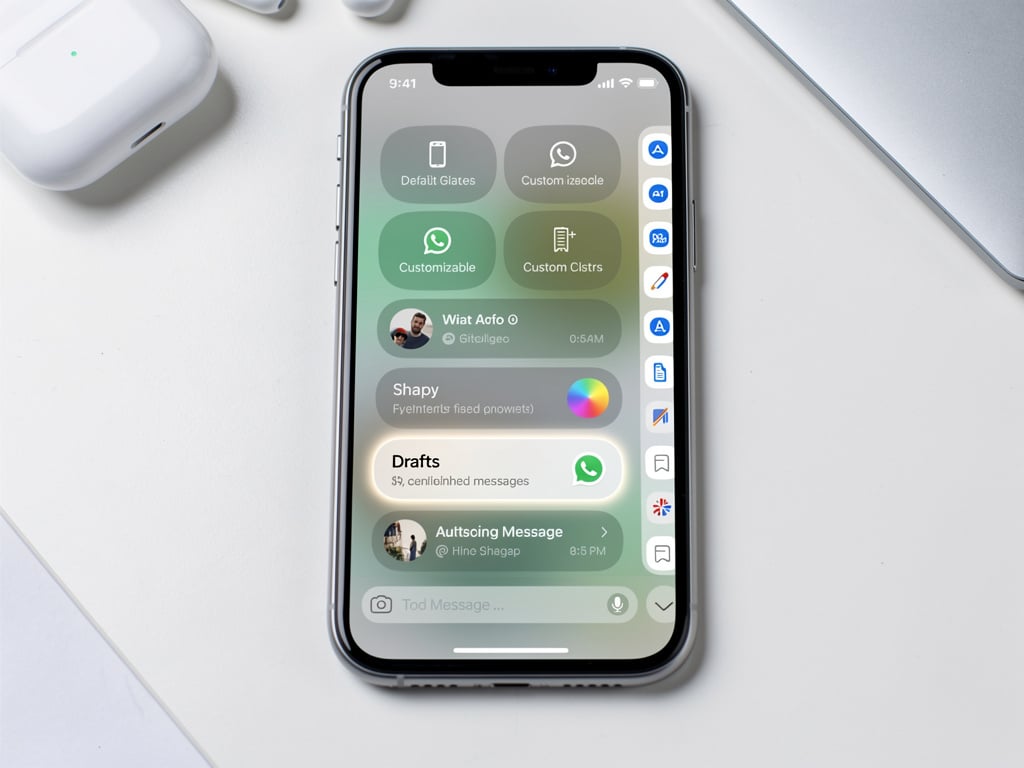
WhatsApp users on iPhone have begun receiving a fresh take on the app’s chat organization tools. The change arrives quietly in version 26.21.74, now available on the App Store. It gives people greater say over what appears at the top of their main Chats screen.
Until recently those lists crowded the interface. Default filters for Favorites, Unread, Groups and Communities sat alongside any custom lists users had created. Scroll horizontally and the row grew long. Many found it messy. The new setup lets owners pick which lists stay visible in that prime spot. Everything else shifts to a secondary menu. Tap a button labeled Filter and the full collection appears. From there an Edit option lets users adjust preferences on the fly.
9to5Mac first reported the rollout Tuesday. The publication noted the feature had already reached Android users. Now iOS catches up. Both the public App Store build and TestFlight beta received it at roughly the same time. That surprised some observers given WhatsApp’s usual staggered releases.
The update also adds a new default list called Drafts. It collects every chat where a user began typing a message but never sent it or cleared the field. A small green label marks those conversations. For people who juggle dozens of threads each day the addition brings immediate practical value. No more hunting for half-finished thoughts.
Custom lists have existed for some time. Users select specific chats or groups and bundle them under one heading. The problem came when that collection expanded. The horizontal row at the top of the Chats tab turned into visual noise. WABetaInfo documented the same pattern on Android months earlier. Testers Akan and O1iveira helped surface the iOS version. The site reports the feature remains limited for now. Expect wider availability over the coming weeks.
But the chat lists shift forms only one piece of a larger visual refresh. Weeks earlier WhatsApp started pushing its Liquid Glass design language to more iPhone owners. That effort touched the bottom navigation bar, parts of the in-chat view and the top bar on the main Chats screen. Some users embraced the translucent, modern look. Others called it distracting. One person posted on X that the changes appeared on their device alongside the iOS 26 keyboard yet left voice message controls and reaction menus untouched. The observation came via 9to5Mac’s coverage in mid-May.
And the timing matters. Meta has spent the past year aligning WhatsApp more closely with Apple’s design cues while preserving its own identity. The chat lists tweak feels less about flash and more about daily friction. Heavy users who maintain separate lists for family, work, sports teams and neighborhood groups now avoid constant scrolling. They pin the lists that matter most. The rest stay one tap away.
Earlier development signals pointed in this direction. In May WABetaInfo described plans to move lists into a dedicated menu. The goal was cleaner navigation and the ability to hide unused defaults such as Favorites. That vision has now reached real devices. The Filter button replaces what was once labeled More in early concepts. The mechanics remain straightforward. Choose visible lists for the main row. Everything else lands in the secondary view. Select one and the app loads exactly those conversations.
Meta has not issued an official statement on the rollout. Nor has the company shared a timeline for full deployment. That silence fits a pattern. Many WhatsApp features surface first through beta testing and reverse engineering before broader announcements arrive. The March 2026 update that brought dual accounts to iOS followed a similar path. Users gained the ability to run personal and work profiles on one phone. Profile pictures in the bottom tab helped them switch without confusion. Storage management tools arrived at the same time. Those additions focused on practicality. The chat lists change continues that theme.
Power users stand to benefit most. Consider a small business owner who belongs to vendor groups, client threads, internal teams and community boards. Previously those lists competed for space at the top of the screen. Now the owner pins Unread and a custom Work list. The rest sit behind the Filter button. Drafts waits there too for any unfinished replies. The organization feels deliberate rather than accidental.
Of course not every user will notice right away. Rollouts at WhatsApp often stretch across weeks or months. Some iPhone owners may still see the old horizontal row for days. Others already have the updated interface and wonder why their friends do not. That staggered approach has drawn occasional complaints yet it lets Meta gather feedback before wider exposure.
The addition of Drafts deserves extra attention. Unsent messages have long lingered in WhatsApp without a dedicated home. Users would reopen old chats hoping to recall where they stopped. The green label now makes those items easy to spot. It reduces mental overhead. Small touches like this accumulate. They turn a messaging app from functional into intuitive.
Look closer at the broader context and patterns emerge. Apple’s own Messages app gained tools in iOS 26 to filter unknown senders into a dedicated folder. Users can mark numbers as known or delete them outright. WhatsApp’s move to give people control over their chat lists echoes that philosophy. Both companies appear focused on helping users cut through noise.
Yet WhatsApp carries far more complexity. Its users manage communities, channels, broadcast lists and multi-device sessions. Any change to the core Chats tab must respect that variety. The new system does so by staying flexible. Hide what you don’t need. Surface what matters. The Filter menu acts as a safety net so nothing gets lost.
Industry watchers expect further refinements. Early Liquid Glass tests have already expanded to message reactions and context menus in later betas. If that design language reaches the chat lists interface itself the result could feel more cohesive. For now the functional upgrade stands on its own. Cleaner lists. Faster access. One less source of daily irritation.
Those who have the update report mixed first reactions. Some praise the reduced clutter. Others say they miss having every list visible at a glance. The Edit button inside the Filter menu should ease that tension over time. Users can experiment and adjust without permanent consequence.
Meta continues to treat WhatsApp as a work in progress. Features arrive, mature, then evolve. The chat lists redesign fits neatly into that cycle. It addresses a real pain point for engaged users while introducing a useful new view for unfinished thoughts. And it does both without demanding that everyone adopt every list at once.
Watch for the feature to spread. Within weeks most iPhone users should see the option. When it appears, take a moment to decide which lists earn prime real estate. The rest will wait patiently behind that Filter button. The change feels modest on paper. In practice it trims friction from hundreds of daily interactions. That counts for plenty in an app billions open every day.


 WebProNews is an iEntry Publication