
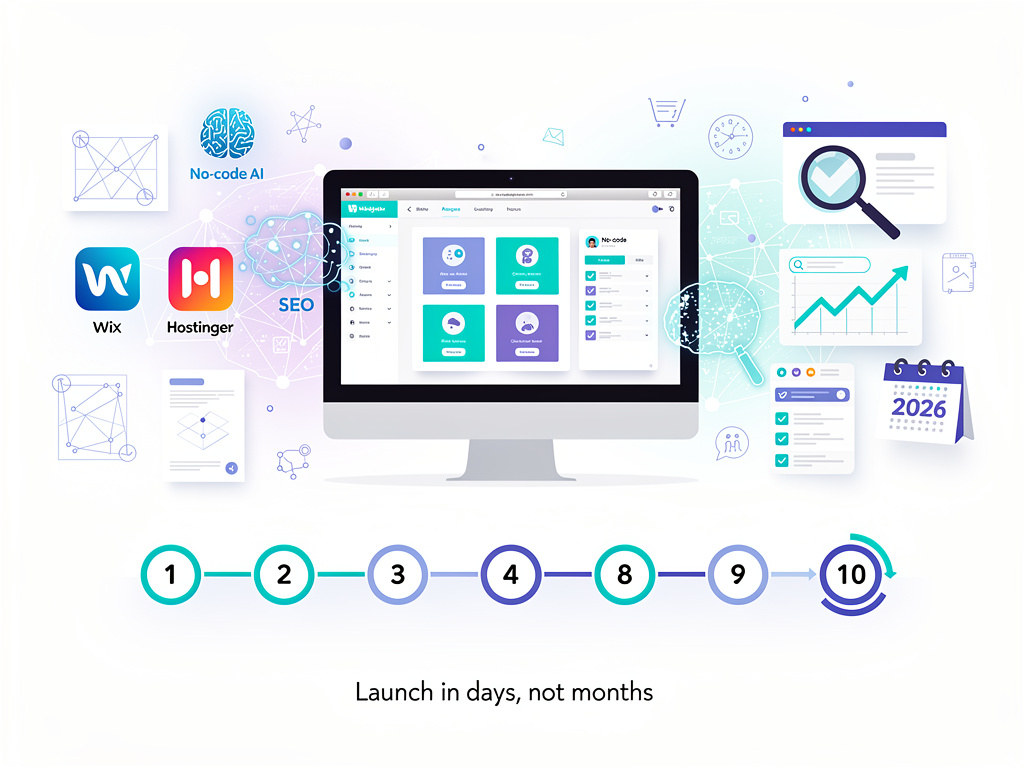
In an era where digital presence dictates business success, erecting a website has shifted from a months-long ordeal to a matter-of-days endeavor, thanks to AI-driven no-code platforms. Industry experts now emphasize streamlined processes that blend planning, automation, and optimization, enabling solopreneurs and enterprises alike to launch professional sites rapidly. This deep dive unpacks the evolved methodology, drawing from authoritative guides and recent innovations to equip insiders with actionable intelligence.
The foundational blueprint remains rooted in ten methodical steps, as detailed by Backlinko, updated as of January 2026. “A bit of planning goes a long way to a smoother website creation process,” the guide asserts, underscoring the need to first define core objectives—be it traffic generation, lead capture, sales, or portfolio display. Backlinko’s framework highlights how sites like its own, powered by WordPress and Kinsta hosting, draw 857,000 monthly visitors through SEO-focused architecture.
Yet, 2026 introduces AI accelerators that compress timelines further. Platforms like Wix and Hostinger now deploy generative tools to auto-generate layouts from conversational prompts, as noted in Wix’s 2026 guide: “The fastest and most beginner-friendly way is to use a no-coding website builder.” This convergence of human strategy and machine efficiency redefines accessibility for non-technical founders.
Defining Goals in a Crowded Digital Arena
Step one demands clarity on purpose. For traffic-driven sites, prioritize SEO bandwidth; lead-gen requires magnets like ebooks; ecommerce needs carts and payments. Website Builder Expert echoes this in its 11-step process, advising navigation that facilitates seamless user journeys: “Learn more about navigation best practices in our detailed guide.” Recent X discussions, such as freeCodeCamp’s tutorial shared by @freeCodeCamp, reinforce ideation as the launchpad, progressing to project setup and GitHub deployment for coders opting out of no-code.
Domain selection follows, favoring brand-aligned, keyword-rich names via tools like Domain Wheel. Registrars such as Namecheap cap costs at $20 annually, often bundled free for the first year with builders. Backlinko recommends country-code TLDs for local targeting, a tactic amplifying relevance in Google’s algorithms.
Hosting choices bifurcate: integrated for Wix/Squarespace, standalone for WordPress.org. Hostinger emerges as a frontrunner at $2.99/month, per Backlinko, offering 1-click installs and lifetime SSL—ideal for scalability without premium pricing like Kinsta’s $30/month Google Cloud setup.
Selecting Builders Amid AI Proliferation
Website builders dominate 2026 selections, with Wix lauded for drag-and-drop simplicity by The New York Times Wirecutter: testers built and published sites from scratch across 20 platforms, crowning Wix for its Adobe Express integrations. Squarespace suits portfolios with appointment tools, Shopify powers stores, and WordPress.org grants SEO supremacy via plugins like Yoast.
AI elevates all: Shopify’s AI builder crafts themes from descriptions, per its guide: “Shopify’s AI website builder can help you find the perfect theme and get you started in minutes.” Hostinger’s Kodee AI and Wix’s Astro chatbot handle queries, design, and content, as compared in Website Builder Expert’s 2026 matchup.
Site architecture planning via Lucidchart ensures intuitive hierarchies—homepage, about, services, contact, blog—optimizing UX and crawlability. “Think like a visitor,” Backlinko advises, nesting subpages logically for superior discoverability.
Crafting Visual Identity with Precision Tools
Design commences with templates: Elementor’s industry-filtered options or Wix libraries. Color palettes from Adobe Color align with psychology—greens for organics—while fonts cap at three for readability. Canva births logos; TinyPNG compresses images for speed, vital as “Slow websites can frustrate visitors and hurt your SEO,” per Backlinko.
Essential pages vary: universal staples plus blog libraries, product collections, or project galleries. WPBeginner positions WordPress as the most SEO-ready out-of-box, extensible via All in One SEO: “WordPress is known for being the most SEO-friendly website builder right out of the box.”
Content ideation leverages audience pain points from Reddit, Google Trends, and Semrush Keyword Magic. “Keywords are the words and phrases people use in search engines,” Backlinko explains, fueling long-form FAQs and lead magnets.
SEO Foundations for Sustained Visibility
On-page SEO integrates meta titles (50-60 characters), descriptions (155-160), alt text, and internal links. Submit XML sitemaps to Google Search Console—auto-generated by Yoast or builders. Elementor stresses responsive design, with AI builders applying UX principles automatically amid $6.9 trillion e-commerce projections by year-end.
Testing precedes launch: functionality checks, Grammarly proofreading, PageSpeed Insights audits, cross-device validation. Hostinger’s AI tools extend to heatmaps, per WPBeginner, predicting visitor focus.
Post-launch, promote via social shares and 27 traffic tactics from Backlinko. X innovator @VincentCrypt46 demonstrates free builds via ChatZ AI: “Please create a fun but professional website… Make some beautiful pictures with AI,” yielding publishable sites instantly.
Emerging Trends and Strategic Edges
Webflow’s visual CMS with AEO tools targets AI search, per its site: “Built-in SEO and AEO tools help you optimize content for both traditional and AI-driven search.” Framer and Carrd vie for design-centric niches, while Hostinger undercuts at $1.99/month introductory rates.
For insiders, hybrid approaches prevail: WordPress with Elementor Pro for drag-and-drop atop self-hosting, avoiding vendor lock-in. Reddit’s r/smallbusiness favors it over Wix for SEO, echoing SiteGround’s speed perks.
Costs span free (Google Sites) to enterprise scales, but value hinges on scalability. As WebsiteSetup notes, “In 2026, the whole website creation process can be largely automated,” democratizing digital infrastructure for all.


 WebProNews is an iEntry Publication