
Enthusiasts drop hundreds, sometimes thousands, on the latest graphics card. They power up their rigs. They load a favorite game. Then comes the letdown. Frames barely budge. The visual jump fails to appear. That shiny new hardware sits there, delivering far less than advertised. This scenario plays out with surprising frequency. And the root cause often traces back to one overlooked upgrade mistake.
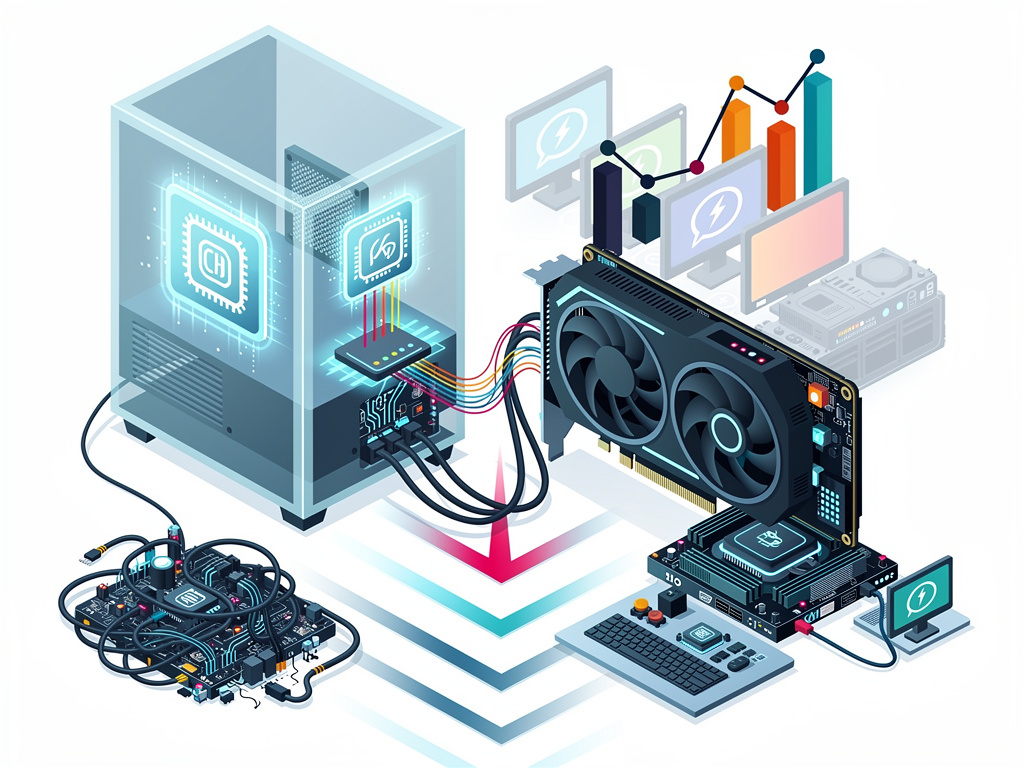
MakeUseOf laid out the core issue in clear terms. Pairing a powerful new GPU with an aging CPU creates a classic bottleneck. The processor simply cannot feed the graphics card enough work. GPU usage stays low. Frame rates stagnate. The card idles while the CPU sweats. MakeUseOf calls this the single biggest error that leaves buyers disappointed.
But the problem runs deeper. XDA Developers examined why so many GPU swaps feel like a waste of money. One factor hits hard. Your previous card may have already handled your regular titles at solid settings. A mid-range GPU from two generations back often delivers 90 to 100 frames per second in most games. The new model pushes that to 120 or 130. The difference registers as subtle at best. Tanveer Singh wrote in the March 2026 piece that the itch to upgrade knows no bounds yet the payoff shrinks. XDA Developers.
Diminishing returns compound the frustration. Jump from an RTX 3070 to an RTX 4060 Ti and you gain almost nothing in raw speed. The same holds for certain AMD transitions. A 20 percent bump at most. Hardly the generational leap promised in marketing. Sidegrades masquerade as upgrades. Buyers notice. They feel cheated.
Game choice matters too. Many stick to familiar esports titles or older releases that never tax modern silicon. Turn on ray tracing. Load an open-world blockbuster with dense foliage and complex lighting. Only then does the new hardware stretch its legs. Without that stress test, the card appears ordinary.
Monitors create another trap. A 1080p 60Hz panel wastes the potential of any high-end GPU. The hardware can push 1440p or 4K at high refresh rates. The display cannot show it. Motion clarity stays limited. Detail gets lost. Singh recommends a 1440p 180Hz IPS panel as an affordable fix. The visual upgrade suddenly becomes obvious.
Drivers deserve scrutiny. Old installations clash with fresh hardware. Performance tanks. Artifacts appear. NVIDIA’s own support page still warns users about this years after initial posts. The fix sounds simple. Download Display Driver Uninstaller. Wipe everything clean. Install the newest package. Yet many skip the step and wonder why results disappoint.
Power supply problems add risk. A marginal PSU struggles to deliver stable current under load. The new card draws more watts. Voltage dips. Throttling follows. In extreme cases systems crash. YouTube technicians repeatedly show the danger of mixing cables or underestimating total draw. One wrong choice and the entire upgrade sours.
Thermal limits sneak up as well. Cheap cases with weak airflow let temperatures climb. The GPU downclocks to protect itself. Real-world speed drops below review numbers gathered in ideal labs. Monitoring tools reveal the truth. Sustained clocks fall short. Fans spin louder yet results stay flat.
Memory shortages now shape the entire market. MSI declared 2026 its most difficult year since founding. President Joseph Hsu cited a nearly 20 percent drop in NVIDIA GPU supply combined with memory prices that have risen four to five times. The company plans mainstream price hikes of 15 to 30 percent. Wccftech reported the comments in March. Wccftech. Buyers face higher costs for less selection. The pressure to choose correctly grows intense.
Recent discussions on X echo the same complaints. Users report installing new cards only to see minimal gains. Threads point to older Ryzen 5000 or Intel 10th-gen processors holding back RTX 50-series parts. Others blame unoptimized titles or forgotten Resizable BAR settings. The collective experience suggests the disappointment is widespread rather than isolated.
So what separates success from regret? Planning. Check CPU performance first. Tools like PresentMon or built-in overlays show whether the processor stays pegged at 100 percent while the GPU lounges below 70. If so, a platform upgrade must come first or alongside the card. Pairing a Ryzen 7 7800X3D with a mid-range GPU often delivers smoother results than a flagship GPU on six-year-old silicon.
Resolution and refresh rate should guide the purchase. Competitive players at 1080p 360Hz need different silicon than creators chasing 4K fidelity. Feature sets matter. DLSS, frame generation and improved ray-tracing cores provide gains that raw rasterization numbers miss. A card that looks slower on paper can feel faster in practice.
Storage speed plays a supporting role. Slow hard drives or even older SATA SSDs cause stuttering that gets blamed on the GPU. Modern titles stream assets constantly. NVMe drives cut load times and keep frame times consistent. The upgrade chain extends beyond just the graphics card.
PowerColor and other vendors issued similar warnings about 2026 supply. Memory spot prices remain volatile. Production lines face allocation battles between consumer graphics and data-center AI demand. The result? Fewer choices at higher prices. Enthusiasts cannot afford to waste money on mismatched systems.
Testing after installation proves essential. Run benchmarks at native resolution without upscaling. Disable frame generation initially. Watch GPU utilization graphs. If numbers stay low in demanding scenes, investigate the CPU. Increase graphics quality until the GPU reaches 95 percent or higher. Only then can you judge the true upgrade value.
Many discover that software tricks close the gap without new metal. Aggressive upscaling, better frame generation and driver tweaks squeeze extra performance from older cards. The XDA report noted that leaning on these tools allowed some users to skip an entire GPU generation. The experience stayed satisfying.
Yet for those who push boundaries, hardware still wins. The key lies in balance. A thoughtful system audit before purchase prevents the expensive letdown. Check compatibility. Verify power delivery. Match components to target resolution and settings. Update everything cleanly.
The new graphics card does not have to disappoint. The difference comes down to preparation. Ignore the surrounding ecosystem and the card underdelivers. Respect every link in the chain and the investment pays off in smooth frames and lasting satisfaction. That quiet attention to detail separates frustrated owners from those who genuinely enjoy their upgraded machines.


 WebProNews is an iEntry Publication