
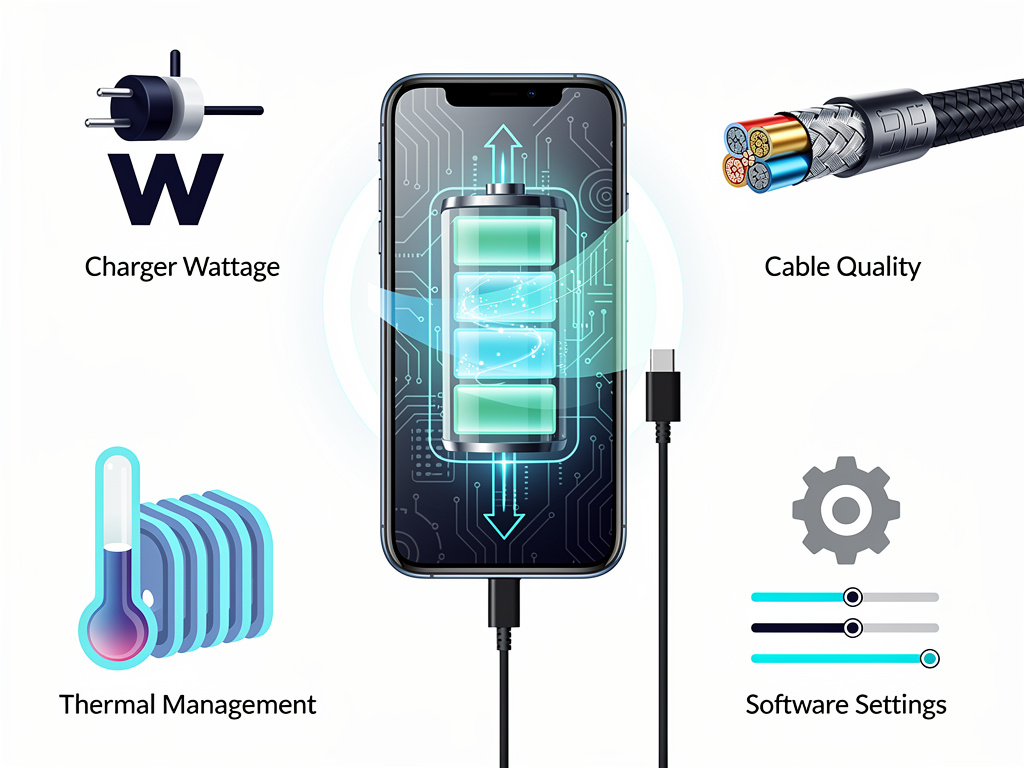
In an era when smartphones have become indispensable tools for commerce, communication, and daily life, few frustrations rival the anxiety of watching a battery indicator crawl upward while time ticks away. The average American checks their phone 144 times per day, according to recent surveys, yet most users remain woefully uninformed about the physics and engineering principles that govern how quickly—or slowly—their devices replenish their batteries. A growing body of practical advice, recently synthesized by Lifehacker, reveals that charging speed is not merely a function of the charger you plug in, but a complex interplay of software settings, cable quality, thermal management, and user behavior.
The stakes are higher than mere convenience. For business travelers, gig-economy workers, and emergency responders, the difference between a 30-minute charge and a two-hour charge can have real-world consequences. And as smartphone manufacturers race to advertise ever-faster charging specifications—some now exceeding 200 watts—the gap between theoretical peak speeds and what users actually experience in practice has never been wider. Understanding why that gap exists, and what can be done to close it, requires a deep dive into the mechanics of modern battery technology.
The Charger and Cable: Your First Bottleneck
The most fundamental factor in charging speed is the hardware chain between the wall outlet and the phone’s battery. As Lifehacker details, using the charger that came with your phone—or one specifically rated for your device’s maximum charging wattage—is the single most impactful step a user can take. Many consumers unknowingly use underpowered chargers, often grabbing whatever cable and adapter are closest at hand. A 5-watt charger from a decade-old iPad, for instance, will charge a modern iPhone at a fraction of the speed that Apple’s 20-watt or 30-watt adapters can deliver. On the Android side, the disparity is even more dramatic: flagship Samsung and OnePlus devices support 45-watt and 100-watt charging respectively, but ship with cables and bricks that may not always maximize those capabilities out of the box.
Cable quality is an often-overlooked variable. Not all USB-C cables are created equal. Cheaper cables may lack the wiring gauge necessary to carry higher amperages safely, effectively throttling charge speeds regardless of how powerful the adapter is. Lifehacker recommends using cables that are explicitly rated for the wattage your phone supports, and avoiding frayed or damaged cables that can introduce resistance. The USB Implementers Forum has established standards like USB Power Delivery (USB-PD) and, more recently, USB-PD 3.1, which supports up to 240 watts. But compliance is voluntary, and the market is flooded with cables that meet only the most basic specifications.
Why Wireless Charging Remains a Speed Penalty
Wireless charging has gained enormous popularity since Apple adopted the Qi standard with the iPhone 8 in 2017, and the newer Qi2 standard—based on Apple’s MagSafe magnetic alignment technology—promises to bring more consistent wireless charging to Android devices as well. Yet as Lifehacker notes, wireless charging remains significantly slower than wired charging for most devices. The physics are straightforward: inductive charging transfers energy through electromagnetic fields between two coils, and this process inherently loses more energy to heat than a direct wired connection. Most Qi chargers top out at 7.5 to 15 watts for mainstream devices, compared to 20 to 45 watts or more via cable.
For users who prioritize speed, the advice is clear: plug in. Wireless charging is best suited for overnight top-ups or desk-based trickle charging during the workday, scenarios where speed is less critical than convenience. That said, the technology is improving. Samsung’s latest Galaxy S series supports 15-watt wireless charging, and some Chinese manufacturers have pushed wireless speeds to 50 watts and beyond using proprietary standards. But these remain niche solutions, and the thermal challenges of high-wattage wireless charging introduce their own complications, as we will explore below.
Heat: The Silent Killer of Charging Speed
Perhaps the most underappreciated factor in charging speed is temperature. Lithium-ion batteries—the chemistry that powers virtually every smartphone on the market—are exquisitely sensitive to heat. When a battery’s temperature rises above approximately 35 degrees Celsius (95 degrees Fahrenheit), the phone’s battery management system will automatically throttle the charging current to prevent damage. This is not a flaw; it is a critical safety feature. Lithium-ion batteries that are charged too aggressively at high temperatures can degrade rapidly, swell, or in extreme cases, catch fire.
Lifehacker advises users to remove their phone cases while charging, as cases act as insulators that trap heat against the device. Charging in direct sunlight, on a soft surface like a bed or couch, or in a hot car can all elevate temperatures enough to trigger throttling. Some power users have taken to placing their phones on cool surfaces or even near fans during charging sessions, though manufacturers generally do not officially endorse such practices. The thermal management challenge is one reason why ultra-fast charging technologies from companies like Xiaomi and Oppo often require specialized chargers with built-in cooling systems—an engineering acknowledgment that speed and heat are inextricably linked.
Software Settings That Secretly Sabotage Your Charge Time
Beyond hardware, software plays a surprisingly large role in determining how quickly a phone charges. Every process running on a smartphone draws power from the battery, which means that if the phone is actively consuming energy while charging, the net rate of charge decreases. Lifehacker recommends enabling Airplane Mode during charging sessions when maximum speed is desired. Airplane Mode disables cellular, Wi-Fi, and Bluetooth radios—three of the most power-hungry components in any smartphone—effectively reducing the device’s power draw to near-idle levels.
For users who cannot go fully offline, simply closing background apps and reducing screen brightness can help. On both iOS and Android, background app refresh, location services, and push notifications all consume power continuously. Turning off these features temporarily, or simply letting the phone’s screen stay off during charging, can meaningfully accelerate the process. Apple’s Optimized Battery Charging feature, introduced in iOS 13, deliberately slows charging past 80% to preserve long-term battery health—a worthwhile trade-off for longevity, but one that users should understand when they wonder why the last 20% seems to take forever.
The 80% Rule and the Chemistry of Patience
This brings us to one of the most important and least intuitive aspects of smartphone charging: the charging curve. Lithium-ion batteries do not charge at a constant rate. The first 50% to 80% of a charge cycle typically proceeds at the maximum rate the charger and battery management system will allow. But as the battery approaches full capacity, the charging current must be progressively reduced to avoid overcharging individual cells. This is known as the constant-current/constant-voltage (CC/CV) charging protocol, and it is a fundamental characteristic of lithium-ion chemistry.
In practical terms, this means that charging from 20% to 80% might take 30 minutes on a fast charger, while going from 80% to 100% could take nearly as long. Many battery experts—and increasingly, the manufacturers themselves—recommend keeping batteries between 20% and 80% charge for optimal longevity. Apple, Samsung, and Google have all introduced software features that allow users to cap their maximum charge level at 80% or 85%, a tacit acknowledgment that full charges are not always in the battery’s best interest. For users who need speed above all else, the takeaway is clear: if you only have 20 minutes, do not worry about reaching 100%. The fastest gains are in the lower and middle portions of the battery gauge.
The Emerging Arms Race in Charging Technology
The competitive dynamics among smartphone manufacturers have turned charging speed into a headline marketing feature. Xiaomi demonstrated 300-watt wired charging in a lab setting in 2023, claiming a full charge in under five minutes. Oppo’s SUPERVOOC and OnePlus’s proprietary charging technologies have pushed commercially available speeds past 100 watts. Even Apple, historically conservative on charging specifications, has steadily increased its supported wattage with each iPhone generation, and the iPhone 15 Pro Max supports USB-PD at up to 27 watts—modest by Android standards, but a significant increase from the 5-watt chargers Apple shipped for years.
These advances come with trade-offs. Higher charging speeds generate more heat, which can accelerate battery degradation over hundreds of charge cycles. Some manufacturers have responded with dual-cell battery architectures that split the charging load between two smaller cells, effectively halving the thermal stress on each. Others have invested in gallium nitride (GaN) charger technology, which produces more compact and efficient adapters that waste less energy as heat. The result is a rapidly evolving ecosystem of charging solutions that demands more sophistication from consumers than simply plugging in a cable.
What Power Users Should Do Right Now
For those who want to extract every possible advantage from their current hardware, the prescription is a combination of the right equipment and the right habits. Use a wired charger rated for your phone’s maximum supported wattage. Use a high-quality cable that meets USB-PD specifications. Remove your case. Charge in a cool environment. Enable Airplane Mode or at least minimize background activity. And do not obsess over reaching 100%—the fastest and healthiest charging happens between 20% and 80%.
These are not exotic hacks; they are applications of basic electrical engineering and battery chemistry that any informed user can implement immediately. As smartphones continue to serve as the central computing devices in most people’s lives, understanding the mechanics of how they are powered is no longer optional—it is essential. The manufacturers will continue to push the boundaries of charging speed, but the user’s role in optimizing that speed will remain just as important as the technology itself.


 WebProNews is an iEntry Publication