
Somewhere between the flashy camera upgrades and the foldable screen theatrics, Samsung buried one of its most practical productivity features in plain sight. It’s called Edge Panels, and despite shipping on every Galaxy flagship for years, it remains one of the most chronically overlooked tools in the Android world.
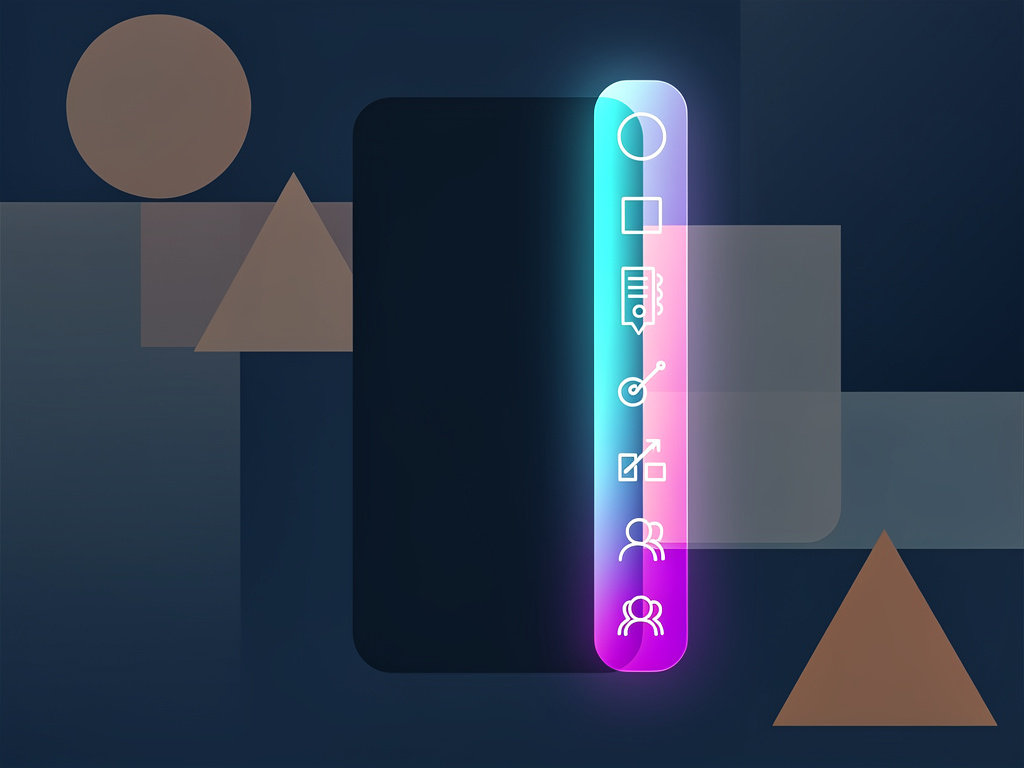
The concept is deceptively simple. A translucent handle—barely visible—sits along the edge of your Samsung Galaxy display. Swipe it, and a drawer slides out with app shortcuts, contacts, tools, a clipboard manager, and more. It’s not new. Samsung introduced the feature back with the Galaxy S6 Edge in 2015, when it was little more than a novelty tied to the phone’s curved display. But the feature has matured considerably since then, evolving into a configurable command center that can genuinely change how people interact with their phones.
Most people never swipe it. Many don’t even know it exists.
As MakeUseOf recently reported, Edge Panels may be Samsung’s most underrated productivity tool, hiding in the margins of the screen while users hunt through app drawers and home screen folders for the same shortcuts Edge Panels already provides. The publication makes a compelling case: in a world where phones have become our primary computing devices, shaving seconds off repetitive tasks adds up fast.
Here’s what makes Edge Panels more than a gimmick. The feature supports multiple panels that users can swipe between, each customizable. The default Apps panel lets you pin your most-used applications for instant access—no hunting through pages of icons. A People panel puts your key contacts one tap away from a call or message. The Clipboard panel stores recent text and image copies, functioning as a persistent clipboard history that Android itself still doesn’t offer natively. And the Tools panel includes a compass, ruler, and other quick-access utilities.
But the real power is in the Smart Select panel. It lets users capture specific portions of the screen—rectangles, ovals, even GIF animations—without taking a full screenshot. For anyone who regularly shares snippets of information, whether it’s a chart from a report, a section of a web page, or a clip from a video, this alone justifies enabling the feature.
Why Samsung’s Best Feature Gets Ignored
The discoverability problem is real. Samsung ships Edge Panels enabled by default on most Galaxy devices, but the handle is so subtle—a thin, translucent sliver along the screen’s edge—that it’s easy to mistake for a display artifact or ignore entirely. There’s no onboarding tutorial that walks users through it during initial setup, at least not one prominent enough to stick. And Samsung’s own marketing rarely spotlights it, preferring instead to push Galaxy AI features, camera improvements, and display specs.
This is a pattern with Samsung. The company packs its One UI software with features—Routines, Modes, Good Lock customization, DeX desktop mode—that individually rival standalone apps but collectively overwhelm. When everything is a feature, nothing stands out. Edge Panels suffers from this crowding effect.
According to MakeUseOf, the feature can be activated or configured by navigating to Settings, then Display, then Edge Panels. From there, users can toggle panels on or off, download additional panels from the Galaxy Store, and adjust the handle’s position, size, and transparency. The customization depth is significant. You can move the handle to either edge of the screen, resize it, change its color, and even set it to vibrate when touched.
There’s a broader point here about software design and user behavior. Apple’s approach with iOS has always been to offer fewer features but make each one discoverable and polished. Samsung takes the opposite tack—pack everything in, let power users find what they need. The tradeoff is that features like Edge Panels, which could genuinely improve daily phone use for millions, end up as buried settings that only the most curious users stumble upon.
Samsung’s Galaxy S25 series, released earlier this year, continues to ship with Edge Panels fully intact, alongside the company’s expanding Galaxy AI capabilities. The feature works on the full range of current Galaxy devices, from the budget A-series to the Galaxy Z Fold and Flip lines. On foldable devices especially, where screen real estate is either constrained (Flip) or abundant (Fold), Edge Panels offer a particularly efficient way to manage app switching and multitasking without cluttering the home screen.
So why does this matter for the broader industry? Because the smartphone productivity gap—the difference between what our phones can do and what we actually use them for—keeps widening. Most people use their phones the same way they did five years ago: tapping app icons, scrolling home screens, pulling down notification shades. Features like Edge Panels represent an alternative interaction model, one built around speed and context rather than the traditional grid of icons.
Google has taken notice of similar ideas. Android 15 introduced improved edge gesture handling and predictive back animations, signaling a growing interest in edge-based interactions at the OS level. But Google hasn’t shipped anything as full-featured as Samsung’s implementation. Not yet.
For IT administrators managing fleets of Samsung devices in enterprise environments, Edge Panels also present an opportunity. Samsung’s Knox platform allows administrators to preconfigure Edge Panel layouts, meaning companies could deploy devices with curated panels containing approved apps, contacts, and tools—reducing onboarding friction for employees.
The feature isn’t perfect. The handle can occasionally interfere with edge swipe gestures used for Android’s back navigation, particularly if positioned on the left side of the screen. Some users report accidental activations. And the Galaxy Store’s selection of third-party panels is hit-or-miss, with many feeling outdated or poorly designed. These are solvable problems, but they contribute to the friction that keeps adoption low.
Still, for a feature that requires zero additional downloads, no subscription, and about two minutes of setup, Edge Panels punches well above its weight. It’s the kind of tool that, once configured, becomes invisible in the best way—always there when you need it, never in the way when you don’t.
Samsung has a habit of building genuinely useful things and then forgetting to tell anyone about them. Edge Panels is perhaps the most egregious example. It’s been hiding on millions of screens for nearly a decade. And most of those screens have never been swiped.


 WebProNews is an iEntry Publication