
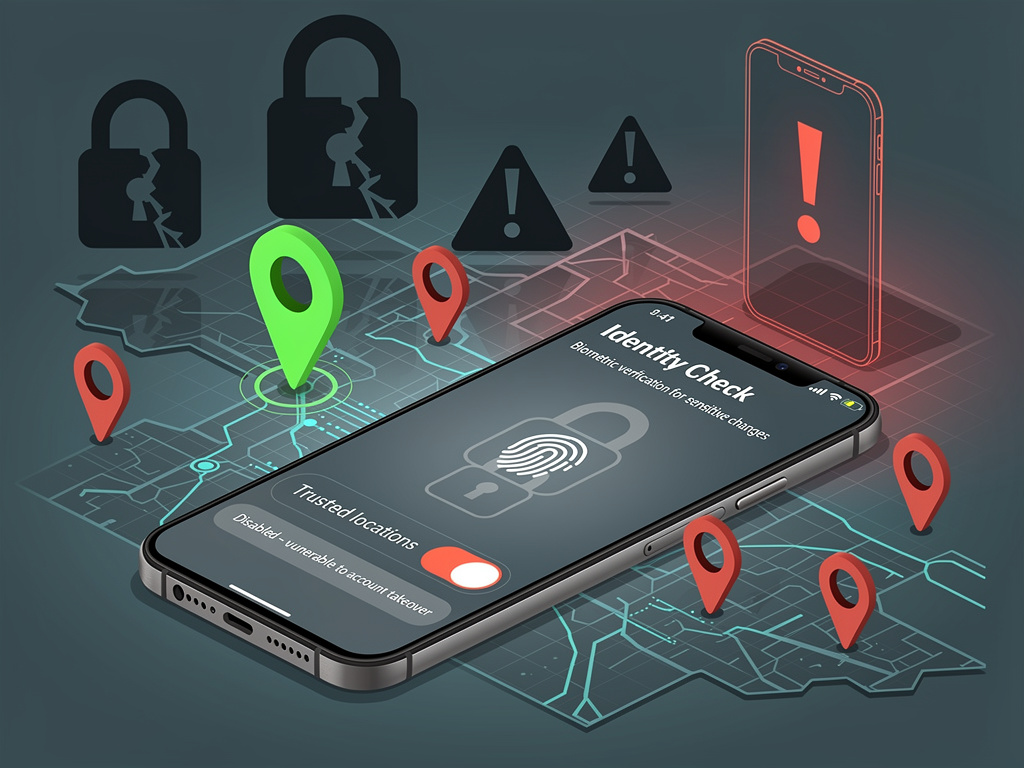
In an era where smartphones serve as the gateway to our most sensitive personal and financial data, an alarming number of Google Pixel owners are leaving a critical security feature disabled — one that could dramatically reduce the risk of unauthorized access to their devices. The setting in question isn’t buried in some obscure developer menu or hidden behind layers of technical jargon. It’s sitting right there in the security settings, waiting to be toggled on.
According to a detailed report by Android Central, the feature that deserves far more attention from Pixel users is Identity Check — a relatively new addition to Google’s security arsenal that adds biometric verification requirements when sensitive settings are changed outside of trusted locations. The feature, which Google rolled out as part of its ongoing effort to harden Android security, represents a meaningful shift in how smartphone authentication works, moving beyond the traditional PIN-and-forget-it approach that has long been the default for most users.
What Identity Check Actually Does — And Why It Matters
Identity Check fundamentally changes how your Pixel handles sensitive operations when you’re away from locations you’ve designated as “trusted,” such as your home or office. When enabled, the feature requires biometric authentication — specifically fingerprint or face recognition — before allowing changes to critical security settings like your screen lock, factory reset protections, or Google Account credentials. This means that even if someone manages to learn your PIN or password, they cannot make sweeping changes to your device’s security without also passing a biometric check.
The logic behind this layered approach is sound. Data breaches, shoulder surfing, and social engineering attacks have made PINs and passwords increasingly unreliable as standalone security measures. A determined thief who observes you entering your PIN at a coffee shop could, without Identity Check, unlock your phone and immediately change every security setting, lock you out of your own Google Account, and effectively commandeer your digital life. With Identity Check enabled, that same thief hits a biometric wall that is exponentially harder to bypass. As Android Central’s reporting emphasizes, this single toggle can be the difference between a stolen phone being a temporary inconvenience and a full-blown identity theft catastrophe.
The Trusted Locations Framework: Convenience Meets Security
One of the more thoughtful aspects of Identity Check’s design is its use of trusted locations. Users can designate specific geographic areas — typically their home, workplace, or other frequently visited spots — where the enhanced biometric requirements are relaxed. When your Pixel detects that you’re within one of these trusted zones, it behaves as it normally would, allowing PIN or password authentication for settings changes. Step outside those boundaries, however, and the biometric gatekeeping kicks in automatically.
This geofencing approach addresses one of the most persistent complaints about heightened security measures: that they make everyday use frustratingly cumbersome. Google appears to have recognized that security features people find annoying are security features people disable. By confining the additional authentication requirements to situations where risk is genuinely elevated — that is, when your phone is being used in unfamiliar locations — Identity Check manages to strengthen security without meaningfully degrading the user experience. It’s a calibrated response to a real-world threat model, not a blunt instrument.
How to Enable Identity Check on Your Google Pixel
Enabling the feature is straightforward, though it does require a few prerequisites. First, your Pixel must be running a recent version of Android that supports Identity Check — generally Android 15 or later with the latest security patches. You’ll also need to have biometric authentication already configured on your device, whether that’s a fingerprint or face unlock. Without biometrics set up, the feature has no secondary authentication method to fall back on, so it simply won’t be available.
To activate Identity Check, navigate to Settings, then Security & Privacy, and look for the Identity Check option. Once you toggle it on, you’ll be prompted to set up your trusted locations using Google Maps integration. The setup process takes only a few minutes, but the security dividend it pays is substantial. As Android Central notes, this is one of those rare settings where the effort-to-benefit ratio is overwhelmingly favorable.
The Broader Push Toward Biometric-First Security on Android
Identity Check doesn’t exist in a vacuum. It’s part of a broader strategic direction Google has been pursuing over the past several years, gradually shifting Android’s security model away from knowledge-based authentication (PINs, passwords, patterns) and toward biometric-first approaches. This mirrors trends across the technology industry, where companies like Apple, Microsoft, and others have been investing heavily in passkeys, facial recognition, and fingerprint authentication as primary security mechanisms.
Google’s Pixel devices have long served as the reference implementation for Android, and features that debut on Pixel often eventually trickle down to Samsung, OnePlus, and other Android manufacturers. Samsung, for its part, has already implemented a similar feature on its Galaxy devices, suggesting that biometric gatekeeping for sensitive settings changes is becoming an industry-wide expectation rather than a Pixel-exclusive perk. The convergence of these approaches across manufacturers signals a growing consensus that PINs alone are no longer sufficient for protecting the depth of personal data modern smartphones contain.
Why Most Users Still Haven’t Turned It On
Despite its clear benefits, Identity Check suffers from a discoverability problem that plagues many advanced security features. It’s not enabled by default — a decision that likely reflects Google’s caution about introducing friction into the out-of-box experience — and it doesn’t generate the kind of persistent notifications that would nudge users toward activation. Unless you’re the type of person who routinely audits your phone’s security settings or reads publications like Android Central, you might never know the feature exists.
This discoverability gap is a recurring challenge in consumer technology security. Research has consistently shown that the vast majority of users never venture beyond the settings configured during initial device setup. They’ll set a PIN because the phone requires it, enable fingerprint unlock because the setup wizard suggests it, and then never revisit their security configuration again. Features like Identity Check, which require deliberate post-setup activation, end up being used primarily by the most security-conscious minority of users — precisely the people who arguably need them least.
The Real-World Threat That Makes This Feature Essential
The threat model that Identity Check addresses isn’t theoretical. Phone theft remains a pervasive problem in cities worldwide, and thieves have become increasingly sophisticated in their methods. Reports from law enforcement agencies across the United States have documented organized theft rings that specifically target smartphone users in bars, restaurants, and public transit — environments where observing someone’s PIN entry is trivially easy. Once a thief has both the physical device and the PIN, the clock starts ticking on a cascade of account takeovers, financial fraud, and identity theft.
In these scenarios, Identity Check serves as a critical circuit breaker. Even with the PIN compromised and the phone in hostile hands, the biometric requirement prevents the attacker from changing the Google Account password, disabling Find My Device, or performing a factory reset that would sever the rightful owner’s ability to remotely locate or wipe the device. This buys the victim precious time to remotely lock the phone, change their Google Account credentials from another device, and alert their financial institutions.
A Small Toggle With Outsized Implications for Digital Safety
The security community has long advocated for defense-in-depth strategies — the principle that no single security measure should be relied upon exclusively, and that layering multiple protections creates a far more resilient system than any individual safeguard. Identity Check embodies this principle at the consumer device level. It doesn’t replace your PIN or password; it supplements them with a biometric layer that activates precisely when the risk of compromise is highest.
For Pixel owners who have been meaning to tighten their device security but haven’t gotten around to it, enabling Identity Check is arguably the single highest-impact action available. It requires no technical expertise, costs nothing, and introduces virtually no friction in day-to-day use thanks to the trusted locations system. In a world where our phones contain our banking apps, our health records, our private communications, and our authentication tokens for countless other services, leaving this feature disabled is an unnecessary gamble. The setting is there. The protection is real. The only remaining question is why you haven’t turned it on yet.


 WebProNews is an iEntry Publication