
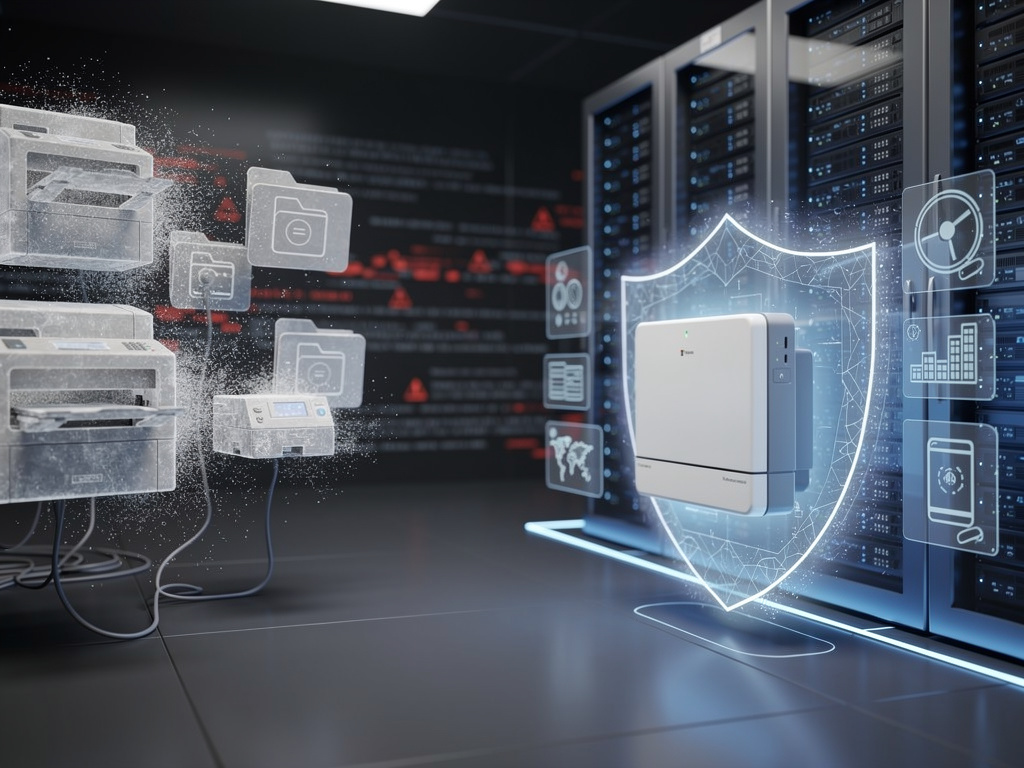
For decades, printer drivers have been among the most quietly persistent — and persistently vulnerable — components of the Windows operating system. Now, Microsoft is finally pulling the plug. The company’s phased elimination of legacy printer drivers from Windows, a process that began in earnest in 2023 and is set to reach its conclusion by 2027, represents one of the most significant architectural shifts in the history of the world’s most widely deployed desktop operating system.
The move, while technical in nature, carries sweeping implications for enterprise IT departments, managed print service providers, hardware manufacturers, and the millions of organizations still relying on aging print infrastructure. It is a calculated bet by Microsoft that the security gains from eliminating kernel-level third-party printer code will outweigh the inevitable disruption to legacy workflows.
A Timeline Rooted in Hard-Learned Security Lessons
As TechRepublic detailed in its coverage of the phaseout, Microsoft’s decision to retire legacy printer drivers — known as Version 3 (v3) drivers — is not a sudden pivot but rather the culmination of years of incremental policy changes. The company first introduced its Windows Protected Print Mode (WPP) as an optional feature, and has been steadily tightening the screws on the old driver model ever since.
The timeline is deliberate. In September 2023, Microsoft stopped allowing new v3 printer drivers to be published to Windows Update. By 2025, the company began blocking the installation of new v3 drivers on systems running the latest builds of Windows 11. The final phase, expected by 2027, will see all legacy v3 driver functionality completely removed, with Windows Protected Print Mode becoming the default — and only — printing architecture.
Why Printer Drivers Became a Security Nightmare
To understand why Microsoft is willing to endure the operational friction of this transition, one must appreciate just how dangerous the legacy printer driver model had become. Traditional v3 printer drivers operate with kernel-level privileges, meaning they execute code at the deepest and most trusted layer of the operating system. A compromised printer driver doesn’t just affect printing — it can serve as a gateway to full system compromise.
The most infamous demonstration of this vulnerability came with the PrintNightmare exploits of 2021, a series of critical vulnerabilities in the Windows Print Spooler service that sent shockwaves through the cybersecurity community. PrintNightmare allowed remote code execution and local privilege escalation, and it was actively exploited in the wild before Microsoft could fully patch it. The vulnerabilities were so severe that the U.S. Cybersecurity and Infrastructure Security Agency (CISA) issued emergency directives to federal agencies. PrintNightmare was not an isolated incident but rather the most visible symptom of a fundamentally flawed architecture that gave third-party driver code far too much trust.
Windows Protected Print Mode: The Replacement Architecture
Microsoft’s answer to the legacy driver problem is Windows Protected Print Mode, which relies exclusively on the modern IPP (Internet Printing Protocol) standard via Microsoft’s own Mopria-based class driver. Under WPP, third-party kernel-mode driver code is eliminated entirely from the print pipeline. Instead of each printer manufacturer shipping its own bespoke driver — with its own potential vulnerabilities — the operating system communicates with printers using a standardized protocol that doesn’t require elevated system privileges.
According to TechRepublic, WPP effectively transforms printer communication into a more modern, web-like interaction. Printers that support IPP — which includes the vast majority of devices manufactured in the last decade — will work seamlessly under the new model. The class driver handles rendering, spooling, and communication without the need for manufacturer-specific software to run in kernel space.
The Enterprise Reckoning: Legacy Hardware and Compatibility Gaps
While the security rationale is compelling, the transition poses real challenges for enterprise environments. Large organizations often operate fleets of printers that span multiple generations of hardware. Older devices — particularly specialized printers used in manufacturing, healthcare, and logistics — may not support IPP and may have no firmware update path to add it. For these organizations, the phaseout is not merely a software update but a potential capital expenditure event requiring hardware replacement.
IT administrators in enterprise settings have been tracking Microsoft’s announcements closely. The phased approach gives organizations a multi-year runway, but the clock is ticking. Organizations that have not yet audited their print infrastructure for IPP compatibility are increasingly behind the curve. Microsoft has published guidance urging IT departments to inventory their printer fleets, test WPP compatibility, and begin planning for the retirement of any devices that cannot operate without v3 drivers.
Managed Print Services Providers Face a Pivot Point
The ripple effects extend beyond internal IT departments. Managed print services (MPS) providers — companies like Xerox, Ricoh, and Konica Minolta that manage print infrastructure on behalf of enterprises — are being forced to recalibrate their service offerings. For years, these providers have built their value propositions around deep driver-level integration, custom print management software, and proprietary optimization tools that often relied on the v3 driver framework.
Under WPP, much of that proprietary layer becomes unnecessary or incompatible. MPS providers will need to shift toward solutions that work within the constraints of the IPP standard and Microsoft’s class driver model. This could commoditize certain aspects of managed print services while opening new opportunities around cloud-based print management, security compliance, and fleet modernization consulting.
A Broader Pattern: Microsoft’s Security-First Overhaul of Windows
The printer driver phaseout does not exist in isolation. It is part of a broader and increasingly aggressive campaign by Microsoft to harden Windows against the categories of attacks that have plagued the platform for decades. In recent years, the company has moved to enforce Secure Boot, require TPM 2.0 hardware for Windows 11, deprecate legacy authentication protocols like NTLM, and restrict kernel-mode access for third-party software.
Each of these moves follows a similar pattern: Microsoft identifies a legacy subsystem that has become a disproportionate source of security risk, introduces a modern replacement, provides a transition period, and then forces adoption. The printer driver transition is perhaps the most visible of these changes to end users, because printing remains a daily function in most workplaces. But the underlying logic is consistent — reduce the attack surface by eliminating unnecessary kernel-mode code and replacing bespoke, manufacturer-specific implementations with standardized, Microsoft-controlled alternatives.
What Happens to the Stragglers
One of the most pressing questions for the industry is what happens to organizations and devices that simply cannot make the transition. Microsoft has historically offered extended support mechanisms and compatibility shims for critical enterprise scenarios, but the company has given no indication that it plans to maintain indefinite support for v3 drivers beyond the 2027 cutoff.
For organizations running mission-critical printing workflows on hardware that predates IPP support, the options are limited: replace the hardware, implement network-level print servers that can translate between IPP and older protocols, or accept the risk of running unsupported configurations. Some third-party vendors are already developing bridge solutions — middleware that sits between the modern Windows print stack and legacy printers — but these introduce their own complexity and potential security considerations.
The Road Ahead for Windows Printing
Microsoft’s phaseout of legacy printer drivers is, at its core, a story about technical debt. The v3 driver model was designed in an era when security threats were fundamentally different, when the internet was young, and when the idea of a printer being an attack vector would have seemed absurd. The world has changed, and the printing subsystem is finally being dragged into the modern era.
For industry insiders, the message is clear: the transition is not optional, and the timeline is firm. Organizations that begin planning now will have the smoothest path forward. Those that delay risk finding themselves in a scramble as the 2027 deadline approaches, facing simultaneous hardware procurement, driver migration, and workflow reconfiguration challenges. Microsoft has drawn a line in the sand, and the era of the legacy printer driver is ending — whether the industry is ready or not.


 WebProNews is an iEntry Publication