
For years, Samsung’s screen recording feature has remained largely unchanged — a utilitarian tool buried in the quick settings panel that got the job done without much fanfare. But buried in the latest One UI 8 beta builds, Samsung appears to be preparing a significant overhaul of its native screen recording capabilities, one that borrows liberally from third-party apps and could reshape how Galaxy users capture, annotate, and share what happens on their screens.
The discovery, first reported by Android Authority, comes from an APK teardown of the One UI 8 beta software currently being tested ahead of Samsung’s next major software release. The findings suggest Samsung is not merely tweaking its screen recorder but rebuilding it with a suite of new tools that reflect the growing importance of screen capture in everyday smartphone use — from creating tutorials and sharing gameplay to documenting software bugs and recording video calls.
What the APK Teardown Uncovered
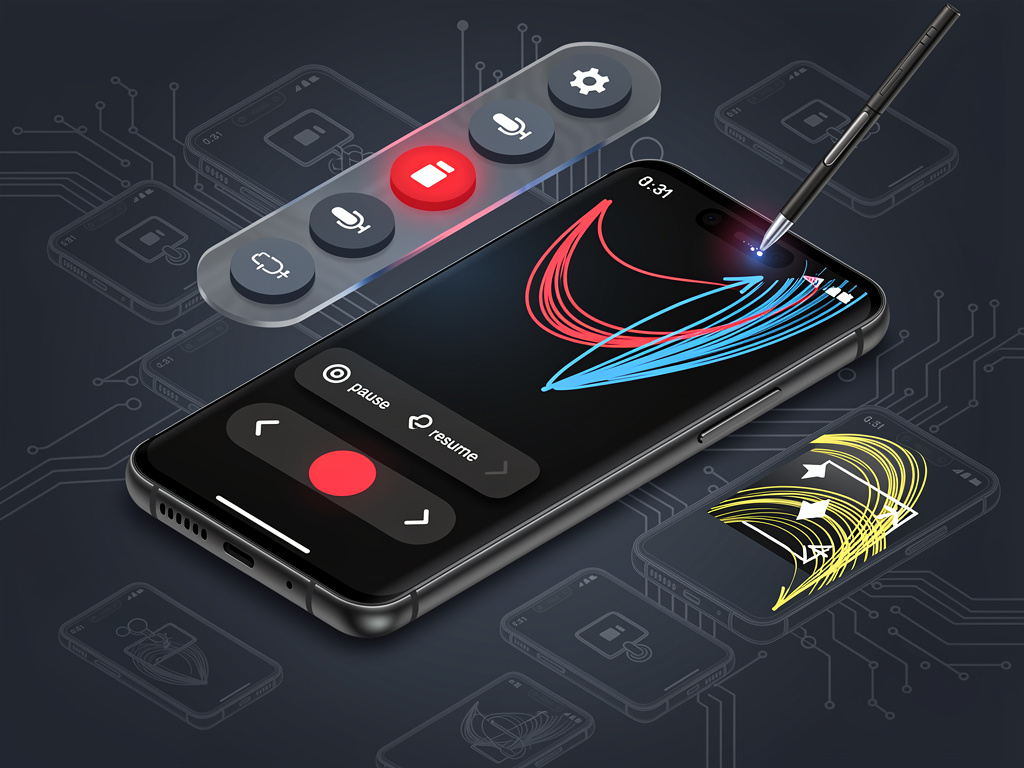
According to Android Authority’s analysis of the One UI 8 beta code, Samsung is working on several new screen recording features that would represent a substantial upgrade over the current implementation. Among the most notable additions is a floating toolbar that appears during recording sessions, giving users real-time access to annotation tools, pause functionality, and drawing capabilities without needing to stop the recording first.
The teardown revealed references to on-screen drawing and markup tools that would allow users to highlight, circle, or annotate content in real time while a recording is in progress. This is a feature that has long been the province of dedicated third-party screen recording applications and professional screencasting software on desktop platforms. Samsung’s decision to bake this functionality directly into the operating system signals a recognition that screen recordings are increasingly used not just for passive capture but for active communication and instruction.
A Floating Toolbar Brings Professional-Grade Controls
The floating toolbar concept is particularly significant. Currently, Samsung’s screen recorder operates with minimal on-screen controls — users tap to start, and the recording runs until they pull down the notification shade or tap a small stop indicator. The new toolbar, as described in the code references found by Android Authority, would provide a persistent but movable control panel during recording sessions. This toolbar is expected to include buttons for pausing and resuming recordings, accessing drawing tools, toggling the front-facing camera overlay, and stopping the session.
This approach mirrors what apps like AZ Screen Recorder and Mobizen have offered for years on Android, but Samsung’s native integration could offer performance advantages and tighter system-level access. Third-party screen recorders often face limitations imposed by Android’s security model, including restrictions on capturing certain system UI elements and audio from specific sources. A first-party solution built into One UI would theoretically bypass many of these constraints, delivering a more seamless and reliable experience.
Pause and Resume: A Long-Awaited Addition
Among the features spotted in the beta code, the ability to pause and resume screen recordings may seem modest, but it addresses one of the most persistent complaints from Samsung users. The current implementation forces users to record continuously from start to finish, meaning any interruption — an incoming notification, a momentary distraction, or the need to set up the next step in a tutorial — results in either unwanted footage that must be edited out later or a completely restarted recording.
Pause and resume functionality eliminates this friction entirely. Users will reportedly be able to halt the recording mid-session, take whatever time they need, and then continue capturing from exactly where they left off. The resulting file would be a single continuous recording without the gaps, reducing the need for post-capture editing. For content creators who use their Samsung devices to produce instructional videos, app reviews, or gameplay content, this is a meaningful quality-of-life improvement.
Real-Time Annotation Could Redefine Screen Sharing
The drawing and annotation tools represent perhaps the most ambitious addition to Samsung’s screen recording suite. According to the code strings analyzed by Android Authority, users will be able to select colors and draw directly on the screen while the recording is active. Every stroke, circle, and arrow would be captured as part of the video output, creating a self-contained visual explanation that requires no additional editing software.
This capability has obvious applications in professional and educational contexts. A tech support specialist could record themselves navigating through settings menus while circling relevant options. A teacher could walk through a math problem on a tablet while highlighting key steps. A developer could document a bug by recording the steps to reproduce it while annotating the exact UI elements that behave unexpectedly. The integration of these tools at the system level means they would work across any app on the device, not just within a specific screen recording application’s ecosystem.
Timing Aligns With One UI 8 and Galaxy S25 Software Updates
The timing of these discoveries is noteworthy. Samsung is currently in the process of developing One UI 8, which is expected to be based on Android 16. The company has been running beta programs for its flagship devices, and the screen recording enhancements appear to be part of this broader software initiative. Samsung typically uses its beta programs to test features extensively before rolling them out to the general public, and the presence of these features in the code does not guarantee they will all ship in the final release.
However, the level of detail found in the APK teardown — including specific UI string references for toolbar buttons, drawing tool options, and recording state controls — suggests that development is well advanced. Samsung has a track record of introducing polished new features through One UI updates, and screen recording improvements would fit naturally into the company’s broader push to enhance productivity and creative tools across its Galaxy ecosystem.
Competition From Google and Apple Intensifies
Samsung’s screen recording upgrades do not exist in a vacuum. Apple has steadily improved its own screen recording capabilities in iOS, and Google has been enhancing Android’s native screen capture tools with each major release. Android 14 and Android 15 both brought improvements to how the operating system handles screen recording permissions and audio capture, and Android 16 is expected to continue this trend.
Google’s Pixel devices already offer a clean, well-integrated screen recording experience, though they lack the advanced annotation and toolbar features that Samsung appears to be developing. By pushing beyond basic capture functionality, Samsung could differentiate its Galaxy devices in a meaningful way — particularly for users who rely heavily on screen recordings for professional or creative purposes. The addition of real-time drawing tools, in particular, is something neither Google’s stock Android nor Apple’s iOS currently offers natively.
What This Means for Galaxy Users and Content Creators
For the millions of Galaxy device owners worldwide, these enhancements could eliminate the need to download and manage third-party screen recording apps. While apps like AZ Screen Recorder, XRecorder, and Mobizen have filled the gap admirably, they come with their own drawbacks — including ads, subscription models for premium features, and the inherent limitations of operating as third-party software on a mobile operating system. A robust native solution from Samsung would simplify the user experience considerably.
For content creators specifically, the implications are significant. The ability to produce annotated, polished screen recordings directly from a Galaxy phone — without transferring files to a computer for editing — could streamline workflows for YouTube tutorial creators, social media educators, and app reviewers. Combined with Samsung’s existing video editing tools in the Gallery app and the S Pen capabilities on Note and Ultra series devices, the enhanced screen recorder could make Galaxy devices even more capable as standalone content creation tools.
Caveats and the Road Ahead
It is important to note that APK teardowns reveal features that are in development, not necessarily features that will reach consumers in their current form. Samsung may choose to modify, delay, or even scrap some of the discovered functionality before One UI 8 reaches its stable release. Beta software is inherently unfinished, and the presence of code references does not constitute a formal announcement from Samsung.
That said, the breadth and specificity of the screen recording changes found in the One UI 8 beta suggest that Samsung is serious about elevating this feature from a basic utility to a genuinely powerful tool. If the company delivers on what the code promises, Galaxy users could soon have one of the most capable native screen recording solutions available on any mobile platform — no third-party apps required. For an industry that increasingly communicates through short-form video and visual documentation, that is a development worth watching closely.


 WebProNews is an iEntry Publication