
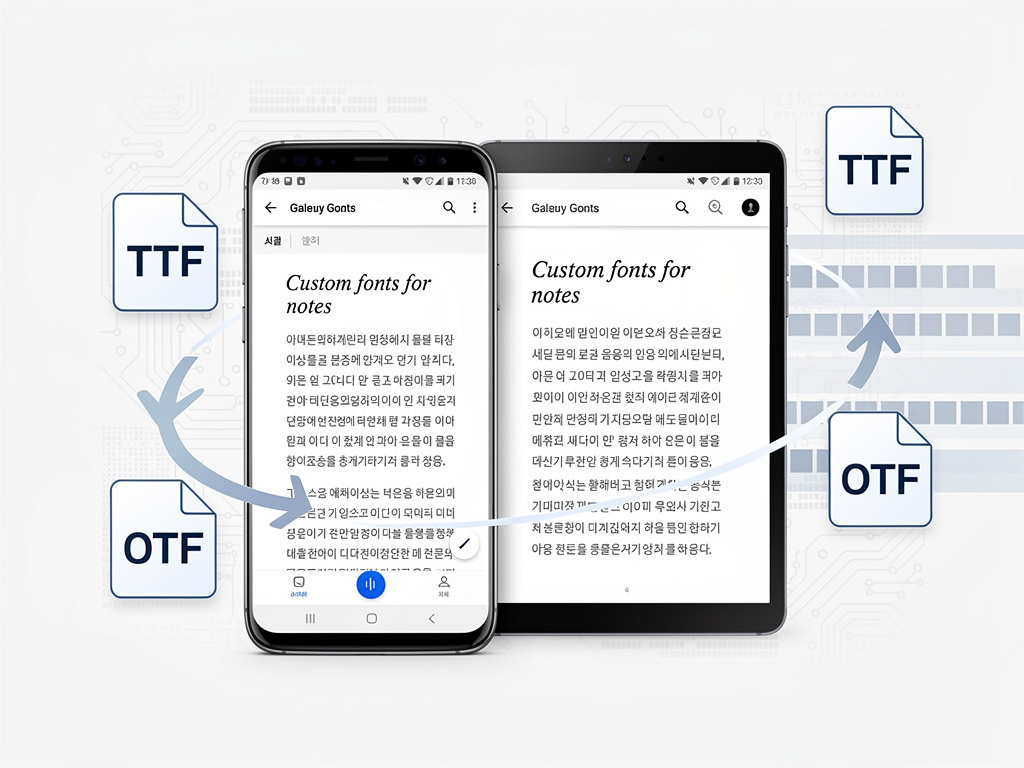
For years, Samsung Notes has served as the default note-taking application on Galaxy smartphones and tablets, offering a competent but sometimes overlooked alternative to third-party rivals like Notion, Google Keep, and Microsoft OneNote. Now, Samsung is preparing a feature that power users and creative professionals have long requested: the ability to import and use custom fonts directly within the app. It may sound like a minor addition, but for the millions of Galaxy device owners who rely on Samsung Notes for everything from lecture annotations to business documents, this update represents a meaningful leap in personalization and professional utility.
The feature was first spotted and reported by Android Authority, which conducted an APK teardown of the latest Samsung Notes update. The teardown revealed strings of code referencing a custom font import function, suggesting that Samsung is actively developing the capability for a near-future release. While the feature has not yet been officially announced or rolled out to the public, the evidence within the app’s code is substantial enough to indicate that it is well beyond the conceptual stage.
What the APK Teardown Reveals About Samsung’s Plans
According to Android Authority, the code strings discovered in the Samsung Notes APK include references to importing font files and applying them to text within notes. The teardown suggests that users will be able to load TrueType Font (TTF) or OpenType Font (OTF) files — the two most common font file formats — directly into the app. Once imported, these fonts would become available alongside the default font options Samsung already provides, giving users a dramatically expanded typographic palette.
This is not the first time Samsung has experimented with font customization on its devices. Galaxy phones and tablets have long allowed users to change the system-wide font through the device’s display settings, and Samsung even operates a font store through the Galaxy Store. However, the ability to use custom fonts within a specific productivity app like Samsung Notes is a different proposition entirely. It suggests Samsung is thinking about Notes not just as a casual jotting tool, but as a more serious document creation platform capable of producing polished, professional-looking output.
Why Custom Fonts Matter More Than You Might Think
To the average consumer, the addition of custom fonts might seem like a cosmetic flourish — nice to have, but hardly essential. For professionals, students, and creatives, however, typography is a critical component of communication. Designers use specific typefaces to convey brand identity. Academics and researchers often must adhere to strict formatting guidelines that specify particular fonts. Business professionals preparing presentations or reports benefit from the ability to match their documents to corporate style guides.
Until now, achieving this level of typographic control on a Samsung device required exporting notes to a more capable application — a workflow that introduced friction and undermined the convenience that Samsung Notes was designed to provide. By bringing custom fonts into the app natively, Samsung is effectively eliminating a pain point that has driven some users toward competing platforms. Apps like Notability and GoodNotes on iPadOS, for instance, have offered richer text formatting options, giving Apple’s tablet ecosystem an edge among users who prioritize document aesthetics.
Samsung’s Broader Push to Elevate Galaxy Productivity
The custom fonts feature does not exist in a vacuum. Samsung has been steadily enhancing its Notes application over the past several update cycles, adding features like audio recording synced to handwritten notes, improved handwriting-to-text conversion, PDF annotation tools, and deeper integration with Samsung’s S Pen stylus. The company has also invested heavily in its DeX desktop mode, which transforms Galaxy devices into workstation-like environments — a context in which a more capable Notes app becomes especially valuable.
Samsung’s recent Galaxy S25 series launch further underscored the company’s commitment to productivity and AI-enhanced workflows. The integration of Google’s Gemini AI across Samsung’s software suite, including summarization and formatting tools within Notes, signals that the company views its note-taking app as a cornerstone of the Galaxy experience. Adding custom font support fits neatly into this strategy: it is the kind of feature that appeals to power users who are most likely to take advantage of Samsung’s broader ecosystem of productivity tools.
The Competitive Context: How Samsung Notes Stacks Up
The note-taking application market has grown increasingly sophisticated. Microsoft OneNote offers deep integration with the Office 365 suite and supports a wide range of formatting options. Notion has carved out a massive following among knowledge workers with its database-driven approach to information management. Google Keep remains popular for its simplicity and cross-platform availability. On the Apple side, the native Notes app has received significant upgrades in recent iOS and iPadOS releases, including improved formatting, scanning capabilities, and collaboration features.
Samsung Notes occupies a unique position in this crowded field. It is pre-installed on hundreds of millions of Galaxy devices, giving it an enormous built-in user base. Its S Pen integration is arguably the best stylus-to-software experience available on any mobile platform, rivaling and in some respects surpassing Apple Pencil functionality. Yet Samsung Notes has historically lagged behind in text formatting and document styling capabilities — an area where custom font support could help close the gap.
Technical Considerations and Potential Limitations
While the APK teardown provides strong evidence that custom fonts are coming, several questions remain unanswered. It is unclear, for example, whether imported fonts will be available only for typed text or whether they will also influence handwriting-to-text conversion output. There is also the question of font licensing: many commercial fonts come with restrictions on how they can be used, and Samsung may need to include disclaimers or guidance to help users navigate these legal nuances.
File management is another consideration. Allowing users to import font files raises questions about storage, organization, and potential conflicts between fonts. Samsung will need to design an intuitive interface for managing imported fonts — adding, removing, and selecting them — without cluttering the app’s currently clean and accessible design. The company’s track record with One UI, its Android skin known for thoughtful user experience design, suggests it is well-equipped to handle this challenge, but execution will be key.
When to Expect the Rollout
Neither Samsung nor any official channel has confirmed a release date for the custom fonts feature. APK teardowns, by their nature, reveal features that are in development but not necessarily imminent. Some features discovered in teardowns never make it to public release at all, while others appear within weeks. Given that the code strings identified by Android Authority appear relatively well-developed, it is reasonable to speculate that the feature could arrive in a Samsung Notes update within the coming months — potentially aligned with a broader One UI update or a new device launch.
Samsung typically rolls out major software features in waves, starting with its newest flagship devices before expanding availability to older models. Users of the Galaxy S25 series, Galaxy Z Fold and Flip lines, and Galaxy Tab S series tablets are likely to be first in line. Whether the feature will eventually reach mid-range Galaxy A series devices remains to be seen, though Samsung has been increasingly generous about extending software features across its product portfolio.
A Small Feature With Outsized Implications
Custom font support in Samsung Notes may not generate the same headlines as a new foldable phone or an AI-powered camera feature, but it speaks to something important about Samsung’s strategic direction. The company is clearly listening to its most engaged users — the ones who use Galaxy devices not just for social media and messaging, but as genuine productivity tools. By addressing a long-standing gap in Samsung Notes’ capabilities, the company is signaling that it takes its software ecosystem as seriously as its hardware.
For the millions of students, professionals, and creatives who rely on Samsung Notes daily, the ability to use their preferred typefaces without leaving the app will be a welcome quality-of-life improvement. And for Samsung, it is another incremental step toward making the Galaxy ecosystem the platform of choice for people who demand more from their mobile devices than the basics. In the world of productivity software, it is often these seemingly small additions that make the biggest difference in user loyalty and satisfaction.


 WebProNews is an iEntry Publication