
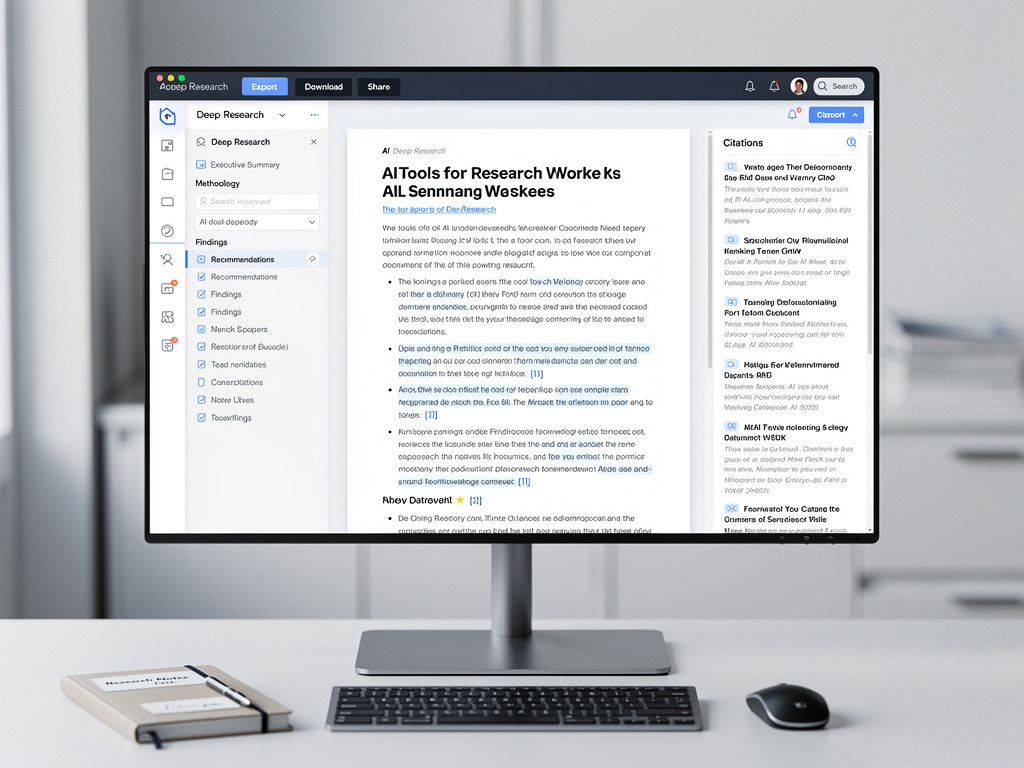
OpenAI is steadily transforming ChatGPT from a conversational chatbot into a full-fledged research workstation, and the latest addition — a dedicated document viewer for its Deep Research mode — represents a meaningful step in that evolution. The new feature, which allows users to view, navigate, and interact with lengthy research reports directly within the ChatGPT interface, may seem like a modest UI upgrade on the surface. But for industry insiders tracking the competitive dynamics of the AI sector, it reveals a broader strategic pivot toward making AI-generated output not just informative but professionally actionable.
As first reported by MacRumors, the document viewer is rolling out to ChatGPT Plus, Pro, and Team subscribers who have access to Deep Research. The feature introduces a side panel that renders Deep Research outputs as structured, multi-section documents — complete with a table of contents, citation footnotes, and the ability to copy or export sections. It effectively turns what was previously a long, scrolling chat response into something that more closely resembles a polished research brief or white paper.
From Chat Bubbles to Structured Deliverables: Why the Document Viewer Matters
Deep Research, which OpenAI first introduced in early 2025, is the company’s answer to a growing demand for AI systems that can conduct multi-step, autonomous research across the open web. Unlike standard ChatGPT queries, Deep Research tasks can take several minutes to complete as the model browses dozens of sources, synthesizes findings, and produces comprehensive reports. The mode has been particularly popular among analysts, consultants, academics, and journalists who need to rapidly assemble detailed briefings on complex topics.
The problem, until now, has been presentation. Deep Research outputs could run thousands of words, but they were delivered in the same chat-bubble format as a simple question-and-answer exchange. Users who wanted to share or refine the output had to manually copy text into Google Docs or Microsoft Word, reformat headings, and chase down citations. The new document viewer eliminates much of that friction. According to MacRumors, the viewer includes clickable source links, section-by-section navigation, and export options that preserve formatting — features that transform the output from a raw AI response into a near-finished professional document.
OpenAI’s Play for the Enterprise Knowledge Worker
The timing of this release is not accidental. OpenAI has been aggressively courting enterprise customers, and the document viewer aligns with a broader push to make ChatGPT indispensable in professional workflows. The company’s ChatGPT Enterprise and Team tiers have been growing rapidly, and features like Deep Research with structured output are designed to justify the subscription costs for organizations that need more than casual AI assistance.
OpenAI CEO Sam Altman has repeatedly emphasized the company’s ambition to build AI that doesn’t just answer questions but does real work. In recent public remarks, Altman has described a future in which AI agents handle entire research projects from start to finish, delivering polished outputs that require minimal human editing. The document viewer is a tangible step toward that vision. By packaging Deep Research results in a format that can be dropped directly into a board presentation or client deliverable, OpenAI is positioning ChatGPT as a tool that competes not just with other chatbots but with traditional research services and consulting workflows.
The Competitive Pressure From Google, Perplexity, and Anthropic
OpenAI’s move also reflects intensifying competition in the AI research assistant space. Google’s Gemini has been steadily improving its ability to conduct multi-step research and present findings in structured formats, particularly through its integration with Google Workspace. Perplexity AI, which has built its entire product around sourced, citation-rich answers, has been gaining traction among users who prioritize verifiability and clean presentation. And Anthropic’s Claude has earned a reputation for producing well-organized, nuanced long-form analysis that many users prefer for complex research tasks.
Each of these competitors has been investing in features that go beyond raw model intelligence to focus on usability, output quality, and workflow integration. OpenAI’s document viewer is a direct response to this pressure. The company appears to recognize that in the battle for professional users, the quality of the interface and the polish of the output matter just as much as the underlying model’s reasoning capabilities. A brilliantly researched report that arrives as an unformatted wall of text in a chat window is far less useful than a well-structured document with navigable sections and verified citations.
How the Document Viewer Works in Practice
Based on the details reported by MacRumors, the document viewer activates automatically when a Deep Research task is completed. The output appears in a dedicated panel on the right side of the screen, separate from the conversational thread. Users can scroll through the document independently of the chat, click on section headers in the table of contents to jump to specific parts of the report, and hover over citations to preview the source material.
The export functionality is particularly significant for professional users. Reports can be downloaded in multiple formats, and the citation structure is preserved during export, meaning that users don’t have to manually reconstruct footnotes or source lists when moving the document into their own workflow tools. This level of polish suggests that OpenAI has been listening carefully to feedback from its enterprise and professional user base, many of whom have been vocal about the gap between the quality of Deep Research’s analysis and the crudeness of its delivery format.
Implications for the Future of AI-Assisted Research
The document viewer also hints at where OpenAI is heading next. The structured format creates a natural foundation for collaborative editing features — imagine multiple team members annotating a Deep Research report within ChatGPT, or an AI agent that iteratively refines sections based on user feedback. It also opens the door to version control, where users could ask Deep Research to update a previous report with new information and see tracked changes in the document viewer.
These capabilities would move ChatGPT even further into territory currently occupied by tools like Notion, Coda, and even specialized research platforms like Elicit and Consensus. OpenAI has shown a willingness to absorb adjacent product categories into ChatGPT — the addition of image generation, code execution, file analysis, and web browsing over the past two years demonstrates a platform strategy that aims to make ChatGPT the single interface through which knowledge workers interact with AI.
The Subscription Economics Behind the Feature
There is also a business model dimension worth examining. Deep Research is one of the most computationally expensive features OpenAI offers, requiring extended inference time and multiple web browsing sessions per query. By improving the output quality and usability of Deep Research, OpenAI strengthens the value proposition of its higher-tier subscriptions. ChatGPT Pro, which costs $200 per month, includes significantly more Deep Research capacity than the $20 Plus tier, and features like the document viewer help justify that premium pricing by making the output more immediately useful.
For enterprise buyers evaluating whether to deploy ChatGPT Team or Enterprise across their organizations, the document viewer addresses a common objection: that AI-generated research still requires too much human post-processing to be practical. If a Deep Research report can be exported as a near-finished document with proper citations and professional formatting, the return on investment calculation shifts meaningfully in OpenAI’s favor.
What This Means for Professional Research Workflows
The introduction of the document viewer is ultimately a signal that the AI industry is moving beyond the era of impressive demos and into the era of practical utility. For years, the focus has been on what AI models can do — their reasoning capabilities, their knowledge breadth, their ability to handle complex prompts. Increasingly, the differentiator is how well AI products deliver those capabilities in formats that fit seamlessly into existing professional workflows.
OpenAI’s document viewer for Deep Research is not a breakthrough in artificial intelligence. It is a breakthrough in artificial intelligence product design — and in the current market, that distinction may matter just as much. As the major AI companies converge on similar levels of model performance, the winners will likely be those that best understand how professionals actually work and build their interfaces accordingly. With this latest update, OpenAI is making a clear bet that the future of AI isn’t just about thinking better — it’s about delivering better.


 WebProNews is an iEntry Publication