
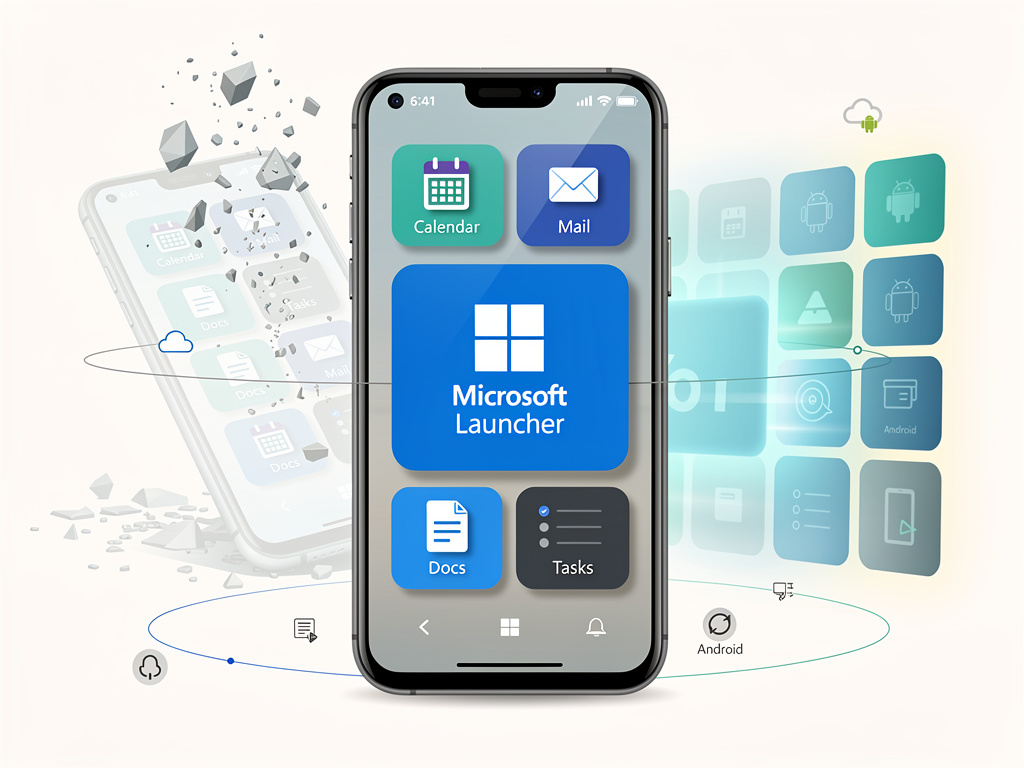
In the constantly evolving world of mobile operating systems, Microsoft has emerged as an unlikely champion in the Android launcher space, defying expectations and challenging assumptions about what legacy technology companies can achieve in territories long dominated by younger, more agile competitors. The Redmond-based software giant’s Microsoft Launcher has quietly become one of the most sophisticated and user-friendly home screen replacements available for Android devices, marking a remarkable turnaround for a company whose own mobile operating system ambitions ended in spectacular failure less than a decade ago.
According to Android Police, the transformation of Microsoft Launcher from a serviceable alternative to a genuinely compelling Android experience represents one of the most underappreciated success stories in mobile software. The publication notes that Microsoft has managed to create a launcher that seamlessly integrates the company’s productivity ecosystem while respecting Android’s core design principles—a balance that has eluded many competitors who either sacrifice functionality for aesthetics or create bloated, confusing interfaces in their quest to differentiate.
The success of Microsoft Launcher stands in stark contrast to the company’s previous mobile endeavors. Windows Phone, despite its innovative Metro design language and fluid user interface, never captured more than a small fraction of the smartphone market before Microsoft officially discontinued support in 2017. Yet rather than retreating from mobile entirely, Microsoft pivoted to a strategy that seemed counterintuitive at the time: building exceptional software for its competitors’ platforms. This approach, championed by CEO Satya Nadella, has proven remarkably prescient, with Microsoft now maintaining a significant mobile presence through applications rather than operating systems.
The Architecture of Integration: Building Bridges Between Ecosystems
What sets Microsoft Launcher apart from competitors like Nova Launcher, Action Launcher, and even Google’s own Pixel Launcher is its deep integration with Microsoft’s productivity suite. Users can access their Microsoft 365 calendar, recent documents, and email directly from the home screen, transforming an Android device into a genuine productivity powerhouse. The launcher’s feed feature aggregates information from multiple Microsoft services, creating a personalized dashboard that rivals anything available on iOS or stock Android.
The technical achievement becomes more impressive when considering the challenges of cross-platform integration. Microsoft has essentially created a bridge between Google’s Android ecosystem and its own cloud services, requiring sophisticated API work and careful attention to performance optimization. The launcher must communicate with Microsoft’s cloud infrastructure while respecting Android’s battery management systems and background process limitations—a balancing act that many third-party launchers struggle to maintain.
Industry observers have noted that Microsoft’s approach reflects a broader shift in the company’s strategic thinking. Rather than attempting to create walled gardens that lock users into proprietary ecosystems, Microsoft has embraced openness and interoperability. This philosophy extends beyond the launcher itself; the company has released numerous high-quality Android applications, including Microsoft Office, OneDrive, and Teams, all of which work seamlessly with Microsoft Launcher to create a cohesive mobile experience.
Design Philosophy: Respecting Android While Adding Value
Microsoft Launcher’s design represents a careful study in restraint and enhancement. Unlike some manufacturer-specific Android skins that dramatically alter the operating system’s appearance and behavior, Microsoft has chosen to work within Android’s established design language while adding thoughtful enhancements. The result is a launcher that feels immediately familiar to Android users while offering additional functionality that doesn’t overwhelm or confuse.
The launcher’s customization options strike a delicate balance between flexibility and simplicity. Users can adjust icon sizes, grid layouts, and gesture controls without navigating through Byzantine settings menus. The interface design adheres to Material Design principles while incorporating subtle Microsoft touches, creating a visual coherence that feels both professional and modern. This design philosophy reflects lessons learned from Windows Phone’s failure—that innovative design must meet users where they are rather than demanding they adapt to entirely new paradigms.
Performance optimization represents another area where Microsoft has excelled. The launcher maintains smooth animations and quick response times even on mid-range Android devices, a testament to efficient coding and careful resource management. This attention to performance details distinguishes Microsoft Launcher from competitors that may offer similar features but suffer from lag, stuttering, or excessive battery drain.
The Productivity Advantage: Transforming Smartphones into Work Tools
For enterprise users and productivity-focused individuals, Microsoft Launcher offers capabilities that extend far beyond aesthetic customization. The launcher’s integration with Microsoft 365 means that work documents, calendar appointments, and email are always accessible with minimal friction. The Timeline feature, which syncs browsing history and document access across devices, exemplifies Microsoft’s vision of seamless computing experiences that transcend individual devices.
The launcher’s business-focused features include support for work profiles, allowing users to maintain separation between personal and professional applications—a critical requirement in enterprise environments. Microsoft has also implemented security features that meet corporate IT requirements, including support for mobile device management systems and conditional access policies. These capabilities position Microsoft Launcher as a legitimate tool for business users rather than merely a consumer customization option.
The practical implications of these features become apparent in real-world usage scenarios. A user can glance at their home screen to see upcoming meetings, recent documents, and pending tasks without opening multiple applications. Gesture controls can be configured to quickly access frequently used business applications or initiate specific actions like composing an email or joining a Teams meeting. This level of integration transforms the Android home screen from a simple app launcher into an active productivity hub.
Market Position and Competitive Dynamics
Despite its technical achievements, Microsoft Launcher operates in a crowded and competitive market. Nova Launcher has long been considered the gold standard for Android customization, offering extensive theming options and granular control over nearly every aspect of the home screen experience. Action Launcher pioneered innovative features like Quicktheme and Shutters that have influenced the broader launcher ecosystem. Google’s own Pixel Launcher, while less customizable, offers deep integration with Google services and represents the company’s vision for Android’s future.
Microsoft’s competitive advantage lies not in pure customization capabilities but in its unique position as a productivity software provider. No other launcher developer can match Microsoft’s integration with enterprise tools and cloud services that millions of professionals use daily. This positioning allows Microsoft to target a specific user segment—productivity-focused individuals who use Microsoft services—rather than competing directly across the entire launcher market.
The launcher’s evolution also reflects Microsoft’s broader mobile strategy, which prioritizes services over platforms. By creating compelling applications for Android and iOS, Microsoft ensures its software reaches users regardless of their device choices. This approach has proven more successful than the company’s previous attempts to establish its own mobile platform, demonstrating the value of pragmatism over platform exclusivity.
Technical Innovation and Future Directions
Microsoft continues to update and enhance the launcher with new features and improvements. Recent updates have introduced better widget support, enhanced gesture controls, and improved integration with Microsoft’s expanding suite of mobile applications. The company has also experimented with AI-powered features, including intelligent suggestions for applications and documents based on user behavior and context.
The launcher’s development roadmap suggests Microsoft views it as a strategic platform for mobile innovation rather than a side project. The company has dedicated engineering resources to maintaining and improving the launcher, responding to user feedback and adapting to Android’s evolving technical requirements. This sustained investment indicates Microsoft’s commitment to remaining relevant in mobile computing even without its own operating system.
Looking forward, Microsoft Launcher’s success could inform the company’s broader approach to cross-platform software development. The lessons learned from creating a successful Android launcher—respecting platform conventions while adding distinctive value, prioritizing performance and reliability, and focusing on specific user needs rather than attempting to be everything to everyone—apply equally to other software categories where Microsoft competes.
The Broader Implications for Platform Strategy
Microsoft Launcher’s unexpected success challenges conventional wisdom about platform control and ecosystem dominance. While companies like Apple have built enormous value through tightly integrated hardware and software ecosystems, Microsoft has demonstrated that meaningful platform presence doesn’t require owning the underlying operating system. By creating exceptional software that enhances rather than replaces existing platforms, Microsoft has achieved influence and user engagement that eluded its proprietary mobile efforts.
This strategy also reflects changing user expectations and behaviors. Modern smartphone users increasingly expect their devices to work seamlessly with services and applications from multiple providers. The days of single-vendor solutions dominating users’ digital lives are waning, replaced by a more heterogeneous approach where best-of-breed applications from various providers coexist on shared platforms. Microsoft Launcher exemplifies this trend, offering Microsoft services on Google’s platform while respecting users’ existing Android investments and preferences.
The launcher’s success also validates Satya Nadella’s transformation of Microsoft from a Windows-centric company to a cloud-first, mobile-first organization. By prioritizing services over platforms and embracing competitors’ ecosystems rather than fighting them, Microsoft has positioned itself for sustained relevance in a computing environment increasingly defined by cloud services and cross-platform experiences. Microsoft Launcher represents a small but significant piece of this larger strategic puzzle, demonstrating that sometimes the best way to win is not to insist on playing by your own rules but to excel within someone else’s framework.


 WebProNews is an iEntry Publication