
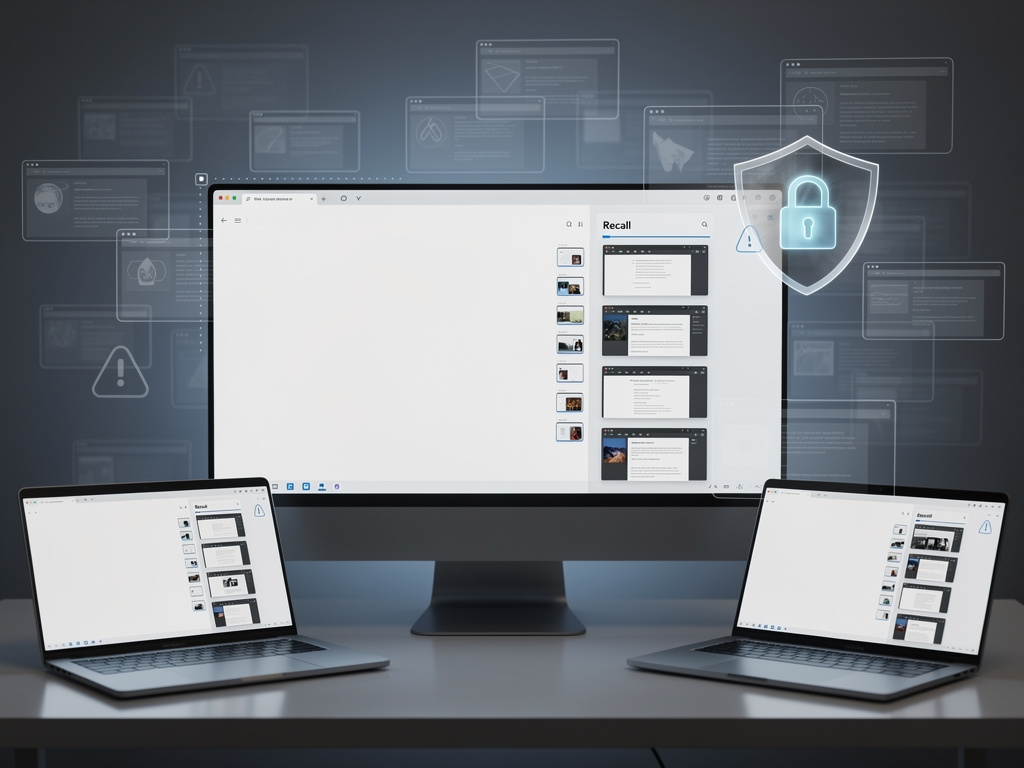
Microsoft has quietly reintroduced one of its most controversial features, and the backlash is already reaching a fever pitch. Recall, the AI-powered tool that continuously takes screenshots of everything you do on your Windows PC, has returned after a rocky debut last year—and security researchers, privacy advocates, and everyday users are raising alarms about what it means for personal data.
The feature, which Microsoft originally announced in May 2024 as a flagship capability for its Copilot+ PCs, was pulled before its public launch after an outcry from cybersecurity experts who called it a potential goldmine for hackers and a surveillance tool masquerading as a productivity aid. Now, as of April 2025, Recall has been rolled out again with what Microsoft describes as significant security improvements. But critics say the fundamental problems remain.
What Recall Does—and Why It Matters
Recall works by taking periodic screenshots of your screen activity—roughly every five seconds—and storing them locally on your device. These snapshots are then analyzed by on-device AI models that make the content searchable. The idea is that you can type a natural language query like “that restaurant someone recommended last week” and Recall will surface the exact moment from your screen history where that information appeared.
Microsoft has positioned Recall as a kind of photographic memory for your PC. The company argues that because the processing happens locally and the data never leaves your device, the feature is inherently private. In a blog post on the Windows Experience Blog, Microsoft stated that Recall data is encrypted, stored in a secure enclave using Windows’ Virtualization-based Security (VBS), and accessible only after biometric authentication through Windows Hello.
A Troubled History That Hasn’t Been Forgotten
The original version of Recall, revealed at Microsoft’s Build conference in 2024, stored screenshots in an unencrypted SQLite database that any application—or any attacker with local access—could read. Security researcher Kevin Beaumont was among the first to flag the vulnerability, calling Recall a “keylogger” built directly into the operating system. The backlash was swift and severe. Microsoft delayed the feature, pulled it from its initial Copilot+ PC launch, and went back to the drawing board.
According to reporting by MSN, the revamped version of Recall now requires users to opt in during Windows setup rather than being enabled by default. Microsoft also added the ability to filter specific apps and websites from being captured, and the screenshots are now encrypted and require biometric authentication to access. These are meaningful improvements, but they haven’t silenced the critics.
The Opt-In Question: Is Consent Enough?
One of the central tensions around Recall is whether an opt-in mechanism truly protects users. Privacy researchers point out that many consumers click through setup screens without fully understanding what they’re agreeing to. The feature is presented during the Windows out-of-box experience (OOBE) alongside dozens of other settings and prompts, and the language Microsoft uses to describe it emphasizes convenience rather than risk.
Tom Warren, writing for The Verge, noted that while the opt-in approach is a step forward, “the very existence of a feature that screenshots everything you do raises questions that no amount of encryption can fully answer.” The concern is not just about whether hackers can access the data, but about what happens when the data exists at all—during legal discovery, in domestic abuse situations, or if Microsoft’s security architecture is compromised in the future.
What Security Experts Are Saying Now
The cybersecurity community remains deeply skeptical. Jake Williams, a former NSA hacker and current faculty member at IANS Research, told reporters that the feature creates a “single point of catastrophic failure” for personal privacy. If an attacker gains access to the Recall database—even with encryption—they would have a comprehensive visual record of everything a user has done on their machine.
Beaumont, who was instrumental in exposing the flaws in the original version, has acknowledged the improvements but remains wary. In posts on X (formerly Twitter) and his personal blog, he noted that while the VBS enclave protection is a genuine security enhancement, it depends entirely on hardware support and correct implementation. Not all Copilot+ PCs have the same level of hardware security, and vulnerabilities in VBS itself have been documented in the past. “The attack surface has been reduced, not eliminated,” Beaumont wrote.
The Broader Implications for Enterprise and Business Users
For IT administrators and enterprise security teams, Recall presents a particularly thorny challenge. Even if the feature is disabled by default in enterprise editions of Windows 11, the possibility that employees could enable it on managed devices—or that it could be activated through a policy misconfiguration—adds another variable to an already complex threat model.
According to Ars Technica, Microsoft has provided Group Policy and MDM (Mobile Device Management) controls that allow organizations to disable Recall entirely across their fleets. But the publication also noted that the existence of such a feature in a mainstream operating system sets a precedent that other software makers may follow—potentially with fewer safeguards. The concern among CISOs is that Recall normalizes continuous screen capture as an acceptable computing paradigm, which could have downstream effects on corporate data governance and regulatory compliance.
Regulatory and Legal Dimensions
The legal implications of Recall are substantial and largely untested. In jurisdictions governed by the European Union’s General Data Protection Regulation (GDPR), a feature that continuously captures screen content—including potentially sensitive personal data belonging to third parties visible on screen—raises significant compliance questions. If a user’s Recall database captures an email containing another person’s health information or financial data, who bears responsibility for that data’s protection?
The UK’s Information Commissioner’s Office (ICO) expressed interest in examining Recall when it was first announced in 2024, and that scrutiny has not abated. Privacy advocates in the EU have called for a formal assessment of whether Recall complies with data minimization principles—a core tenet of GDPR that requires organizations to collect only the data strictly necessary for a given purpose. A feature that captures everything by design sits uncomfortably with that principle.
How to Disable Recall on Your Windows PC
For users who want to ensure Recall is not active on their machines, the process is straightforward but requires knowing where to look. In Windows 11, you can go to Settings > Privacy & Security > Recall, and toggle the feature off. You can also delete any existing Recall data from the same settings panel. During the initial Windows setup process, users should look carefully for the Recall opt-in screen and decline if they do not want the feature active.
For those who want a more permanent solution, MSN’s reporting suggests that users can also disable the feature through the Windows Registry or Group Policy Editor, which prevents it from being accidentally re-enabled through a future Windows Update. IT professionals managing enterprise environments should consider deploying a Group Policy Object (GPO) that disables Recall across all endpoints as a precautionary measure.
The Tension Between Innovation and Intrusion
Microsoft’s ambitions for AI-powered computing are clear. The company has invested billions in artificial intelligence infrastructure, and features like Recall are designed to demonstrate the practical value of running AI models locally on consumer hardware. Copilot+ PCs, equipped with dedicated Neural Processing Units (NPUs), represent Microsoft’s vision for the next generation of personal computing—one where your computer understands and remembers your digital life.
But that vision collides with a growing public awareness of—and anxiety about—digital surveillance. In a post-Snowden, post-Cambridge Analytica world, users are increasingly skeptical of features that collect data about their behavior, even when that data stays on their own devices. The fundamental question Recall raises is not a technical one but a philosophical one: should your computer remember everything you do, even if only you can see it?
Microsoft clearly believes the answer is yes, provided the right safeguards are in place. A significant portion of the security and privacy community disagrees. And until that tension is resolved—through regulation, through market pressure, or through a breach that validates the worst-case scenarios—Recall will remain one of the most polarizing features in modern computing.
For now, the safest advice for most users is simple: if you don’t have a specific, compelling reason to use Recall, turn it off.


 WebProNews is an iEntry Publication