
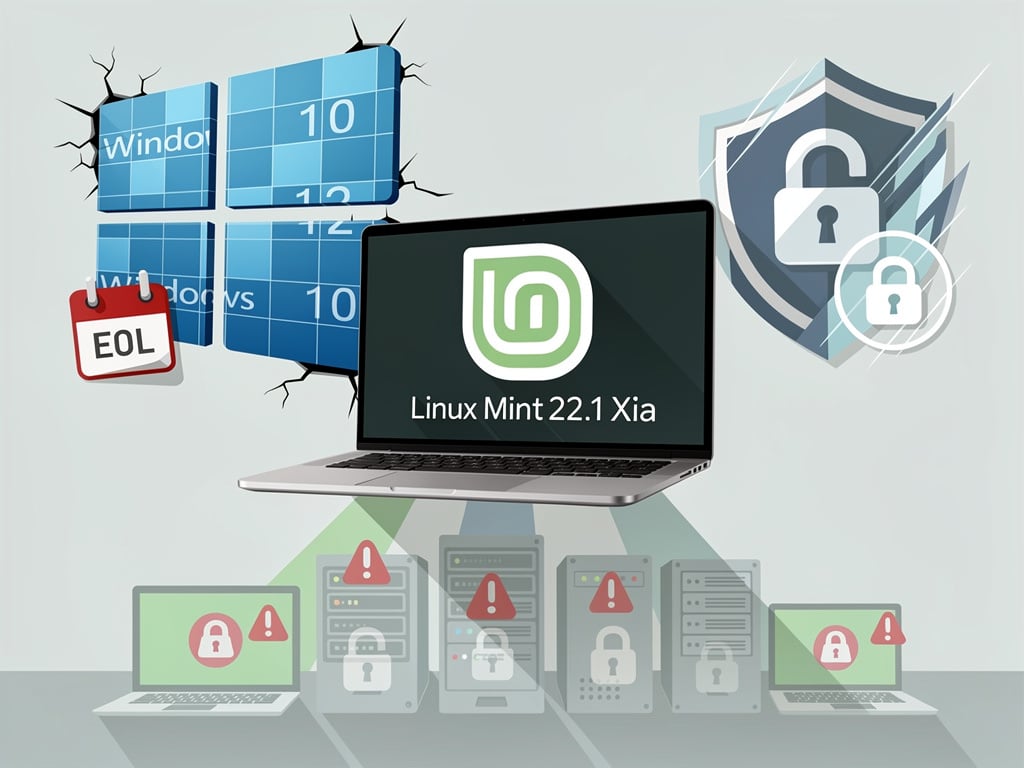
For decades, the Linux desktop has been the perennial bridesmaid of personal computing — always promising, never quite arriving for mainstream users. But with the release of Linux Mint 22.1 “Xia,” the development team behind one of the most popular Linux distributions has delivered what may be the most polished and accessible version of its operating system to date, raising a pointed question for the millions of users still running aging versions of Windows: Is this the year you finally switch?
The latest release, built on Ubuntu 24.04 LTS, has drawn attention not just for its incremental improvements but for the cumulative effect of years of focused development aimed squarely at one target demographic — people who use Windows and wish it worked better. As MakeUseOf declared in a recent analysis, Linux Mint 22.1 represents “the best version yet” and positions itself as “the ultimate Windows replacement.”
A Distribution Built With Windows Refugees in Mind
Linux Mint has long differentiated itself from other Linux distributions by prioritizing familiarity over novelty. Where Ubuntu has experimented with unconventional desktop paradigms and Fedora has pushed the boundaries of new technologies, Mint has stayed relentlessly focused on delivering a traditional desktop experience — a taskbar at the bottom, a start menu in the corner, and system settings that behave the way most people expect them to.
This philosophy has made Mint the go-to recommendation in Linux forums whenever someone asks, “What should I install if I’m coming from Windows?” With version 22.1, the development team has doubled down on that identity. The Cinnamon desktop environment, Mint’s flagship interface, has received significant attention in this release, with version 6.4 bringing smoother animations, better multi-monitor support, and refined window management that feels more responsive than previous iterations. For users accustomed to the Windows 10 interface — which Microsoft is set to end support for in October 2025 — the transition to Mint’s Cinnamon desktop requires remarkably little adjustment.
What’s Actually New in Linux Mint 22.1
Beyond the cosmetic polish, Linux Mint 22.1 introduces a series of under-the-hood improvements that address long-standing pain points for desktop Linux users. The Software Manager, Mint’s equivalent of an app store, has been overhauled for better performance and now loads significantly faster. Flatpak support — the containerized application format that has become increasingly important in the Linux world — is more tightly integrated, giving users access to a wider range of up-to-date applications without the dependency headaches that have historically plagued Linux software installation.
The Xfce and MATE editions, which cater to users with older or less powerful hardware, have also received updates, though Cinnamon remains the edition that receives the most development attention. According to MakeUseOf, the overall experience in 22.1 feels more cohesive than any prior release, with fewer rough edges in everyday tasks like connecting to Wi-Fi networks, managing Bluetooth devices, and handling external displays — areas where Linux distributions have historically stumbled.
The Windows 10 End-of-Life Catalyst
The timing of Linux Mint 22.1’s release is not coincidental in the broader context of the desktop computing market. Microsoft has confirmed that Windows 10 will reach end of life on October 14, 2025, after which the operating system will no longer receive security updates. Windows 11, its successor, has stringent hardware requirements — including TPM 2.0, Secure Boot, and specific processor generations — that effectively lock out hundreds of millions of PCs that are otherwise perfectly functional.
This has created what industry observers describe as an unprecedented opportunity for Linux distributions. The Canalys research firm has estimated that roughly 240 million PCs could become e-waste when Windows 10 support ends, simply because they cannot run Windows 11. Linux Mint, which runs comfortably on hardware dating back a decade or more, offers these machines a second life. The Linux Mint team has explicitly acknowledged this opportunity, with project lead Clement Lefebvre noting in past blog posts that making the transition from Windows as painless as possible remains the project’s core mission.
The Software Compatibility Question
For all its polish, Linux Mint still faces the same fundamental challenge that has constrained Linux desktop adoption for years: software compatibility. Microsoft Office, Adobe Creative Suite, and many industry-specific applications simply do not have native Linux versions. While alternatives exist — LibreOffice for productivity, GIMP and Inkscape for graphics work — they are not always drop-in replacements, particularly in corporate environments where file format compatibility and feature parity matter.
However, the gap has narrowed considerably. Web-based applications have reduced the importance of native software for many users. Microsoft’s own Office 365 runs in a browser on Linux. Google’s productivity tools are platform-agnostic. And for gaming — historically one of Linux’s weakest areas — Valve’s Proton compatibility layer has made thousands of Windows games playable on Linux through Steam, a development that would have seemed implausible five years ago. The Steam Deck, Valve’s handheld gaming device, runs a Linux-based operating system, further normalizing Linux as a gaming platform.
What the Community and Critics Are Saying
Reception to Linux Mint 22.1 has been broadly positive across the Linux community and technology press. Reviewers have praised the release for its stability, noting that the Ubuntu 24.04 LTS base provides a solid foundation with long-term support extending to 2029. This means users who install Mint 22.1 today can expect security updates for years without needing to perform a major upgrade — a contrast to the forced update cycles that have frustrated many Windows users.
The distribution’s approach to user privacy has also drawn favorable comparisons to Windows 11, which has faced criticism for its increasing integration of advertising, AI features, and telemetry. Linux Mint ships with no advertising, no telemetry enabled by default, and no AI assistant pushing users toward cloud services. For users who have grown weary of Microsoft’s monetization of the desktop experience, this minimalism is a significant draw. As MakeUseOf noted, the absence of these annoyances contributes meaningfully to the overall user experience.
The Enterprise Angle Remains Linux Mint’s Blind Spot
Where Linux Mint’s story becomes more complicated is in the enterprise. While the distribution excels as a personal desktop operating system, it lacks the centralized management tools, enterprise support contracts, and Active Directory integration that IT departments require. Red Hat Enterprise Linux, SUSE, and even Ubuntu with Canonical’s commercial backing offer these capabilities; Mint does not. For organizations looking to migrate fleets of desktops away from Windows, Mint is unlikely to be the answer.
But for individuals, small businesses, and organizations with limited IT budgets, the calculus is different. A free operating system that requires minimal maintenance, runs on existing hardware, and provides a familiar desktop experience has genuine economic appeal. Schools, nonprofits, and small offices that cannot justify the cost of new Windows 11-compatible hardware may find Linux Mint to be a practical alternative rather than a philosophical statement.
The Bigger Picture for Desktop Linux in 2025
Linux Mint 22.1 arrives at a moment when desktop Linux market share, while still in the low single digits globally, has been ticking upward. StatCounter data has shown Linux desktop usage crossing the 4% mark in recent months, a figure that would have been unthinkable a decade ago. The combination of Windows 10’s impending obsolescence, dissatisfaction with Windows 11’s direction, and the maturation of distributions like Mint is creating conditions more favorable to Linux adoption than at any point in the operating system’s 30-plus-year history.
Whether Linux Mint 22.1 will be remembered as the release that finally brought Linux to the mainstream desktop remains to be seen. The barriers to adoption — software compatibility, hardware driver support, and simple inertia — are real and should not be minimized. But for the first time, the gap between what most people need from a desktop computer and what Linux Mint provides has become genuinely narrow. For the hundreds of millions of users facing a forced choice between buying new hardware for Windows 11 or finding an alternative, Linux Mint 22.1 makes that alternative look more credible than ever.
The question is no longer whether Linux is ready for the desktop. For a growing number of users, the question is whether they are ready to leave Windows behind — and Linux Mint 22.1 has made that decision easier than any release before it.


 WebProNews is an iEntry Publication