
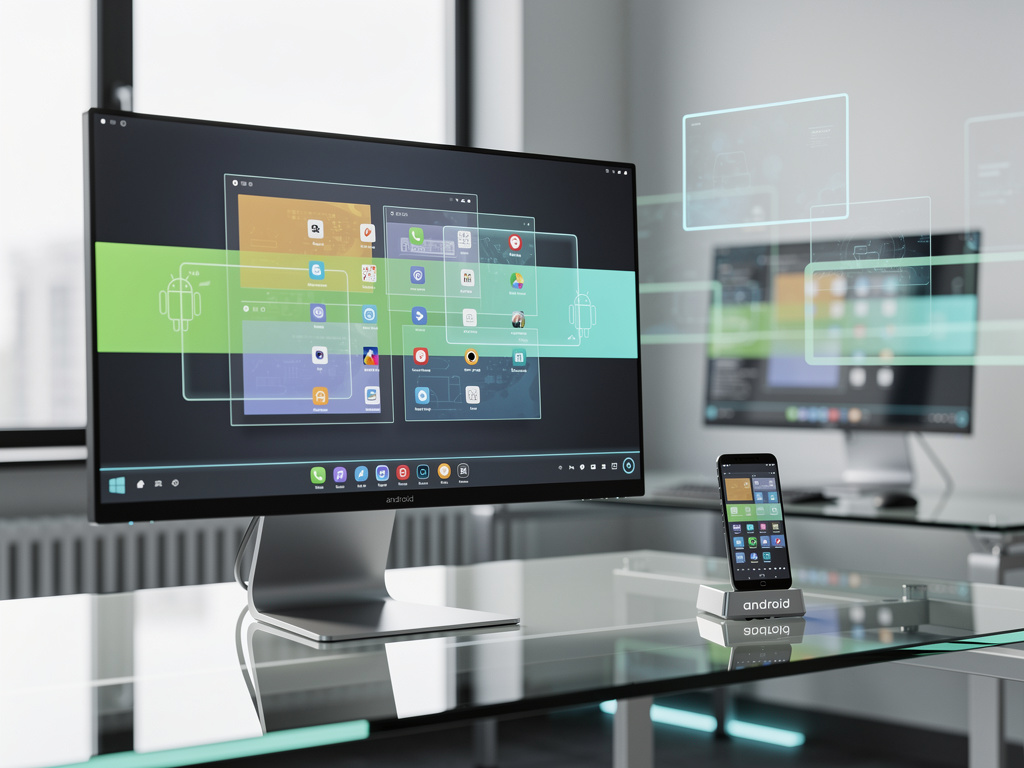
Google is preparing to challenge the traditional computing paradigm with an ambitious new interface that transforms Android into a fully functional desktop operating system. The move, which represents one of the most significant strategic shifts in the company’s mobile-first philosophy, could reshape how millions of users interact with their devices and potentially disrupt the entrenched dominance of Windows and macOS in productivity environments.
According to Android Central, the new desktop interface introduces fundamental changes to Android’s user experience, including a taskbar positioned at the bottom of the screen, resizable windows that can be freely moved and arranged, and a more sophisticated window management system that mirrors traditional desktop operating systems. The interface appears designed to make Android tablets and potentially Chromebooks running Android apps feel more like conventional computers, addressing long-standing criticisms about Android’s limitations in productivity scenarios.
The timing of this development is particularly significant as the boundaries between mobile and desktop computing continue to blur. With Apple’s successful integration of iOS apps on macOS through Apple Silicon and Microsoft’s ongoing experiments with Windows on ARM processors, Google appears determined not to cede ground in the convergence of computing platforms. The desktop interface represents a natural evolution of Android’s capabilities, especially as devices like Samsung’s Galaxy Tab series and Lenovo’s premium tablets increasingly target professional users who demand desktop-class functionality.
Engineering Challenges and Technical Architecture
The technical implementation of a desktop interface on Android presents substantial engineering challenges that Google’s development teams have been working to overcome. Unlike traditional desktop operating systems built from the ground up with windowed interfaces, Android’s architecture has been fundamentally mobile-centric since its inception. Retrofitting desktop capabilities requires not just cosmetic changes but deep modifications to the operating system’s window management, input handling, and resource allocation systems.
Industry observers note that Google has been laying the groundwork for this transition for several years. The company’s introduction of multi-window support in Android 7.0 Nougat, followed by enhanced desktop mode capabilities in Android 10, represented incremental steps toward a more comprehensive solution. The current desktop interface builds upon this foundation with more sophisticated window management that allows users to snap windows to screen edges, minimize applications to a taskbar, and switch between running apps with keyboard shortcuts that will feel familiar to Windows and Mac users.
Market Implications and Competitive Positioning
The introduction of a desktop interface for Android carries profound implications for Google’s competitive position in the broader computing market. While Android dominates the smartphone market with over 70% global market share, the company has struggled to establish a meaningful presence in traditional computing environments outside of its Chrome OS ecosystem. A desktop-capable Android could potentially unite these platforms, offering developers a single target for applications that work seamlessly across phones, tablets, and desktop configurations.
This strategy could prove particularly disruptive in emerging markets and educational settings, where cost-sensitive buyers might find Android-based desktop solutions more affordable than traditional Windows PCs. Google’s success with Chromebooks in the education sector demonstrates the company’s ability to challenge established players when it can offer compelling value propositions around price, simplicity, and cloud integration. An Android desktop interface could extend this advantage to markets where Android’s app ecosystem and familiarity provide natural advantages.
Developer Ecosystem and Application Readiness
The success of Google’s desktop ambitions will ultimately depend on whether developers embrace the opportunity to create and optimize applications for this new interface. Android’s vast app ecosystem, with millions of applications available through the Google Play Store, provides a substantial foundation. However, many of these applications were designed exclusively for touch interfaces on mobile devices and may require significant modifications to work effectively in a desktop environment with mouse and keyboard input.
Google faces a challenge that Microsoft encountered with Windows 8 and Windows 10 Mobile: convincing developers to invest resources in optimizing applications for a platform without a guaranteed user base, while simultaneously needing those optimized applications to attract users. The company’s approach appears to focus on making the desktop interface compatible with existing Android apps while providing enhanced capabilities for developers who choose to optimize their applications for desktop use. This pragmatic strategy could help avoid the chicken-and-egg problem that has doomed previous attempts to bridge mobile and desktop computing.
Hardware Partnerships and Device Strategy
Google’s desktop interface initiative will require close collaboration with hardware manufacturers who can produce devices capable of delivering compelling desktop experiences. The company has already established strong relationships with partners like Samsung, Lenovo, and others who produce high-end Android tablets. These manufacturers have experimented with desktop-like features in their own custom interfaces, suggesting a market receptiveness to Android’s evolution in this direction.
The hardware requirements for a satisfactory desktop experience extend beyond processing power to include considerations like display output capabilities, keyboard and mouse support, and adequate memory for multitasking. Modern flagship tablets and even some mid-range devices already possess the technical specifications to handle desktop workloads, but Google will need to work with partners to ensure consistent experiences across different hardware configurations and price points. The company’s Pixel tablet line could serve as a reference implementation, demonstrating the intended user experience and setting standards for third-party manufacturers.
Enterprise Opportunities and Business Applications
The enterprise market represents a particularly attractive opportunity for Android’s desktop interface. Many businesses have already deployed Android devices for specific use cases, from retail point-of-sale systems to field service applications. A desktop interface could expand Android’s utility in business environments, potentially offering a more manageable and secure alternative to traditional desktop operating systems for certain workflows.
Google’s existing enterprise tools, including Google Workspace and its mobile device management solutions, provide infrastructure that could support Android desktop deployments in corporate settings. The ability to manage Android desktops through the same systems that already handle employee smartphones and tablets could appeal to IT departments seeking to simplify their technology stacks. Additionally, Android’s security model, with its application sandboxing and permission systems, might offer advantages over traditional desktop operating systems in certain security-conscious environments.
Privacy and Security Considerations
As Android expands into desktop computing, privacy and security considerations become increasingly critical. Desktop environments typically involve more sensitive data and workflows than mobile devices, from financial applications to confidential business documents. Google will need to ensure that its desktop interface maintains or enhances Android’s security posture while providing the flexibility and capabilities users expect from desktop operating systems.
The company’s track record on privacy has faced scrutiny in recent years, with regulators and privacy advocates raising concerns about data collection practices. An Android desktop interface will need to address these concerns while competing with Apple’s privacy-focused messaging around macOS and iOS. Google’s challenge will be demonstrating that an advertising-supported business model can coexist with robust privacy protections in an environment where users may be handling more sensitive information than on mobile devices.
Future Evolution and Long-term Vision
The desktop interface represents just one component of Google’s broader vision for computing’s future. The company has invested heavily in artificial intelligence and machine learning capabilities that could differentiate its desktop experience from competitors. Features like intelligent window arrangement, predictive application launching, and AI-assisted productivity tools could leverage Google’s strengths in these areas to create a desktop experience that feels distinctly modern compared to traditional operating systems.
Looking ahead, the success of Android’s desktop interface will likely be measured not just in market share but in its ability to change user expectations about what computing devices can do. If Google can demonstrate that a single operating system can seamlessly adapt from pocket-sized smartphones to tablet computers to full desktop configurations, it could accelerate the industry’s move toward more flexible, adaptive computing paradigms. The next several years will reveal whether this ambitious vision can overcome the technical, commercial, and competitive challenges that have stymied similar efforts in the past, potentially reshaping the computing industry in ways that echo the mobile revolution that Android helped catalyze more than a decade ago.


 WebProNews is an iEntry Publication