
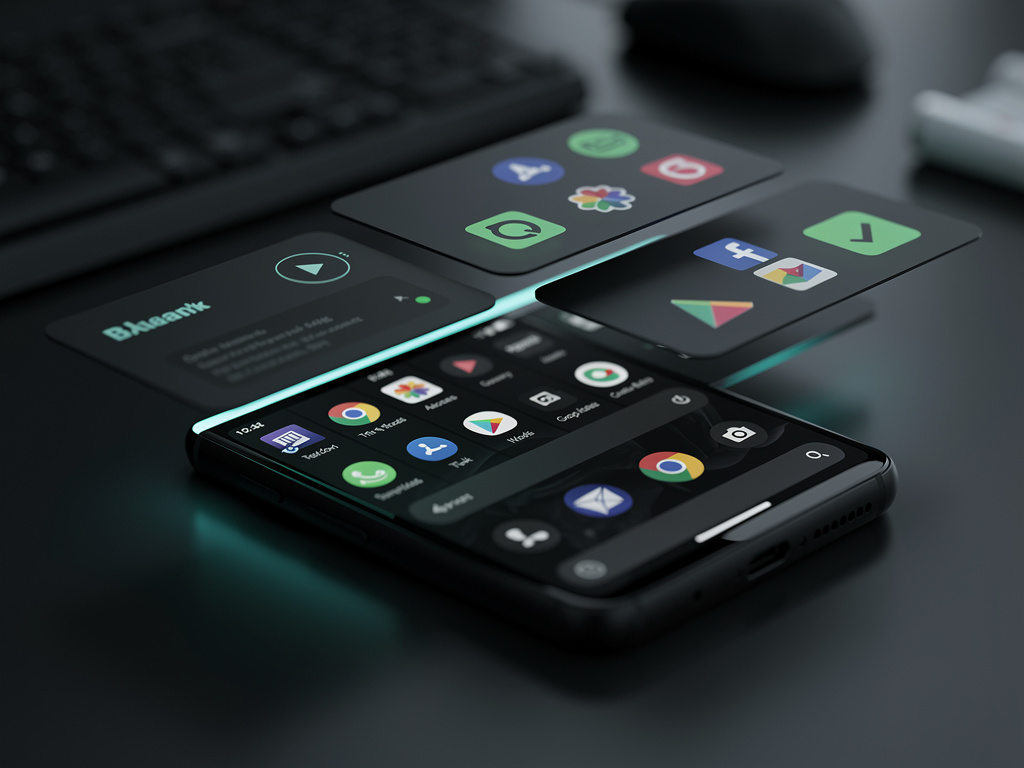
Pixel’s Nocturnal Evolution: Unpacking Google’s Bold Leap into Universal Dark Mode
In the ever-evolving world of smartphone interfaces, Google has once again pushed boundaries with its latest update to the Pixel lineup. The introduction of Expanded Dark Mode in the Android 16 QPR2 update marks a significant advancement, allowing users to force dark themes across a broader array of applications, even those without native support. This feature, rolled out in December 2025, addresses a long-standing user demand for consistency in visual experiences, particularly during low-light conditions. For industry professionals tracking mobile OS developments, this isn’t just a cosmetic tweak—it’s a strategic move that enhances accessibility, battery efficiency, and user satisfaction in an increasingly competitive market.
At its core, Expanded Dark Mode builds on Android’s existing dark theme capabilities, which have been part of the ecosystem since Android 10. However, the new iteration takes it further by inverting colors in apps that traditionally resist dark mode, creating a more unified aesthetic across the device. According to reports from tech outlets, this update is exclusive to Pixel devices running Android 16, starting from the Pixel 6 series onward. Insiders note that Google’s decision to limit it to its own hardware underscores the company’s focus on differentiating Pixel from other Android manufacturers.
The rollout coincides with broader accessibility enhancements in Android, including integrations with tools like Gemini in TalkBack and improved Voice Access. These updates suggest Google is weaving dark mode into a larger tapestry of user-centric features, aiming to reduce eye strain and improve readability for diverse user groups. Early adopters have praised the seamlessness, but questions remain about its impact on app performance and developer workflows.
The Mechanics Behind the Shadows
Enabling Expanded Dark Mode is straightforward, as detailed in a guide from Android Central. Users navigate to Settings > Display > Dark theme, where a new toggle for “Expanded dark mode” appears. Once activated, the system applies dark theming to unsupported apps by inverting colors and adjusting contrasts algorithmically. This isn’t a simple filter; it involves sophisticated rendering that preserves usability while darkening interfaces.
Technical deep dives reveal that Google’s implementation leverages the Material You design language, which dynamically adapts colors based on wallpaper and user preferences. In the QPR2 beta, first spotted in August 2025, this feature was tested extensively, with refinements addressing issues like washed-out images or unreadable text in inverted modes. Publications like Android Police highlighted how the beta version fulfilled a “feature we’ve wanted forever,” indicating strong community anticipation.
Comparisons with competitors show Apple’s Dark Mode on iOS has long offered similar app-wide enforcement, but Google’s version introduces Pixel-specific optimizations, such as integration with Adaptive Brightness. This synergy allows the device to dim screens further in tandem with dark themes, potentially extending battery life by up to 10% in prolonged use scenarios, based on internal benchmarks shared in developer forums.
User Adoption and Practical Benefits
Feedback from Pixel owners on social platforms paints a picture of enthusiastic uptake. Posts on X emphasize reduced eye fatigue during nighttime scrolling, with one user noting how it transforms apps like legacy banking tools into more eye-friendly versions. The feature’s benefits extend beyond aesthetics; for those with visual sensitivities, it minimizes glare and blue light exposure, aligning with health-focused trends in tech.
Industry analysts point out that Expanded Dark Mode could influence app development standards. Developers may now prioritize native dark mode support to avoid Google’s forced inversions, which sometimes result in suboptimal visuals. A blog post from Google’s official blog frames this as part of December’s accessibility updates, including emotion tags in captions, underscoring a commitment to inclusive design.
Battery conservation is another key advantage. OLED displays on Pixel phones consume less power when rendering black pixels, and Expanded Dark Mode maximizes this by darkening more screen real estate. Tests conducted by outlets like Android Authority demonstrate noticeable improvements in endurance, especially for users who keep their devices in dark mode persistently.
Challenges and Developer Implications
Despite its merits, the feature isn’t without hurdles. Some apps experience glitches, such as inverted icons appearing distorted or color schemes clashing with branded elements. Google has acknowledged these in update notes, promising iterative fixes in subsequent QPR releases. For instance, the Android 16 QPR3 Beta 1, as covered by Android Central in a separate piece, introduces subtle upgrades that refine dark mode rendering without overhauling the core system.
From a developer perspective, this update pressures third-party creators to adopt Android’s theming APIs more rigorously. Tools like the Jetpack Compose library facilitate easier implementation, but legacy apps may require significant rewrites. Insights from X discussions reveal a mix of excitement and frustration among devs, with some viewing it as a nudge toward better practices, while others see it as an imposition on their design autonomy.
Moreover, privacy considerations arise. Forcing dark mode doesn’t alter app data, but the algorithmic color inversion could inadvertently reveal hidden elements in poorly coded interfaces. Security experts recommend users monitor app behaviors post-update, though no major vulnerabilities have surfaced yet.
Ecosystem Integration and Future Trajectories
Expanded Dark Mode doesn’t operate in isolation; it’s deeply integrated with other Pixel features. For example, pairing it with the new Extra Dim functionality on Pixel 10 models allows for ultra-low brightness levels, ideal for bedtime use. Mishaal Rahman, a prominent Android analyst, detailed on X how this integration embeds dimming directly into the brightness slider, eliminating manual toggles.
Looking ahead, leaks about Android 17 suggest even more advanced theming options, potentially including AI-driven adaptive modes that switch based on ambient light and user habits. Android Authority’s coverage of these leaks indicates Google might expand this to non-Pixel devices, broadening its impact across the Android sphere.
Competitive dynamics are shifting too. Samsung and other OEMs have their own dark mode variants, but Google’s Pixel-exclusive approach could lure users seeking cutting-edge features. Market data from recent quarters shows Pixel gaining ground in North America, partly due to such software differentiators.
Real-World Applications and User Stories
In practical scenarios, Expanded Dark Mode shines in productivity apps. Professionals using Pixels for late-night work report enhanced focus, as the uniform dark interface reduces distractions. One X post from a tech enthusiast described forcing dark mode on email clients, transforming glaring white screens into subdued canvases that align with ambient lighting.
Accessibility advocates highlight its role in supporting users with conditions like photophobia. Google’s blog entry ties this to broader updates, such as Gemini’s enhancements in TalkBack, creating a more holistic accessibility suite. User testimonials on platforms like X underscore improved experiences for visually impaired individuals, with easier navigation in darkened UIs.
Battery life anecdotes further bolster its appeal. In extended testing sessions reported by Yahoo Tech, Pixels with Expanded Dark Mode enabled lasted longer on a single charge during media consumption, quantifying the energy savings in real terms.
Strategic Positioning in the Market
Google’s timing with the December 2025 update, including a surprise hotfix for touch bugs as noted in TechGenyz, positions Pixel as a reliable choice amid holiday sales. This hotfix, addressing issues like battery drain and cache access in Android 16, ensures the dark mode feature rolls out smoothly.
For insiders, this reflects Google’s agile development cycle, with quarterly platform releases (QPRs) allowing rapid feature deployment. Unlike annual major updates, QPRs enable fine-tuning based on user feedback, a strategy that keeps Pixel ahead in software innovation.
Comparisons with past updates, such as the introduction of dark mode scheduling in 2020 via Pixel Tips, show Google’s consistent evolution. X archives from Made by Google reveal early experiments with automatic light-to-dark transitions, laying groundwork for today’s expanded capabilities.
Potential Drawbacks and Mitigation Strategies
Not all apps respond perfectly to forced dark mode. Instances of text legibility issues or color inversions that make interfaces confusing have been reported. Android Authority’s tutorial advises users to disable it per-app if problems arise, offering a granular control mechanism.
Performance overhead is minimal, but on older Pixel models like the 6 series, slight lags in rendering have been noted in beta feedback. Google mitigates this through optimizations in subsequent betas, as seen in Android Police’s coverage of QPR2 Beta 1.
Privacy and security remain paramount. While dark mode itself is benign, the update’s broader context includes security patches that fortify against vulnerabilities, ensuring users can enjoy the feature without compromise.
Broader Industry Ripple Effects
The introduction of Expanded Dark Mode could set new standards for UI consistency across platforms. As more users demand seamless experiences, competitors may accelerate their own implementations. Insights from X, where users discuss dark mode’s psychological benefits—like improved sleep hygiene—suggest a cultural shift toward healthier tech habits.
For app ecosystems, this encourages adoption of dynamic theming, potentially reducing fragmentation in Android’s vast app library. Google’s push aligns with global trends in digital wellness, where features like these contribute to reduced screen time impacts.
In enterprise settings, uniform dark modes could enhance productivity in low-light environments, such as night shifts or travel. Industry reports indicate growing interest from corporate IT departments in Pixels for their customizable interfaces.
Looking Toward Tomorrow’s Interfaces
As we peer into 2026, Android 17’s leaked features promise to build on this foundation, possibly incorporating machine learning for predictive theming. Android Authority’s early leaks hint at codenames and release timelines that could democratize expanded dark mode beyond Pixels.
User sentiment on X remains positive, with tips circulating on maximizing the feature, like combining it with wallpaper-based color adaptations for a personalized touch.
Ultimately, Google’s Expanded Dark Mode exemplifies how incremental updates can profoundly influence user engagement, setting a benchmark for intuitive, health-conscious design in mobile technology.


 WebProNews is an iEntry Publication