
Google Photos Reinvents Video Storytelling with Cutting-Edge Editing Suite
In an era where smartphones capture life’s moments in high definition, Google has unveiled a suite of enhancements to its Photos app that could redefine how users craft and share video content. Announced on December 9, 2025, these updates focus on streamlining video editing for both casual users and those seeking more polished results. Drawing from Google’s official blog post, the changes include a redesigned video editor, ready-made templates, and tools for adding music and custom text, all aimed at making professional-grade edits accessible without leaving the app.
The rollout comes at a time when video consumption is soaring, with platforms like TikTok and Instagram Reels dominating social feeds. Google’s move positions Photos as a competitive alternative to standalone editing apps, potentially keeping users within its ecosystem. According to Google’s own announcement, the new features are rolling out across Android and iOS devices, emphasizing ease of use for creating highlight reels from vacations, family events, or daily adventures.
Industry observers note that this update builds on Google’s history of iterating on Photos, which has evolved from a simple storage solution to a multifaceted creative hub. The timing aligns with year-end festivities, when users often compile retrospective videos, suggesting a strategic push to boost engagement during peak sharing seasons.
Streamlining the Editing Workflow
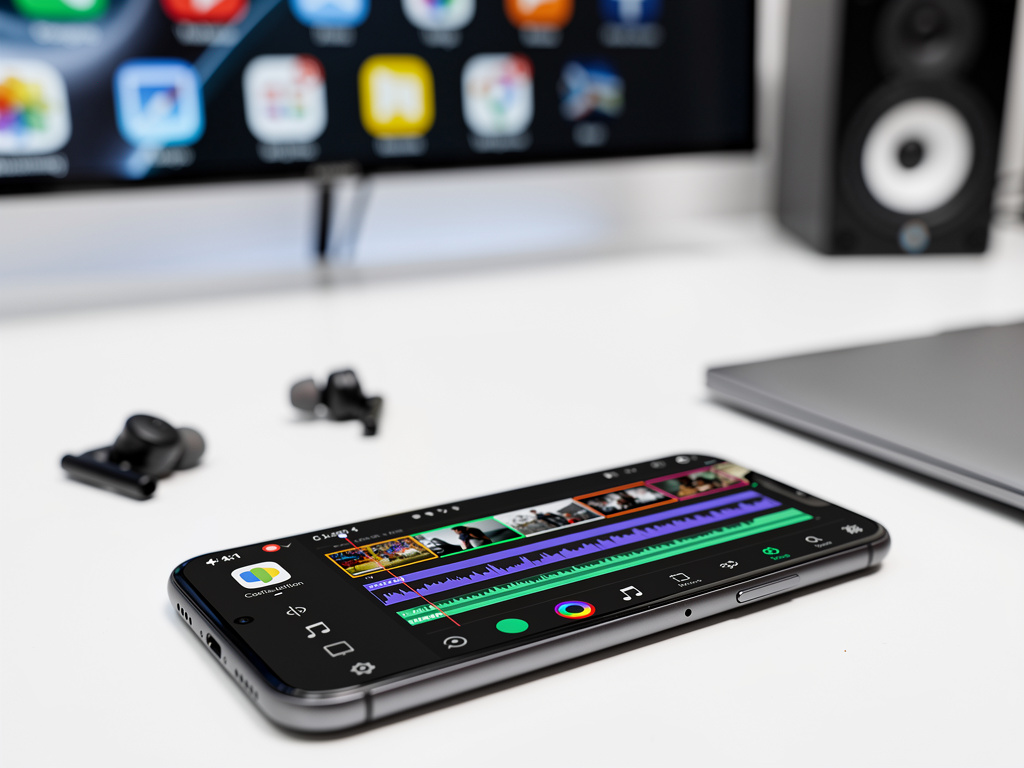
At the heart of the update is a revamped video editor interface that prioritizes intuition and speed. Users can now access a universal timeline supporting multi-clip editing, allowing seamless assembly of footage from various sources. This adaptive setup adjusts dynamically, simplifying tasks like trimming clips or rearranging sequences.
One standout addition is the library of specialized templates, which come pre-loaded with music tracks and text overlays tailored to themes such as travel or celebrations. As detailed in a report from PetaPixel, these templates enable quick transformations of raw clips into engaging stories, reducing the time from capture to share.
Custom text features further enhance personalization, letting users overlay captions with adjustable fonts, colors, and animations. This mirrors capabilities in apps like CapCut, but integrates directly with Google’s vast photo library, making it a one-stop shop for content creation.
Enhancing Accessibility for All Users
Google’s emphasis on mobile-first design ensures these tools work fluidly on smartphones, where most video editing occurs today. The update includes improvements to the highlight reel function, which automatically suggests compilations based on user libraries, now with more customization options.
For iOS users, the redesign brings parity with Android, featuring a faster interface that supports pro-level adjustments without overwhelming beginners. MacRumors highlights how the adaptive canvas simplifies editing, adapting to portrait or horizontal orientations effortlessly.
This democratizes advanced editing, potentially appealing to a broad audience from hobbyists to small business owners crafting promotional content. Early feedback on social platforms indicates enthusiasm, with users praising the reduced need for third-party apps.
Integration with Broader Google Ecosystem
These video tools don’t exist in isolation; they tie into Google’s AI-driven features, such as Magic Eraser and Photo Unblur, which were expanded earlier in 2025. By combining video edits with these image enhancements, users can produce cohesive multimedia projects.
Posts on X (formerly Twitter) from tech enthusiasts, including accounts like Pixel UI by Google, echo this sentiment, noting how the updates make Google Photos feel like a mini production studio. One post described the ability to add music from an extensive library as a game-changer for quick social media posts.
Moreover, the Create tab, introduced in prior updates as mentioned in a July 2025 announcement from News from Google on X, now centralizes these tools, including experimental features like photo-to-video conversions powered by AI models such as Veo 2.
Competitive Edge in a Crowded Market
Google’s strategy here is to challenge incumbents like Adobe Premiere Rush or Apple’s iMovie by leveraging its cloud-based infrastructure. The app’s free tier, which includes these new editing capabilities, undercuts paid alternatives, though premium storage options via Google One remain a revenue stream.
A piece from TechCrunch points out that while templates speed up creation, they also encourage uniformity in content, a double-edged sword in an age of algorithmic feeds favoring originality.
Critics, however, recall past updates where features were added at the expense of others. For instance, a Forbes article from October 2025 warned of key tools being removed in a prior redesign, raising questions about long-term feature stability.
User Adoption and Early Reactions
Initial rollout data suggests strong uptake, with Google reporting that video editing sessions have increased since the announcement. On X, posts from users like tech bloggers share tutorials and examples, amplifying visibility. One viral thread demonstrated turning a day’s worth of clips into a polished montage in under five minutes.
This user-generated buzz aligns with Google’s goal of fostering a community around Photos. As covered in The Verge, the editor’s resemblance to CapCut could attract younger demographics accustomed to viral video trends.
For industry insiders, the real value lies in data insights: Google’s access to user editing patterns could inform future AI developments, potentially leading to more predictive tools.
Technical Underpinnings and Future Implications
Diving deeper, the editor’s backend leverages Google’s machine learning to suggest optimal cuts and transitions. This builds on 2021 updates, where advanced cropping and filters were first introduced, as referenced in historical posts from 9to5Google on X.
Looking ahead, these features could integrate with emerging technologies like augmented reality overlays or collaborative editing, expanding Photos’ role in professional workflows.
Privacy remains a consideration, as editing within the app means data stays on Google’s servers. The company assures users of robust protections, but experts advise reviewing settings for shared content.
Impact on Content Creation Trends
The broader implications extend to how these tools influence digital storytelling. By lowering barriers, Google empowers non-professionals to produce high-quality videos, potentially flooding social networks with more refined user-generated content.
Comparisons to competitors reveal Google’s unique selling point: seamless integration with search and storage. A Mashable Southeast Asia duplicate report reinforces this, noting cross-platform consistency.
As per Android Central, the focus on year-end mashups taps into seasonal behaviors, driving app retention.
Strategic Positioning for Google
This update is part of Google’s larger push into creative AI, competing with Microsoft’s Clipchamp or Meta’s offerings. By enhancing Photos, Google strengthens its position in the consumer tech arena, where video is increasingly central.
Industry analysts speculate that future iterations might include real-time collaboration or export options for professional software, bridging casual and pro use cases.
User testimonials on platforms like X highlight practical benefits, such as saving time on family videos, underscoring the update’s real-world utility.
Evolving User Expectations
As users demand more from mobile apps, Google’s responsive design meets these needs head-on. The ability to fine-tune brightness, contrast, and saturation—echoing 2021 enhancements—adds depth without complexity.
iPhone in Canada describes the editor as “shockingly good,” praising templates for simplifying montages.
This positions Photos as an essential tool for the modern creator, blending accessibility with power.
Potential Challenges Ahead
Not all feedback is glowing; some users report minor bugs in the initial rollout, such as template loading delays on older devices. Google has promised swift fixes via app updates.
There’s also the question of monetization: while free now, could advanced features become subscription-based? Past patterns suggest caution.
Nevertheless, the update’s reception suggests it’s a step forward in making video editing ubiquitous.
Looking Toward Tomorrow’s Innovations
In the grand scheme, these tools reflect Google’s vision for an AI-augmented creative process. By iterating on user feedback, the company continues to refine Photos into a versatile platform.
For insiders, this signals a shift toward integrated media experiences, where photos and videos blur into hybrid narratives.
As adoption grows, expect more data-driven enhancements, solidifying Google Photos’ role in everyday digital life.


 WebProNews is an iEntry Publication