
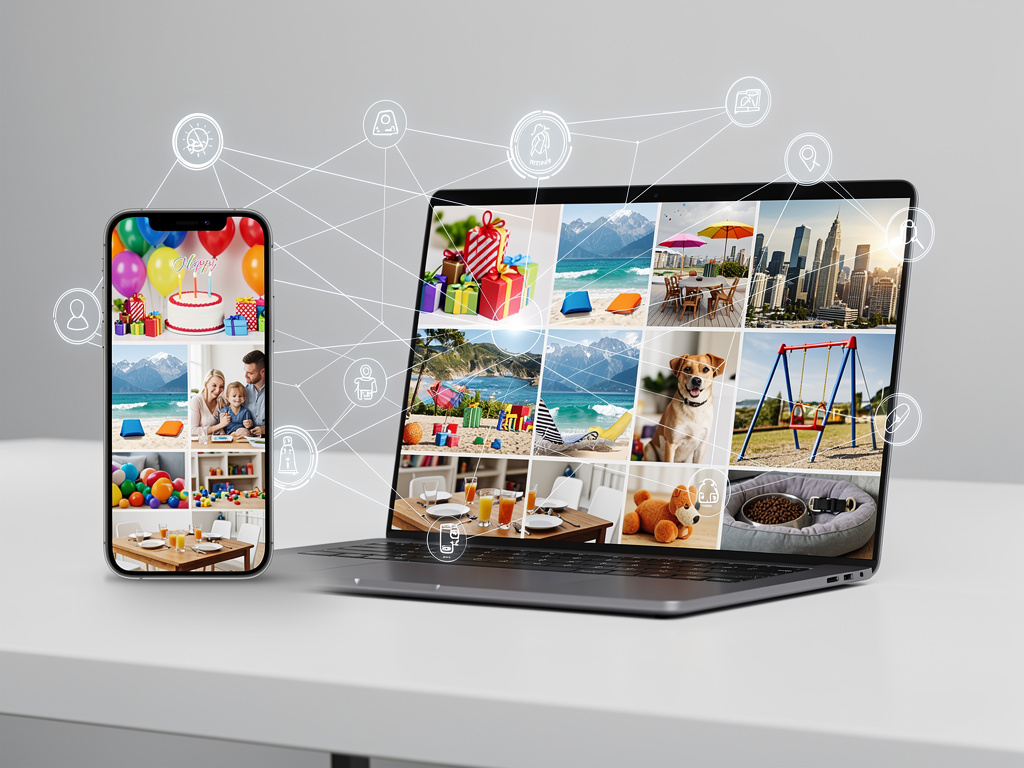
Google Photos has introduced a series of automated collage categories that simplify the process of turning personal images into shareable artwork. The feature automatically groups photos based on specific themes and generates ready-to-use collages without requiring users to select individual pictures or apply manual edits. According to a report from Android Authority, these new categories focus on common life moments that people frequently capture, making memory preservation more accessible for everyday users.
The update brings several predefined collage types that appear in the app’s creation tools. Users now see options centered around occasions like birthdays, vacations, family gatherings, and pet moments. When the system detects matching content in a user’s library, it suggests these themed collages directly in the For You section or within the collage creation menu. This approach reduces the time spent curating images while still producing results that feel personal and relevant.
One of the standout aspects of these collage categories involves the artificial intelligence that powers the selection process. Google Photos analyzes factors such as faces, locations, objects, and timestamps to determine which photos belong together. For a birthday collage, the system might pull images showing candles, cakes, decorations, and smiling faces from multiple years. The algorithm also considers image quality, orientation, and composition to ensure the final layout looks balanced and visually appealing.
Travel collages represent another popular category that many users appreciate. The system identifies trips by clustering photos taken within a short time frame at specific geographic locations. It then creates multi-image layouts that often include wide scenic shots mixed with close-up details and group photos. These collages frequently incorporate maps or location labels that show where the images were captured, adding context that enhances the storytelling element.
Pet owners have received particular attention through dedicated animal-themed categories. The app can now recognize different types of pets and group images accordingly. A dog collage might feature various poses, activities like playing fetch or sleeping, and different seasons to show how the animal has grown over time. Cat collages follow similar patterns, often highlighting playful moments or cozy indoor scenes that cat owners love to document.
Family-focused collages emphasize relationships and group dynamics. The system detects multiple faces appearing together across different images and suggests collections that celebrate these connections. These might include holiday gatherings, milestone events, or simple everyday moments that capture family life. The layouts typically arrange photos in ways that highlight interactions between people rather than isolating individuals.
The technical foundation behind these collage categories relies on Google’s machine learning models that have been trained on vast amounts of visual data. These models can identify thousands of objects, scenes, and activities with remarkable accuracy. When combined with the app’s existing facial recognition capabilities, the system creates highly contextual suggestions that reflect actual events in users’ lives rather than generic templates.
Creating a collage through these categories requires minimal effort from users. After the app suggests a themed collection, users can preview the layout and make adjustments if desired. Options include swapping out individual photos, changing the overall style, or modifying the arrangement. Once satisfied, the collage can be saved to the library, shared directly through messaging apps, or printed through Google’s photo printing partners.
Customization remains an essential part of the experience despite the automated nature of the categories. Users can still create completely manual collages using the traditional method, selecting any photos they want and choosing from various grid layouts and aspect ratios. The new categories simply provide intelligent starting points that save time while maintaining creative control where it matters most.
Storage considerations play a role in how these features function. Users with large libraries benefit most from the automated suggestions since the system has more images to analyze. Those using the free tier with limited storage might see fewer suggestions until they upload more content. Google Photos continues to offer both high-quality compressed storage and original quality options, with the collage feature working equally well regardless of the chosen plan.
Privacy protections remain consistent with Google’s standard practices for the Photos app. All processing for collage suggestions happens on-device when possible, and any cloud analysis adheres to the user’s privacy settings. Facial recognition groups require explicit user activation, and location data only appears in collages when users have permitted the app to access that information.
The visual styles available for these categorized collages include both classic grid arrangements and more artistic layouts. Some templates overlap images with varying transparency levels, while others use clean borders and symmetrical designs. Seasonal themes occasionally influence the available styles, with holiday-appropriate frames appearing during festive periods.
Integration with other Google services adds another dimension to the collage categories. Users can easily send their creations to Google Drive for backup, attach them to Gmail messages, or import them into Google Docs for projects. The collages also work well with the app’s animation features, where static images can be turned into short videos with added music and transitions.
Many users report that these automated categories help them rediscover forgotten memories. Because the system analyzes the entire library rather than just recently added photos, it often surfaces images from years ago that fit current category themes. This aspect of the feature serves as a gentle reminder of past events and encourages regular engagement with one’s photo collection.
Educational and professional users have found creative applications for these collage tools. Teachers might create classroom memory collages, while small business owners use them for marketing materials that showcase products or events. The ability to quickly generate professional-looking compositions from personal photos opens possibilities across different fields.
Performance improvements accompany the new categories, with faster generation times even for complex layouts containing many images. The app now handles higher resolution source material more efficiently, resulting in sharper final outputs suitable for large format printing or digital display on high-resolution screens.
Future developments in this area seem likely to expand the range of available categories based on user feedback and emerging trends. Seasonal events, sports activities, hobby-related collections, and other specialized themes could appear as Google continues refining its understanding of how people document their lives through photography.
The impact of these collage categories extends beyond simple convenience. By lowering the barrier to creating meaningful visual summaries of life events, Google Photos encourages more people to engage with their memories in creative ways. What once required dedicated software, significant time investment, and design skills now happens with just a few taps.
Parents particularly benefit from the family and child-focused categories that automatically compile images of children’s growth, school events, and family activities. These collages often become cherished keepsakes that capture stages of development that might otherwise be overlooked in the daily rush of life.
The feature also supports accessibility through its simplified interface. Voice commands and screen reader compatibility make it possible for users with different abilities to participate in creating and sharing these visual stories. Text descriptions can be added to collages for those who need additional context or wish to include captions for sharing on social platforms.
Color coordination represents another subtle but effective element in the automated collage generation. The system analyzes the dominant colors in selected images and arranges them in ways that create harmonious compositions. This attention to visual flow helps the final products look more polished than what many users could achieve through manual arrangement alone.
Sharing options have been enhanced to complement the new categories. Collages can be turned into shareable links that expire after set periods, protecting privacy while allowing temporary access for friends and family. Direct integration with popular messaging platforms makes distribution straightforward, whether sending to one person or an entire group.
Backup and synchronization ensure that collages created on one device appear across all platforms where Google Photos is signed in. This consistency means users can start a collage on their phone and finish editing it on a tablet or computer, taking advantage of larger screens for more precise adjustments when needed.
The machine learning models continue to improve through ongoing training, which means the accuracy of category suggestions should increase over time. As more users engage with the feature and provide implicit feedback through their interactions, the system refines its understanding of what makes a meaningful collage for different types of content.
Seasonal categories add timely relevance to the feature, with special templates appearing for holidays, back-to-school periods, and other calendar events. These limited-time options create a sense of freshness and encourage users to check their suggestions more frequently throughout the year.
Weather and lighting conditions also factor into the selection process for certain categories. Outdoor collages might prioritize images with good natural light, while indoor collections could focus on cozily lit scenes that convey warmth and comfort. These considerations help ensure that the chosen photos not only fit the theme but also maintain consistent quality throughout the composition.
Text integration capabilities allow users to add meaningful messages to their collages. Birthday collages might include age numbers or celebratory phrases, while travel collections could feature location names or trip dates. The system suggests relevant text based on the category, though users retain full control over any wording they want to include.
Resolution options provide flexibility for different use cases. Users can generate lower resolution versions for quick social media posts or opt for maximum quality when planning to print their creations. The app maintains the original source image quality in its calculations, ensuring that even heavily edited collages retain as much detail as possible.
Community aspects emerge as users share their category-based creations online, often sparking conversations about similar experiences or events. These shared collages become conversation starters that connect people through common themes like pet ownership, travel adventures, or family traditions.
The balance between automation and user control strikes an effective middle ground that satisfies both casual users and those who prefer more hands-on approaches. While the categories provide excellent starting points, the ability to modify every aspect ensures that no two final products need to look the same even when based on identical themes.
As photo libraries continue growing for most users, tools like these categorized collages become increasingly valuable for managing and enjoying vast collections of images. Rather than becoming overwhelmed by thousands of photos, people can let the system highlight significant moments and present them in attractive, organized formats that celebrate life’s various chapters.
The development reflects Google’s broader commitment to making advanced photo management features available to everyone regardless of technical expertise. By combining sophisticated artificial intelligence with intuitive interfaces, the company has created a system that works behind the scenes to surface meaningful memories while keeping the creative process simple and enjoyable for all types of users.


 WebProNews is an iEntry Publication