
Google Maps’ Parking Memory: The Quiet Innovation That’s Changing How We Drive
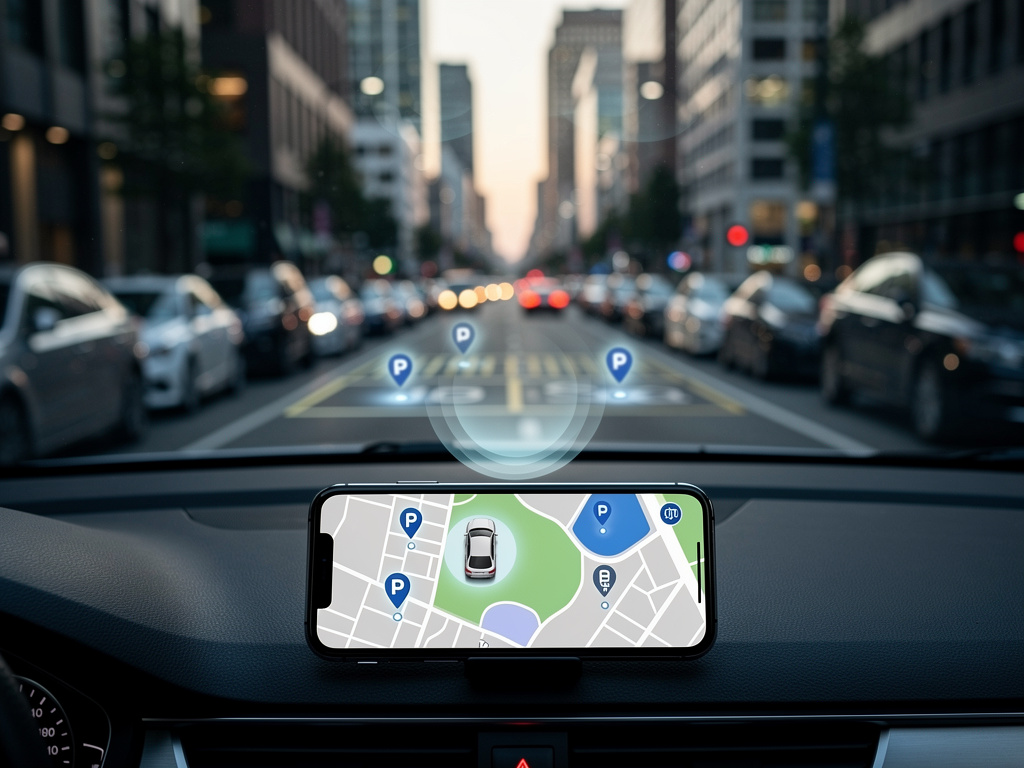
In the ever-evolving world of mobile navigation, Google Maps has long been a staple for drivers seeking directions, traffic updates, and local discoveries. But a recent update has introduced a subtle yet transformative feature that’s capturing the attention of tech enthusiasts and everyday users alike: automatic parking spot detection on iOS devices. This isn’t just a minor tweak; it’s a thoughtful enhancement that addresses one of the most common frustrations in urban driving—forgetting where you parked. Announced quietly via LinkedIn by Rio Akasaka, Google Maps’ senior product manager, the feature leverages device sensors to pinpoint and save your parking location without any manual input.
The mechanics are straightforward yet ingenious. When you connect your iPhone to your car via Bluetooth, USB, or CarPlay, Google Maps monitors your journey. Upon stopping and disconnecting, the app automatically drops a virtual pin on the map, marking the exact spot where you left your vehicle. This pin remains visible for up to 48 hours or until you start driving again, at which point it’s intelligently removed to avoid clutter. Users can even customize the icon representing their car, adding a personal touch to what was once a forgettable chore.
This development builds on Google Maps’ existing parking tools, which have included manual saving options for years. However, the automation takes it a step further, making it seamless for those who might overlook setting a reminder amid the hustle of daily life. Early adopters report that it integrates effortlessly with other app functions, like walking directions back to your car, turning what could be a stressful search into a guided stroll.
How Automation Enhances User Experience in Navigation Apps
Industry observers note that this feature aligns with broader trends in app design, where proactive intelligence is key. By auto-detecting parking, Google Maps reduces cognitive load, allowing users to focus on their destinations rather than mundane details. According to a report from MacRumors, the update was rolled out discreetly, catching many by surprise but quickly earning praise for its practicality. It’s particularly beneficial in crowded cities where parking lots sprawl over multiple levels or streets blend into one another.
Comparisons to competitors are inevitable. Apple Maps has offered similar functionality for some time, automatically saving parking locations when connected to CarPlay. Waze, another Google-owned app, provides parking reminders as well. Yet Google’s implementation stands out for its 48-hour retention period and the option for custom icons, which add a layer of personalization not always seen in rivals. This could be a strategic move to bolster user loyalty on iOS, where Google faces stiff competition from Apple’s native services.
For industry insiders, the technical underpinnings are worth exploring. The feature relies on a combination of GPS data, motion sensors, and connectivity signals to determine when you’ve parked. It’s a prime example of how machine learning can infer user intent from contextual cues, without needing explicit commands. Developers familiar with iOS APIs suggest that Google is tapping into background location services and activity recognition frameworks to achieve this precision, ensuring minimal battery drain while delivering reliable results.
The Evolution of Parking Features in Google Maps
Looking back, Google Maps’ journey with parking aids began years ago. In 2017, the app introduced manual parking pins with notes, allowing users to jot down details like floor numbers or time limits. This was expanded in subsequent updates to include parking difficulty indicators in select cities, helping drivers gauge availability before arriving. The latest auto-save feature represents a natural progression, automating what was once a user-initiated process.
Posts on X (formerly Twitter) from users and tech accounts highlight the excitement around this update. Many express relief at no longer needing to remember to tap the save button, with some sharing anecdotes of past parking mishaps now averted. One post from a prominent tech publication echoed the sentiment that this could save minutes of frustration in busy parking scenarios, underscoring the feature’s real-world impact.
However, it’s not without limitations. Currently exclusive to iOS, Android users are left waiting for a similar rollout, which sources indicate may come soon based on Google’s history of cross-platform parity. Additionally, the feature requires a vehicle connection, so it won’t activate for those parking without in-car integration. Privacy concerns also arise, as automatic location saving involves ongoing tracking, though Google assures users that data is handled securely and can be managed through app settings.
Implications for Urban Mobility and Tech Integration
Beyond individual convenience, this feature has broader implications for urban mobility. In densely populated areas, efficient parking management can reduce traffic congestion caused by circling drivers. By helping users quickly locate their vehicles, Google Maps indirectly contributes to smoother city flows. Urban planners and tech analysts see this as part of a larger ecosystem where apps like Maps integrate with smart city infrastructure, potentially linking to real-time parking availability feeds or even electric vehicle charging stations.
From a business perspective, enhancements like this strengthen Google Maps’ position in the competitive navigation market. With over a billion monthly users, small improvements can lead to significant retention gains. A piece in Tom’s Guide points out the iOS-first approach, suggesting it’s a nod to Apple’s ecosystem while Google refines the feature for broader deployment. This strategy allows for iterative feedback, ensuring a polished experience when it expands.
Insiders in the app development community speculate on future expansions. Could this evolve into predictive parking suggestions, using historical data to recommend spots? Or integrate with augmented reality for visual guides back to your car? Such innovations would build on the current foundation, leveraging Google’s vast data resources to anticipate user needs more proactively.
User Feedback and Adoption Trends
Early user feedback, gleaned from various online forums and social media, is overwhelmingly positive. Drivers in metropolitan areas like New York and Los Angeles report that the auto-pin has become an indispensable tool, especially in multilevel garages where traditional memory fails. One user shared on X how the feature prevented a late-night search in a unfamiliar neighborhood, highlighting its safety benefits.
Yet, adoption isn’t universal. Some users remain unaware of the update due to its quiet launch, prompting calls for better in-app notifications. Tech reviewers from Mashable emphasize that while the feature is a time-saver, educating users on enabling it—via settings for location permissions and vehicle connections—is crucial for widespread use.
Comparatively, similar features in other apps have seen varying success. Apple Maps’ version, introduced earlier, has garnered loyalty among iPhone users, but Google’s addition of custom icons and timed deletion sets it apart. Industry data suggests that such utilities boost app engagement, with users more likely to open Maps for post-parking navigation, potentially increasing exposure to ads and partnered services.
Technical Challenges and Privacy Considerations
Delving deeper into the technical side, implementing auto-parking detection isn’t without hurdles. Accurate detection requires sophisticated algorithms to distinguish between a true parking event and temporary stops, like at traffic lights. Google likely employs machine learning models trained on vast datasets of driving patterns to minimize false positives, ensuring the pin only drops when you’re actually leaving the vehicle.
Privacy remains a hot-button issue. With location data at the core, users must trust Google’s handling practices. The company provides options to delete saved locations manually or disable the feature entirely, aligning with global data protection regulations like GDPR. A report from TechGenyz notes the use of personalized car icons as a fun way to engage users while maintaining data security.
For developers, this feature exemplifies best practices in sensor fusion—combining GPS, accelerometer, and Bluetooth data for contextual awareness. It’s a model that could inspire similar innovations in other apps, from fitness trackers to smart home systems, where ambient intelligence enhances everyday tasks.
Future Directions and Competitive Pressures
As Google continues to iterate, industry watchers anticipate integrations with emerging technologies. Imagine syncing with smartwatches for haptic reminders or AR glasses for overlaid directions to your car. Such advancements could position Google Maps as a central hub for multimodal transportation, encompassing driving, public transit, and micro-mobility.
Competitive pressures are mounting. With Apple enhancing its Maps app and startups like Citymapper offering specialized urban tools, Google must innovate relentlessly. The parking feature, as detailed in Lifehacker, might be the tip of the iceberg, with rumors of AI-driven route optimizations on the horizon.
Ultimately, this update underscores Google’s commitment to user-centric design, turning a simple pain point into a seamless experience. For drivers navigating the complexities of modern life, it’s a reminder that technology can quietly make the ordinary extraordinary, one parked car at a time.
Beyond Parking: Broader Innovations in Mapping Technology
Expanding the lens, this parking enhancement fits into Google’s larger vision for Maps as an all-encompassing platform. Recent additions like screenshot-to-saved-places conversion, as mentioned in various X posts from Google itself, show a pattern of turning user habits into features. This proactive approach could extend to other areas, such as automatic trip logging or personalized travel insights.
Challenges ahead include ensuring equity across platforms. Android users, comprising a significant portion of Google’s base, eagerly await parity. Sources from 9to5Google suggest testing is underway, potentially including unique Android integrations like deeper Assistant voice commands.
In the realm of data ethics, transparency will be key. As apps collect more contextual information, users demand clear controls. Google’s track record, bolstered by features like Incognito mode in Maps, positions it well, but ongoing scrutiny from regulators will shape future developments.
Industry Impact and User Empowerment
The ripple effects on related industries are noteworthy. Automakers partnering with Google for in-car systems, like Android Auto, stand to benefit from enhanced user satisfaction. Fleet managers could leverage aggregated parking data for efficiency gains, though anonymized to protect privacy.
Empowering users extends to accessibility. For those with memory challenges or in unfamiliar locales, auto-parking reduces barriers, promoting inclusive tech. Feedback loops, where users report inaccuracies, will refine the feature, fostering a collaborative evolution.
As we look forward, this innovation exemplifies how subtle changes can profoundly impact daily routines, reinforcing Google Maps’ role in shaping how we interact with our surroundings.


 WebProNews is an iEntry Publication