
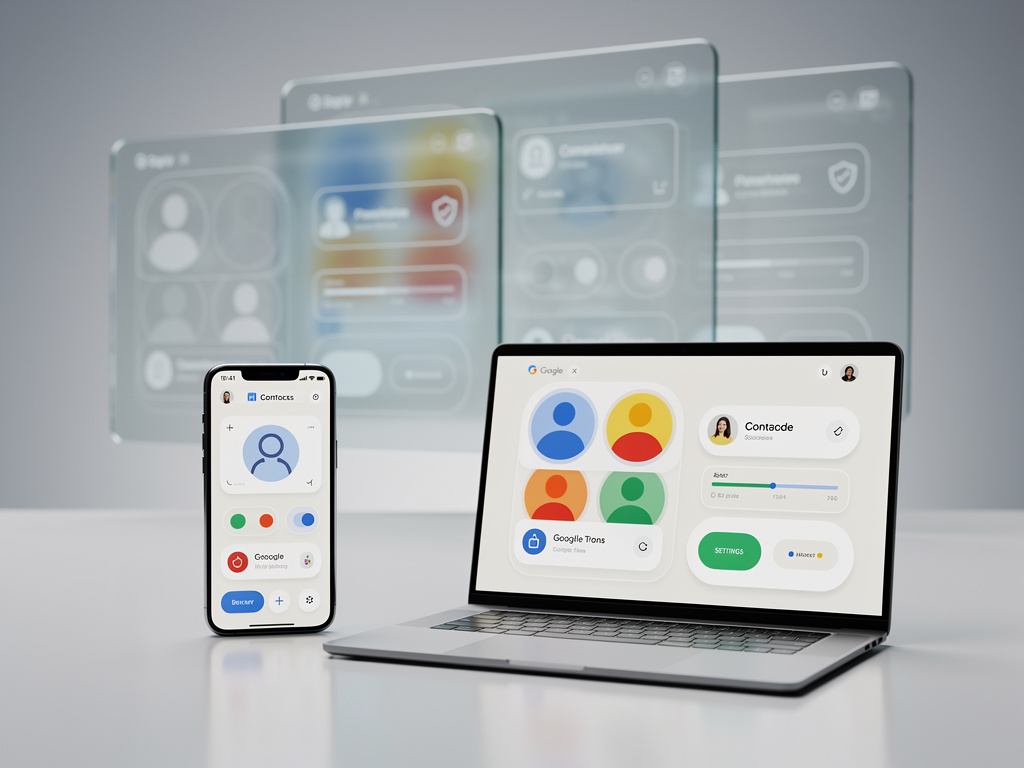
Google has unveiled a comprehensive redesign of its Contacts application, marking the most significant visual overhaul of the productivity tool in years. The update, which began rolling out to users in early 2024, represents Google’s continued effort to modernize its workspace applications and maintain competitive positioning against rivals like Microsoft and Apple in the enterprise productivity market.
According to TechRepublic, the new interface introduces a cleaner, more streamlined design that aligns with Google’s Material Design 3 principles. The redesign affects both the web version and mobile applications, bringing a unified experience across platforms that enterprise administrators and individual users have long requested. The update includes rounded corners, updated iconography, and a reimagined navigation structure that places frequently used features more prominently within the user interface.
The timing of this redesign coincides with Google’s broader push to enhance its Workspace suite, which has become increasingly critical to the company’s enterprise revenue streams. As organizations continue to evaluate their productivity tool investments, Google faces mounting pressure to demonstrate that its offerings can match or exceed the functionality and user experience provided by competing platforms. The Contacts application, while often overlooked in discussions of productivity software, serves as a foundational element for email, calendar, and collaboration tools that businesses rely upon daily.
Material Design 3 Philosophy Drives Interface Evolution
The new Contacts interface embraces Google’s Material Design 3 framework, which emphasizes personalization, accessibility, and adaptive design principles. The redesign introduces dynamic color schemes that adjust based on user preferences and system settings, creating a more cohesive visual experience across Google’s application ecosystem. This approach reflects a broader industry trend toward interfaces that adapt to individual user needs rather than imposing a one-size-fits-all design philosophy.
The navigation structure has been fundamentally reorganized to reduce cognitive load and improve efficiency. Previously, users navigated through multiple menu layers to access specific contact management features. The updated design consolidates these functions into a more intuitive sidebar layout, with quick access to labels, frequently contacted individuals, and recently added contacts. The search functionality has been enhanced with improved filtering options, allowing users to locate specific contacts based on multiple criteria including company affiliation, job title, and custom fields.
Enterprise Implications and Administrative Controls
For enterprise customers, the Contacts redesign introduces several features specifically tailored to organizational needs. Workspace administrators now have enhanced controls over contact sharing policies, enabling more granular management of how employee contact information flows within and outside the organization. These controls address longstanding security and privacy concerns that have complicated enterprise adoption of cloud-based contact management systems.
The update also improves integration with Google’s other Workspace applications, particularly Gmail and Google Meet. Contact profiles now display more contextual information, including recent email exchanges, scheduled meetings, and shared documents. This integration creates a more comprehensive view of professional relationships, potentially reducing the time employees spend switching between applications to gather information about colleagues or external contacts.
Competitive Positioning in the Productivity Software Market
Google’s investment in redesigning Contacts reflects the intensifying competition in the productivity software sector. Microsoft has consistently updated its People app and Outlook contacts integration, while Apple continues to refine its Contacts application across iOS and macOS platforms. Industry analysts note that while contact management may seem like a mature category with limited innovation potential, these applications serve as critical integration points for broader productivity ecosystems.
The redesign also addresses user feedback accumulated over several years of the previous interface. Many users had criticized the outdated appearance and inconsistent design language compared to other Google applications. By modernizing Contacts, Google demonstrates responsiveness to user input while also ensuring visual consistency across its product portfolio—a factor that influences purchasing decisions for organizations evaluating enterprise software suites.
Technical Implementation and Rollout Strategy
Google has implemented the Contacts redesign through a phased rollout approach, beginning with Workspace customers before expanding to consumer accounts. This strategy allows the company to monitor performance metrics, gather feedback from enterprise users, and address any technical issues before the update reaches the broader user base. The phased approach has become standard practice for Google when introducing significant interface changes, helping to minimize disruption to business operations.
The technical architecture underlying the new Contacts interface has been rebuilt to improve performance and responsiveness. Users with large contact databases—some enterprise accounts maintain thousands of entries—should experience faster load times and more fluid interactions. Google has optimized the application’s data handling to reduce server requests and implement more efficient caching strategies, improvements that may not be immediately visible to users but contribute to overall system reliability.
Mobile Experience and Cross-Platform Consistency
The mobile versions of Google Contacts have received particular attention in this redesign, reflecting the reality that many users now manage their professional contacts primarily through smartphones. The updated mobile interface maintains feature parity with the web version while adapting to smaller screen sizes and touch-based interactions. Gesture controls have been refined to enable faster navigation and editing, addressing a common complaint that contact management on mobile devices felt cumbersome compared to desktop experiences.
Cross-platform consistency represents a key objective of the redesign. Users transitioning between desktop, tablet, and smartphone environments should encounter familiar interface elements and workflows, reducing the learning curve associated with different form factors. This consistency extends to keyboard shortcuts on desktop platforms, which have been standardized to match patterns used in other Google Workspace applications.
Privacy Enhancements and Data Management
The redesigned Contacts application incorporates enhanced privacy controls that give users more transparency and control over their personal information. New settings allow users to review which applications and services have access to their contact data, with simplified options to revoke permissions. These privacy enhancements respond to increasing regulatory requirements, particularly in regions with strict data protection laws like the European Union’s GDPR framework.
Contact merging and duplicate detection capabilities have been improved through machine learning algorithms that more accurately identify potential duplicates while reducing false positives. Users can review suggested merges before applying them, maintaining control over how their contact database is organized. The system also provides better handling of contacts synced from multiple sources, such as corporate directories, personal accounts, and third-party applications.
Future Developments and Integration Opportunities
While Google has not publicly detailed future enhancements beyond the current redesign, industry observers anticipate continued evolution of the Contacts application as artificial intelligence capabilities mature. Potential developments could include automated contact enrichment using publicly available professional information, intelligent suggestions for maintaining professional relationships, and predictive features that surface relevant contacts based on calendar events or email patterns.
The redesign positions Google Contacts as a more central component of the Workspace ecosystem rather than a peripheral utility. As organizations increasingly rely on digital tools to manage professional networks and relationships, contact management applications that seamlessly integrate with communication and collaboration platforms provide competitive advantages. Google’s investment in modernizing this application signals recognition of its strategic importance within the broader productivity suite.
Industry Reception and User Adaptation
Early responses to the Contacts redesign have been generally positive, with users appreciating the modernized aesthetic and improved functionality. However, as with any significant interface change, some users have expressed frustration with the learning curve required to adapt to new workflows and relocated features. Google has published documentation and tutorial resources to facilitate the transition, though the effectiveness of these materials varies depending on user technical proficiency and organizational training resources.
The redesign arrives at a moment when organizations are reassessing their technology investments and seeking to maximize value from existing software subscriptions. For Google Workspace customers, the Contacts update represents tangible evidence of ongoing product development and platform evolution—factors that influence renewal decisions and long-term commitment to the ecosystem. As remote and hybrid work arrangements persist, tools that facilitate professional relationship management have gained importance, elevating applications like Contacts from afterthoughts to strategic considerations in enterprise software planning.


 WebProNews is an iEntry Publication