
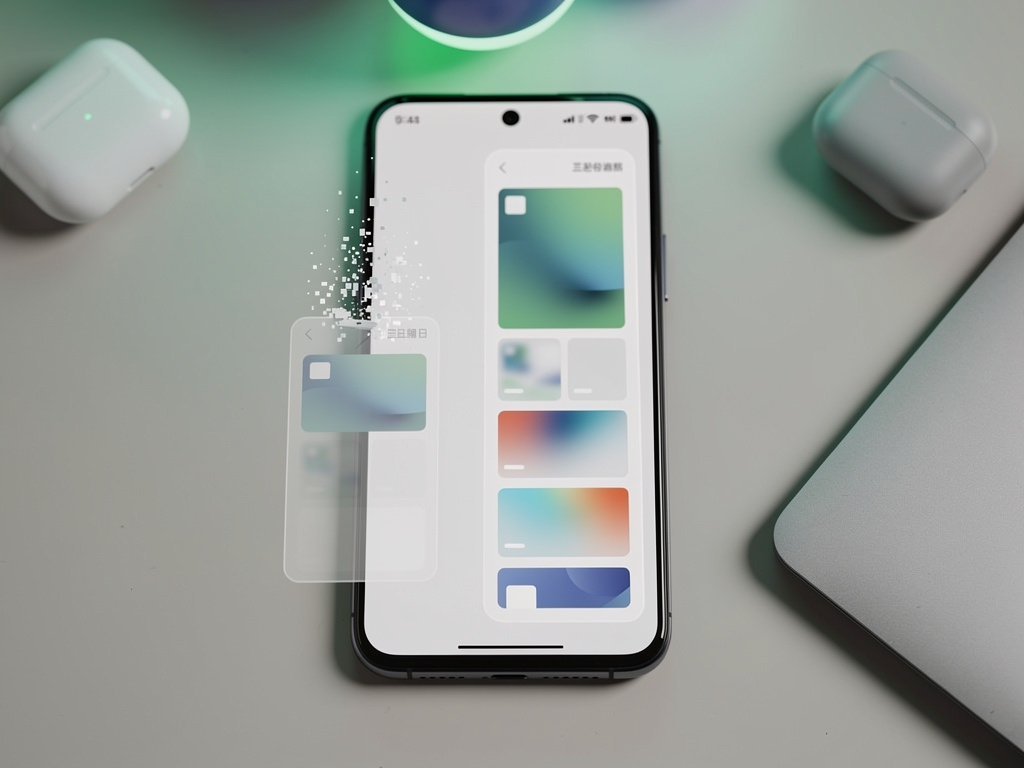
Android’s Screenshot Evolution: Eradicating the Clutter of Redundant Captures
In the ever-evolving world of mobile operating systems, Google is poised to address one of the most persistent nuisances in Android’s screenshot functionality. For years, users capturing scrolling screenshots have been plagued by an extra step: manually deleting the initial static image that precedes the extended capture. This quirk, while minor, has accumulated frustration among power users and casual smartphone owners alike, cluttering galleries and wasting precious storage space. Now, as revealed in recent developer previews, Android is set to automate this process, automatically discarding the original screenshot once a scrolling version is saved. This change, spotted in the latest Android Canary build, signals Google’s ongoing commitment to refining user experience in subtle yet impactful ways.
The mechanics of scrolling screenshots on Android involve taking a standard screenshot first, then extending it by scrolling through content like web pages or long documents. Upon saving the expanded image, the system currently retains both versions, leading to duplicates that users must hunt down and eliminate. According to insights from Android Authority, this upcoming fix will detect when a scrolling screenshot follows immediately after a standard one and promptly delete the latter. It’s a quality-of-life enhancement that could debut in Android 16’s QPR3 stable release, potentially arriving as early as March 2026, based on current development timelines.
This isn’t just about tidying up photo libraries; it’s a nod to how Android has matured its native tools to compete with third-party apps that have long offered similar automations. Developers and insiders have noted that while brands like Samsung and OnePlus have customized their interfaces with advanced screenshot features, stock Android has lagged in polish. The impending update promises to bridge that gap, making the feature more intuitive and less burdensome on device resources.
The Genesis of Scrolling Screenshots in Android
Scrolling screenshots, often called long or extended captures, entered the Android ecosystem with Android 12 in 2021. Prior to that, users relied on manufacturer-specific implementations or apps from the Play Store to stitch together multiple images. Google’s native introduction aimed to standardize the experience across devices, allowing seamless capture of entire conversations, articles, or lists that span beyond a single screen. However, the implementation wasn’t flawless from the start.
Early adopters quickly pointed out inefficiencies, including the duplicate image issue. Posts on platforms like X (formerly Twitter) from as far back as 2021 highlight user complaints about gallery clutter, with some sharing workarounds like immediate manual deletion or using automation apps. For instance, discussions on X have resurfaced recently, praising the potential fix as a long-overdue solution, with tech enthusiasts noting how it aligns with broader Android improvements in usability.
Moreover, the feature’s evolution ties into Android’s broader push for efficiency. In developer communities, there’s buzz about how this change integrates with system-level optimizations, potentially reducing unnecessary file operations that could impact battery life or performance on lower-end devices. By automating deletion, Google isn’t just saving storage—it’s streamlining the workflow for millions of users who capture screenshots daily for work, sharing, or reference.
Technical Underpinnings and Development Insights
Diving deeper into the technical side, the fix appears in Android’s Canary channel, a testing ground for experimental features. As detailed in reports from Android Police, the system will recognize the sequence: a standard screenshot followed by the “Capture more” action, then automatically purge the initial file upon saving the scrolled version. This logic prevents the gallery from ballooning with redundant images, a problem exacerbated on devices with limited storage.
Industry insiders speculate this could be part of a larger overhaul in Android’s media handling. Canary builds often preview changes that ripple through to stable releases, and this one addresses feedback loops from beta testers. For example, web searches reveal ongoing discussions in forums where users report issues with screenshot management, including accidental deletions or failures in scrolling capture on certain apps. Google’s response here demonstrates a data-driven approach, likely informed by telemetry from millions of devices.
Comparatively, iOS has handled scrolling screenshots more elegantly in some respects, with automatic stitching and no duplicate saves in native apps like Safari. Android’s update brings it closer to parity, which is crucial as cross-platform users demand consistency. Tech analysts point out that while Android’s open nature allows for custom ROMs and mods to fix such quirks, mainstream users shouldn’t need to resort to that.
User Impact and Broader Implications
For everyday users, this change means one less tap in their routine. Imagine capturing a lengthy recipe or a full Twitter thread without the aftermath of sifting through duplicates. Recent news on X shows a surge in positive sentiment, with posts from influencers like Mishaal Rahman highlighting the simplicity of the fix and its potential to enhance daily interactions. This resonates especially with professionals in fields like journalism or research, where quick, clean captures are essential.
Storage savings might seem trivial, but on a global scale, with billions of Android devices, the cumulative effect is significant. Each duplicate screenshot, even if small, contributes to unnecessary data hoarding, and automating deletion aligns with Google’s sustainability goals by reducing digital waste. Furthermore, it encourages better habits, as users won’t dread the post-capture cleanup.
Looking ahead, this could pave the way for more advanced screenshot tools. Speculation in tech circles suggests integrations with AI, like automatic text extraction or smart cropping, building on features in Google Photos. The update also underscores Android’s iterative philosophy, where small tweaks compound into a more polished product.
Competitive Edges and Manufacturer Variations
Android’s ecosystem is diverse, with OEMs like Samsung offering their own twists on screenshots via One UI. Samsung’s scrolling capture, for instance, has long avoided duplicates by design, giving it an edge over stock Android. Reports from Android Headlines note that Google’s move levels the playing field, potentially influencing future custom skins to adopt similar automations.
On the flip side, some users on budget devices from brands like Motorola or Nokia have reported inconsistencies in scrolling functionality, such as failures in certain browsers. The upcoming fix, if rolled out universally, could standardize reliability across hardware tiers. Web news aggregates recent user testimonials praising the Canary build’s stability, suggesting minimal bugs in this specific enhancement.
For app developers, this means adapting to system behaviors. Apps that rely on screenshot APIs might see improved integration, reducing the need for custom permissions or workarounds. It’s a subtle shift, but one that reinforces Android’s developer-friendly stance.
Challenges and Potential Drawbacks
No update is without hurdles. Early testers in the Canary program have flagged edge cases where the automatic deletion might fail, such as if the scrolling capture is interrupted. According to insights from StartupNews.fyi, these scenarios could lead to lost images if not handled gracefully, prompting Google to add safeguards like undo options.
Privacy concerns also linger. Automatic deletions involve system-level access to files, raising questions about data handling. While Google’s track record is strong, insiders emphasize the need for transparent changelogs to maintain user trust. Additionally, for those who intentionally keep both versions—for editing or comparison—the feature might require a toggle in settings to opt out.
Globally, rollout timelines vary by region and device, with older models potentially missing out if they’re not on supported Android versions. This fragmentation remains a challenge, but Google’s Project Mainline modules could expedite delivery through Play Store updates.
Industry Reactions and Future Prospects
The tech community has responded enthusiastically. Posts on X from Android enthusiasts celebrate this as a “huge quality-of-life fix,” echoing sentiments in articles from various outlets. It’s seen as part of Android’s maturation, addressing pain points that have persisted since scrolling screenshots debuted.
Looking forward, this could inspire similar automations in other areas, like notification management or app caching. Analysts predict that by Android 17, screenshot tools might evolve into full-fledged content capture suites, incorporating video snippets or collaborative editing.
In essence, this update exemplifies Google’s strategy of listening to user feedback and iterating on core features. It may not headline keynotes, but for insiders, it’s a testament to the platform’s user-centric refinement.
Ecosystem Integration and User Education
Integrating this fix into the broader Android ecosystem involves more than code changes. Google must ensure compatibility with third-party launchers and gallery apps, which often override default behaviors. For instance, users of apps like AnyRec for advanced captures might see synergies or conflicts, necessitating updates from those developers.
User education will be key. Tutorials in the Tips app or onboarding prompts could highlight the new behavior, preventing confusion. Web guides, such as those from Guiding Tech, already explain current methods, and they’ll likely adapt to cover the automation.
For enterprises, where screenshots are used for documentation, this streamlines workflows without altering outputs. IT departments might appreciate the reduced storage overhead on company devices.
Comparative Analysis with Rivals
Against competitors, Android’s update positions it favorably. iOS’s full-page captures in Safari avoid duplicates inherently, but Android’s cross-app support is broader. Meanwhile, Windows Phone’s defunct scrolling features remind us of how quickly innovations can become standard.
Recent ZDNet coverage, like ZDNet’s guide on cross-platform methods, underscores the demand for seamless tools. Android’s fix enhances its appeal in a multi-device world.
Ultimately, this development reflects the platform’s adaptability, ensuring it remains relevant amid rapid tech advancements.
Long-Term Vision for Android Features
Envisioning the future, experts foresee AI-driven enhancements, such as predictive scrolling or content summarization within screenshots. This fix is a stepping stone, addressing basics before layering complexities.
Community feedback loops, amplified on X, will continue shaping these evolutions. As Android pushes boundaries, such refinements keep the user at the center.
In closing, while subtle, this scrolling screenshot improvement encapsulates Google’s methodical approach to perfection, promising a cleaner, more efficient experience for all.


 WebProNews is an iEntry Publication