
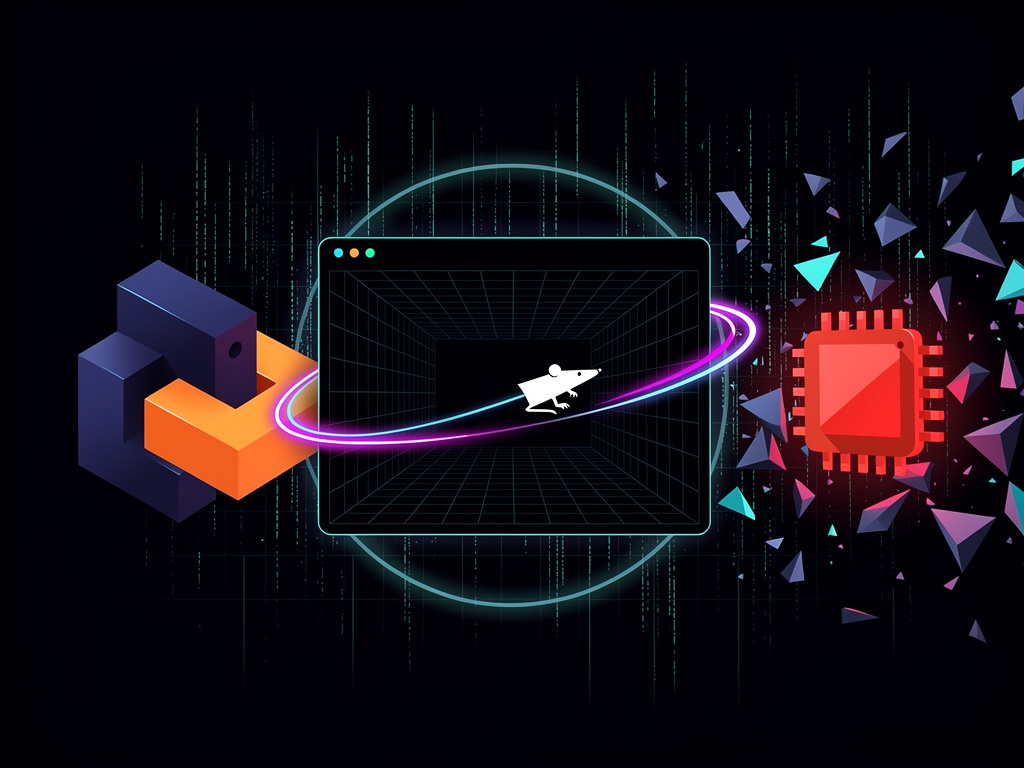
Orhun Parmaksiz stared at the command line one too many times and decided plain text no longer sufficed. So he built Ratty. The terminal emulator renders inline 3D models. It spins a rat as its cursor. And it draws from an unlikely source: TempleOS.
The project dropped this week. It immediately climbed Hacker News rankings and sparked chatter across developer forums. Parmaksiz, already known for his work on the Rust terminal UI library Ratatui, combined that tool with the Bevy game engine. The result breaks the flat constraints most terminals accept.
The Register first covered the launch. Parmaksiz told the publication that terminal emulators occupy a huge part of developers’ daily lives. Yet innovation there lags. “With Ratty I hope to inspire others to experiment with terminals and push the limits of what they can do,” he said in an email.
Ratty splits its architecture in a clever way. One component manages PTY input and output plus standard terminal parsing. The other converts that data into a GPU-rendered scene, either 2D or 3D. This separation grants flexibility. Users can warp the entire output. They can embed images through the Kitty Graphics Protocol. They can place 3D objects directly in the text flow.
The secret sauce sits in the Ratty Graphics Protocol. It lets applications register .obj or .glb files. Those assets anchor to specific terminal cells. Developers then adjust scale, color, rotation, depth and animation. A companion Ratatui widget called ratatui-rgp makes it straightforward to code such applications inside Ratty itself.
Performance demands attention. Bevy brings a game engine into what many expect to remain a lightweight process. Parmaksiz acknowledges the trade-off without apology. “I know, sacrificing 300 MB of RAM just to run a terminal emulator is a lot,” he said. “But everything comes with a cost, especially the spinning rat cursor.”
That cursor. It rotates constantly. Users can swap the model and tweak its animation through a TOML configuration file. The default delivers pure rodent energy. Some call it delightful. Others call it distracting. Both reactions miss the larger point.
The inspiration traces straight back to Terry Davis and his singular creation. TempleOS operated under self-imposed limits: 640 by 480 resolution, 16 colors, single-voice sound. Yet it allowed sprites to appear inline with text. Davis believed he coded at divine direction. Parmaksiz saw only raw creativity.
“I was blown away by the creativity and passion behind it,” Parmaksiz told The Register. He wondered what those same ideas might look like inside a modern terminal backed by contemporary graphics hardware. The experiment succeeded beyond his expectations.
Early demos show the range. One displays an oversized rat model dominating the screen. Another mimics a TempleOS-style document complete with editable text alongside embedded 3D elements. A third splits the view: canvas on the left for 2D drawing, live 3D preview on the right. These aren’t production tools. They prove concepts.
Parmaksiz built the text rendering path using Parley and Vello for GPU acceleration. The pipeline reads back RGBA data to CPU memory before feeding it to Bevy. Not fully optimal. He already eyes a tighter integration that keeps everything on the GPU. Such changes would demand deeper Bevy render-world modifications.
Developers can install Ratty several ways. Cargo works with a simple cargo install ratty. Arch Linux users grab it from the official repositories. Prebuilt binaries sit on the GitHub releases page. The project lives entirely under the MIT license at github.com/orhun/ratty.
But practical applications remain fuzzy for many who try it. Comments on social media and discussion boards mix awe with confusion. One X user called the launch “wild” after Parmaksiz’s announcement post racked up thousands of likes. Another joked that Kitty users were now “crying in 8-bit colors.”
Parmaksiz stays realistic. He posted on his blog that this began as an experiment to test terminal boundaries. Reception has been strong. He will keep developing if people actually use the tool and ship interesting projects on top of it. “I’m just testing the waters for now,” he explained to The Register, “but the reception has been amazing so far. I would be happy to continue development if people start using Ratty and start developing cool things with it.”
His ultimate ambition feels modest on the surface. He wants to spark fresh thinking about what a terminal can contain. Not replace existing tools. Not claim superiority in speed or efficiency. Simply demonstrate that the command line need not stay trapped in two dimensions.
History shows such oddities can influence mainstream development. Decades ago, xterm added ReGIS graphics support for plotters and early CAD. Those capabilities faded from common use. Projects like ascii-graphics libraries and bash-based 3D engines surface periodically on YouTube and GitHub. Most stay novelties.
Ratty differs because it ships with a real protocol and widget system designed for extension. The separation of emulation from presentation opens doors. A full CAD application inside a terminal suddenly sounds less absurd. Live data visualizations that rotate in three dimensions become feasible. Games. Educational demos. Architectural previews.
Of course the memory footprint invites criticism. Modern terminals like Alacritty or Kitty focus on minimal resource use and raw speed. Ratty trades some of that for visual richness. Whether that bargain appeals depends on the task. For daily SSH sessions, probably not. For creative exploration or specialized visualization, the extra overhead may prove acceptable.
Discussion on Hacker News touched on exactly these tensions. Some praised the technical execution. Others questioned long-term maintenance. Parmaksiz has not committed to ongoing support. He built this in his spare time. The code sits open for anyone to fork or extend.
And the rat keeps spinning.
That mascot choice reveals personality. Parmaksiz maintains Ratatui, after all. The rodent theme runs deep. In a field often obsessed with sleek minimalism, the decision to center a cartoonish 3D rat feels like deliberate rebellion. It signals that this project refuses to take itself too seriously even while pushing technical boundaries.
Similar experiments have appeared before. Old ReGIS implementations let terminals draw vectors and basic 3D. ASCII art raytracers render cubes in character grids. None combined a full game engine, modern asset formats and an extensible protocol the way Ratty does. The timing also helps. GPUs sit in every laptop. WebGPU and wgpu abstractions make cross-platform 3D easier than ever.
Parmaksiz published a detailed introduction on his personal blog hours before the wider press coverage. There he walks through the architecture decisions and shares the TempleOS connection more fully. The post includes installation steps and configuration examples. It ends with the same hopeful note: these kinds of experiments birth creativity. He hopes Ratty plants a few seeds.
Whether those seeds grow depends on the community. A handful of early adopters have already begun tinkering. One developer released a simple Temple Runner clone that runs inside Ratty using the new widget. Others experiment with embedding 3D charts that update in real time as scripts produce data.
The project remains young. Version 0.1.0 carries the expected rough edges. Documentation focuses on enthusiasts comfortable compiling Rust projects. Yet the core idea feels potent. Terminals have served as text interfaces for half a century. Perhaps the next decade introduces depth, literally.
So the spinning rat continues its orbit inside windows across developer machines. Some close it after ten minutes. Others leave it running while they ponder what else might fit between the prompt and the cursor. Parmaksiz watches the reactions. He waits to see if anyone builds that CAD program he mentioned.
If they do, the terminal may never look quite the same again.


 WebProNews is an iEntry Publication