
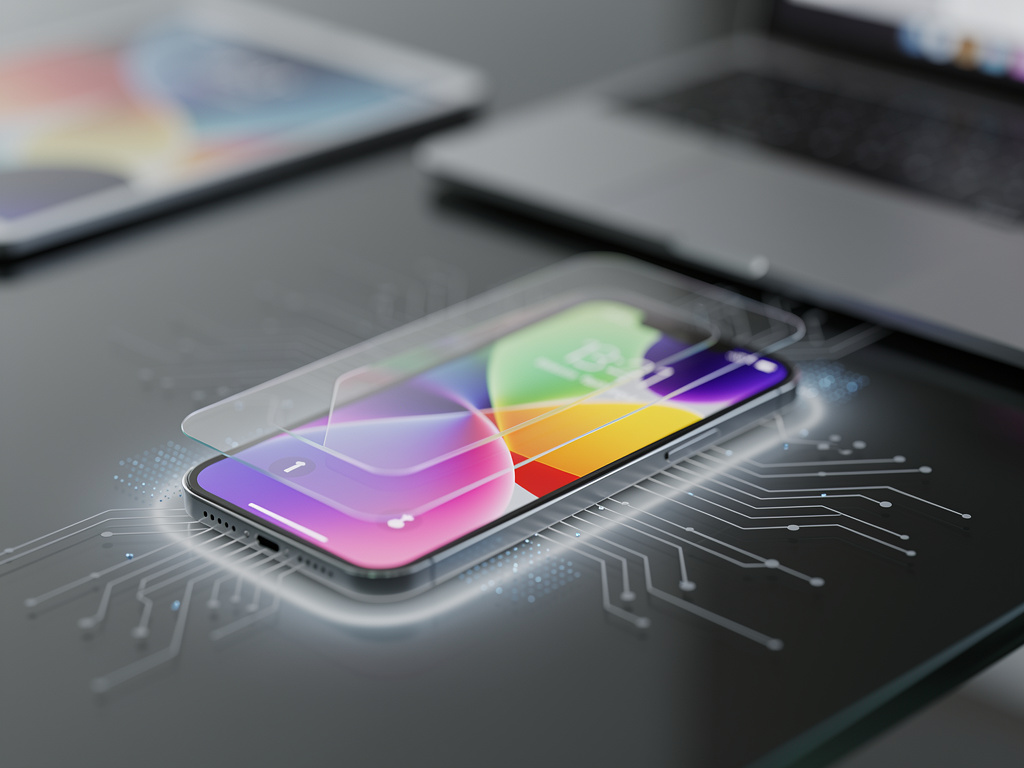
Apple has introduced a major update to its wallpaper customization tools in iOS 27, giving users the ability to generate entirely original iPhone backgrounds using on-device artificial intelligence. According to a report from 9to5Mac, the new feature transforms the once-limited selection of preset images and basic photo adjustments into a creative studio where imagination drives the output. This development arrives as part of the broader iOS 27 beta cycle and reflects growing consumer demand for personal expression on mobile devices.
The wallpaper generator sits inside the updated Settings app under a dedicated Wallpapers section. Users begin by tapping a prominent Create New button that opens a text prompt field similar to those found in popular image generation services. After typing a description, the system processes the request locally on the iPhone using Apple’s latest neural processing hardware. Generation typically completes within five to fifteen seconds depending on prompt complexity and device model. The report from 9to5Mac highlights that all processing happens without sending data to cloud servers, addressing privacy concerns that have surrounded similar tools from other companies.
Early testers describe the results as strikingly detailed. A prompt such as “serene mountain lake at dawn with mist rising from the water and soft pink sky” produces multiple variations showing different angles, lighting conditions, and levels of abstraction. The system offers four initial options per prompt, allowing users to swipe through them before choosing one for further refinement. Refinement options include adjusting aspect ratio to match different iPhone screen sizes, modifying color temperature, adding or removing specific elements, and changing artistic styles from photorealistic to watercolor or line art.
One notable aspect of the feature involves its understanding of iPhone display requirements. The generated images automatically account for the Dynamic Island cutout, ensuring important visual elements do not disappear behind the camera hardware. The software also creates multiple layers that respond to depth effects, allowing certain objects to appear closer to the viewer while others recede. When users enable the depth effect toggle, the wallpaper produces a subtle parallax motion as the device tilts, adding a premium feel that matches Apple’s traditional approach to interface polish.
Artists and designers have begun experimenting with the tool for professional purposes. Some create custom client presentations by generating branded backgrounds that incorporate company colors and motifs. Others use the system to prototype album artwork or book covers directly on their phones. The 9to5Mac article mentions that several independent creators have already started selling packs of prompts that produce consistent styles across multiple generations. These prompt libraries function somewhat like digital recipes, helping less experienced users achieve specific aesthetic results without mastering the nuances of descriptive language.
Technical limitations remain visible in certain scenarios. Complex human faces sometimes display minor artifacts around the eyes or hairlines, though Apple appears to have improved anatomical accuracy compared with earlier beta versions. Text elements within prompts frequently produce gibberish characters rather than readable words, a common challenge across many current image generation models. The system also occasionally struggles with accurate counting, so a request for exactly seven birds might generate five or nine instead. These imperfections have prompted an active community of users to share prompt engineering techniques on social media and dedicated forums.
Privacy protections form a central part of the implementation. Because the model runs entirely on the device, generated images never leave the iPhone unless the user chooses to share them. Apple has included an optional setting that allows users to contribute anonymous usage statistics to help improve future versions, but this remains disabled by default. The on-device approach does carry some performance trade-offs. Older iPhone models from the 13 series experience noticeably longer generation times and occasionally produce lower resolution outputs to maintain reasonable battery consumption.
The feature includes several preset categories designed to help users begin their creative process. Nature scenes, abstract patterns, architectural studies, and seasonal themes each contain starter prompts that can be modified. A mood-based selector offers another entry point, letting users choose emotions such as calm, energetic, mysterious, or joyful before adding specific details. These templates have proven especially helpful for individuals who find open-ended prompting intimidating.
Integration with existing iOS features adds practical value. Generated wallpapers can be assigned separately to the lock screen and home screen, with different images for each. Users can also set time-based schedules so the background changes automatically at sunrise, sunset, or specific hours. Focus modes now include wallpaper associations, meaning entering Work mode can trigger a minimalist geometric pattern while Personal mode activates a more vibrant composition. These connections make the wallpaper tool feel less like a standalone novelty and more like a coherent part of the operating system.
Accessibility considerations received attention during development. The system can generate high-contrast versions of any design for users with visual impairments. It also produces simplified outlines that work better with screen readers and reduced motion settings. VoiceOver users can describe their desired wallpaper and hear the system confirm key elements before finalizing the image. These thoughtful additions demonstrate Apple’s continued emphasis on inclusive design even in experimental features.
Storage management becomes relevant as users create dozens of custom backgrounds. Each image occupies between two and six megabytes depending on complexity and resolution. The Wallpapers section includes a built-in gallery that displays all previously generated designs with options to favorite, archive, or delete them. An automatic cleanup tool can remove unused wallpapers after 30 days, though users can adjust this interval or disable it completely.
The introduction of this tool coincides with broader changes to iOS visual customization. Users can now apply custom icons that match their generated wallpapers through a redesigned Shortcuts integration. Color extraction tools analyze the dominant hues in a new background and suggest complementary accent colors for system interfaces. These capabilities create opportunities for truly personalized experiences that extend beyond simple image selection.
Educators have identified potential classroom applications. Art teachers use the generator to demonstrate principles of composition, color theory, and visual storytelling. Students can quickly visualize concepts described in writing and then analyze why certain prompts produced more successful results than others. The instantaneous feedback loop helps develop both technical prompting skills and traditional artistic judgment.
Professional photographers have mixed reactions to the technology. Some view it as a threat to their stock image businesses while others see opportunities for collaboration. Several photographers now offer prompt consulting services, helping clients describe their vision in ways that produce images closely matching the style of traditional photography. This unexpected business model illustrates how quickly creative industries adapt to new tools.
Looking ahead, Apple has hinted at additional capabilities coming in future updates. Planned enhancements include video wallpaper generation, though these will likely require more powerful hardware than current models provide. Integration with spatial computing features on Vision Pro could allow three-dimensional wallpaper elements that respond to head movement. The company has also registered patents related to style transfer between user photos and generated scenes, suggesting even more sophisticated mixing of personal content with AI creation.
Beta testers report that the quality of outputs has improved substantially between the first and third developer betas. Apple appears to have refined the underlying model with additional training data focused on common iPhone usage scenarios. The system now better understands popular cultural references and can reproduce recognizable artistic styles without directly copying protected works. This balance between creative freedom and intellectual property respect will likely remain an area of active development.
The feature has sparked renewed interest in iPhone customization after several years of relatively modest changes to the home screen experience. Online communities dedicated to sharing generated wallpapers have grown rapidly since the beta release. Some groups organize themed challenges, such as creating futuristic cityscapes or reimagining famous paintings with modern twists. These social aspects transform what could have been a solitary tool into a shared creative outlet.
Battery impact varies significantly based on usage patterns. Generating multiple wallpapers in succession can cause temporary increases in temperature and faster power drain, but normal daily use of existing designs shows no measurable difference compared with traditional static images. The system intelligently caches recent generations so that frequently used wallpapers load instantly without reprocessing.
Security researchers have examined the feature for potential vulnerabilities. Because the model runs locally, it cannot be manipulated through server-side attacks that have affected cloud-based services. However, carefully crafted prompts can sometimes produce unexpected or inappropriate content, leading Apple to implement content filters that block certain categories of requests. The company has remained relatively quiet about the exact parameters of these filters, citing security considerations.
The rollout strategy follows Apple’s typical pattern of introducing features in beta first to gather feedback before wider release. Current estimates suggest the final version will launch alongside iOS 27 in September, potentially with additional style options and improved consistency. Developers of third-party wallpaper applications have already begun updating their apps to incorporate similar but less powerful generation tools, indicating that Apple’s implementation may reshape the entire category.
Users with multiple Apple devices will appreciate how the new wallpapers sync through iCloud. A design created on an iPhone appears automatically on iPad and Mac when those devices receive the iOS 27, iPadOS 27, and macOS 16 updates. This cross-platform availability extends the creative effort beyond a single screen and creates cohesive visual themes across an individual’s technology collection.
The introduction of native AI wallpaper generation represents a significant expansion of what users can expect from their smartphones. Rather than simply choosing from predetermined options, individuals can now manifest specific visions tailored to their tastes, moods, and environments. As the technology matures and hardware capabilities advance, the boundary between user and creator continues to blur, opening possibilities that extend well beyond decorative backgrounds into broader realms of personal expression and digital artistry. The 9to5Mac coverage captures the initial excitement surrounding these changes while acknowledging that this feature marks only the beginning of a larger transformation in how people interact with their devices.


 WebProNews is an iEntry Publication