
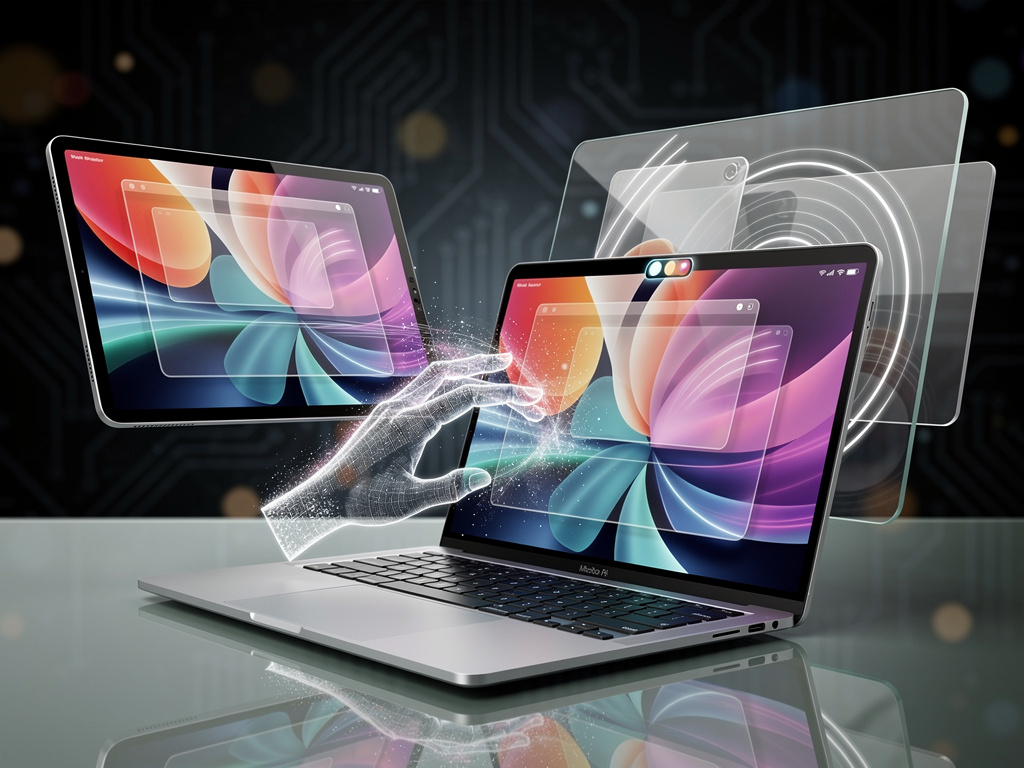
Apple has long drawn a firm line between its iPhones and its MacBooks. One embraces fingers on glass. The other sticks to trackpads and mice. That distinction looks ready to crumble.
The first developer beta of macOS 27 Golden Gate contains a series of small but telling adjustments. They point toward hardware that accepts direct touch. Insiders and analysts have suspected this shift for months. Now the software offers concrete signs.
Mark Gurman of Bloomberg examined the beta code. He spotted evidence that at least one future MacBook model will support a touchscreen. The changes go beyond speculation. They alter how macOS handles input at the system level. And they arrive alongside other interface tweaks that feel borrowed from iOS.
One stands out immediately. The beta adds iPhone-style pull-to-refresh. Users can swipe down on a trackpad in Safari, Mail, News and other apps to reload content. The gesture works today with existing hardware. Yet its presence on the Mac feels deliberate. Developers at MacRumors note it prepares the operating system for finger-driven interaction on a future device. Without such support, a touchscreen MacBook would feel incomplete.
Sidecar takes an even bigger step. The feature that turns an iPad into a second display now accepts direct touch input on the tablet. Tap any control. Scroll with one finger. Perform system gestures. Even use Markup tools. Apple describes the update as offering “more complete support for touch, including tapping on any control, scrolling with one finger, system gestures and Markup,” according to a report in CNET.
Early testers can already experiment. Connect an iPad running the matching iOS beta. Open Sidecar. The Mac’s interface suddenly responds to fingers on the iPad screen. Menu bar items. Dock icons. Browser tabs. Maps controls. The experience isn’t perfect. Some behaviors feel odd. Battery drain appears higher. Bugs surface in this first beta. Still, the capability lets professionals test the concept before any hardware ships.
But wait. The changes run deeper than Sidecar.
Apple updated its gesture recognizer APIs. New code distinguishes touch input from mouse or trackpad events. Tapping registers as a click. Dragging mimics scroll. Tap and hold brings up context menus. Pinch gestures zoom. The system can now detect multitouch sequences that go beyond simple pointing. Release notes for developers highlight these additions, as detailed in coverage from Cult of Mac.
Liquid Glass, the controversial visual effect introduced in the previous version, behaves differently under touch. Elements bounce and glow more prominently. Toolbar buttons flash white on contact. Calculator keys stretch when dragged. These animations match iOS conventions. They feel subtle with a pointer. They pop under a finger. The distinction suggests Apple tuned the interface for both input methods while favoring the new one.
Hardware Rumors Gain Momentum
Analysts tie these software moves to a specific product. Rumors describe a high-end model, possibly called MacBook Ultra, with an OLED panel, thinner chassis, Dynamic Island cutout and M6-series chips. Launch could come as soon as late 2026 or early 2027. The pill-shaped Siri interface in the beta resembles the Dynamic Island. Spotlight’s new “Search or Ask” control sits in a dark rounded rectangle that would align neatly around such a notch.
Gurman previously reported the touchscreen MacBook Pro could include these elements. A leak from China claimed the feature was definite. The beta adds weight. It doesn’t confirm exact specifications or pricing. Yet the pattern matches past Apple transitions. Software groundwork appears first. Hardware follows.
Compatibility remains limited to Apple silicon. macOS 27 Golden Gate drops Intel support entirely. It runs on M1 Macs and newer, including the newly announced MacBook Neo. Early reports from Ars Technica describe the beta as surprisingly stable on an M1 MacBook Air. External display improvements arrive too. Native 5K ultrawide support at higher refresh rates. Yet the touch-related code draws the most attention.
Developers must adapt. Custom gesture recognizers need overrides for locationInView to avoid errors with touch events. The base implementation now returns zero and logs a warning. These details appear in Apple’s official release notes. They signal that touch will become a first-class input method.
Professionals in creative fields may welcome the option. Direct manipulation of timelines in Final Cut Pro. Precise selections in Photoshop. Annotation on large canvases. Others worry about ergonomics. Laptops with touchscreens often lead to smudges and arm fatigue. Apple has avoided the category for years, citing these exact concerns.
The beta doesn’t redesign macOS for touch from the ground up. Windows remain small. Controls sit where pointers reach easily. No automatic scaling for finger targets yet. Future updates will likely refine these elements. The current release simply removes the technical barriers.
And the timing matters. Apple Intelligence features expand in Golden Gate. Siri gains a more conversational presence with a pill-shaped visual. That interface element would look at home on a device with Dynamic Island. The pieces fit together.
Industry watchers expect more details at future events. For now, the beta offers a preview. Install it on a test machine. Pair it with an iPad. Try the gestures. The experience reveals strengths and awkward spots. It answers an important question. Do users actually want this?
Some will. The combination of precision trackpad work and occasional direct touch could prove powerful. Others will prefer the status quo. Apple rarely offers half measures. When it commits, the feature tends to mature quickly.
Golden Gate ships this fall. Any touchscreen hardware would likely launch alongside it or soon after. The software is ready. The question now shifts to execution. How will Apple balance the two input worlds? How will the hardware feel in daily use? Those answers wait for the physical product.
One thing looks clear. The era of the touch MacBook is approaching. The beta doesn’t hide it. It advertises the fact.


 WebProNews is an iEntry Publication