
Apple’s Subtle Reversal: Unraveling Liquid Glass in iOS 26.2
In the ever-evolving realm of smartphone interfaces, Apple has once again demonstrated its willingness to adapt to user preferences with the release of iOS 26.2. This update, rolled out on December 12, 2025, introduces a feature that allows iPhone users to dial back the “Liquid Glass” aesthetic on their lock screens, marking a significant concession to those who found the design too glossy or distracting. First introduced in iOS 26, Liquid Glass aimed to create a more fluid, reflective visual experience across the operating system, blending elements like clocks and widgets into a seamless, glass-like overlay. However, not all users embraced this change, leading to a chorus of feedback that Apple appears to have heeded.
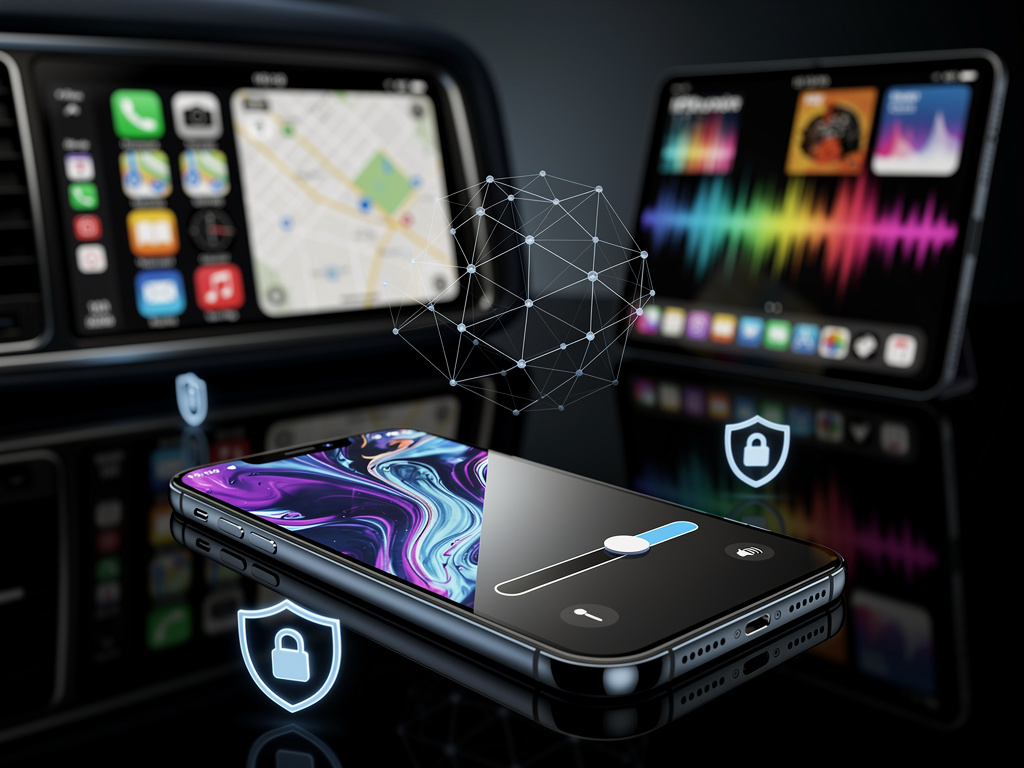
The core of this update lies in a new customization slider that lets users adjust the opacity and intensity of Liquid Glass effects specifically on the lock screen clock. According to reports from TechCrunch, this tweak builds on previous adjustments Apple made in earlier betas, where similar rollback options were added to other parts of the interface. Industry insiders note that this isn’t just a minor patch; it’s a strategic pivot reflecting Apple’s data-driven approach to design, informed by user analytics and beta testing feedback. For professionals in the tech sector, this signals Apple’s ongoing balancing act between innovative aesthetics and practical usability.
Beyond the lock screen, iOS 26.2 encompasses a suite of enhancements that touch on various aspects of the iPhone experience. Updates to CarPlay introduce refined navigation controls, while changes to Apple Music and Podcasts apps include better playlist curation and episode recommendations powered by Apple Intelligence. Security patches address vulnerabilities that could enable sophisticated attacks, as highlighted in coverage from CNET. These elements collectively position iOS 26.2 as a refinement release rather than a revolutionary one, focusing on polishing existing features amid broader ecosystem pressures.
User Backlash and Apple’s Responsive Design Philosophy
The journey to this rollback feature began with the initial rollout of Liquid Glass in iOS 26, which transformed static elements into dynamic, shimmering visuals intended to enhance immersion. Early adopters praised the elegance, but a vocal segment of the user base, particularly power users and those with visual sensitivities, criticized it for causing eye strain or clashing with personalized wallpapers. Posts on social platforms like X, dating back to beta releases in mid-2025, captured this sentiment, with users sharing screenshots and pleas for more control over the effect’s prominence.
Apple’s history of interface evolution provides context here. From the skeuomorphic designs of early iOS versions to the flat aesthetics of iOS 7, the company has repeatedly iterated based on user input. In this case, the Liquid Glass adjustments in iOS 26.2 echo similar moves in prior updates, such as the ability to tone down animations for accessibility reasons. Analysts suggest this flexibility is crucial in an era where competitors like Android offer extensive customization, pressuring Apple to loosen its traditionally curated approach without compromising its premium brand identity.
Technical deep dives reveal how Liquid Glass operates under the hood. It’s not merely a visual filter but a layered rendering system that leverages the iPhone’s GPU to create real-time reflections and transparencies. The new slider in iOS 26.2 essentially modulates these layers, allowing users to reduce the effect to a minimal state or eliminate it entirely for the clock widget. This granularity, as detailed in Apple’s official support documentation on Apple Support, extends to other apps, ensuring consistency across the system while maintaining performance on devices like the iPhone 17 series.
Broader Implications for Ecosystem Integration
Integrating these changes with Apple Intelligence represents another layer of sophistication. The update enhances AI-driven features, such as Live Translation and contextual shortcuts, which now interact more seamlessly with the adjusted visuals. For instance, reducing Liquid Glass opacity can improve readability during AI-assisted tasks like real-time captioning in calls, a boon for professionals in multilingual environments.
Comparisons with past updates underscore the incremental nature of iOS 26.2. While iOS 26 introduced the foundational Liquid Glass design, subsequent point releases like 26.1 focused on stability. Now, 26.2 addresses usability pain points, including new options for AirDrop security codes and urgent reminders, as outlined in 9to5Mac. This pattern suggests Apple’s release cadence is shifting toward more frequent, user-centric tweaks rather than annual overhauls, aligning with agile development practices common in the software industry.
From a market perspective, this update arrives amid intensifying competition. Rivals such as Samsung and Google have long touted customizable interfaces as selling points, and Apple’s concession on Liquid Glass could be seen as a defensive move to retain loyalty among discerning users. Data from app analytics firms indicates that interface dissatisfaction contributes to a small but notable churn rate, prompting Apple to prioritize such features in its roadmap.
Technical Nuances and Developer Insights
Delving deeper into the engineering side, iOS 26.2’s Liquid Glass controls are implemented via updated APIs in SwiftUI, Apple’s declarative framework for building user interfaces. Developers familiar with the system report that these changes allow for more modular app designs, where visual effects can be toggled without overhauling core code. This is particularly relevant for third-party apps integrating with the lock screen, as the update ensures compatibility while offering hooks for custom opacity settings.
Beta testing played a pivotal role in shaping this feature. Posts from X users during the iOS 26.2 beta phase, starting in November 2025, highlighted the introduction of the lock screen slider, with influencers sharing videos demonstrating its impact. This community-driven feedback loop, amplified through social media, likely accelerated Apple’s decision to include it in the stable release, showcasing the power of real-time user engagement in modern software development.
Security enhancements in iOS 26.2 also tie into the visual updates. By patching bugs that could facilitate advanced exploits, Apple ensures that aesthetic customizations don’t inadvertently create vulnerabilities. Coverage from MacRumors notes that these fixes address issues in WebKit and other core components, maintaining the iPhone’s reputation for robust privacy amid growing cyber threats.
Strategic Shifts in Apple’s User Experience Strategy
Looking at the bigger picture, iOS 26.2 reflects Apple’s broader strategy to empower users without diluting its design ethos. The rollback option for Liquid Glass on the lock screen isn’t an admission of failure but a maturation of the feature, allowing it to appeal to a wider audience. Industry experts point out that this adaptability is key in retaining enterprise users, who often prioritize functionality over flair in professional settings.
Comparisons with other platforms reveal Apple’s unique position. While Android’s Material You offers dynamic theming, Apple’s approach remains more restrained, focusing on subtle enhancements. The update’s CarPlay improvements, for example, extend Liquid Glass controls to in-car interfaces, ensuring a cohesive experience across devices—a critical factor for users invested in Apple’s ecosystem.
User adoption metrics will be telling in the coming months. Early reports from tech forums suggest high satisfaction with the customization, potentially boosting update installation rates. As Apple prepares for future releases, such as iOS 27, this pattern of iterative refinement could set the stage for more ambitious features, like advanced AR integrations or deeper AI personalization.
Future Horizons and Industry Ramifications
Anticipating what’s next, insiders speculate that Liquid Glass evolutions might extend to other areas, such as notifications or app icons, based on ongoing beta hints. The update’s emphasis on accessibility—through adjustable visuals—aligns with global regulations pushing for inclusive tech, positioning Apple ahead of compliance curves.
In the context of Apple’s hardware-software synergy, iOS 26.2 optimizes for the latest iPhone models’ displays, which boast higher refresh rates ideal for fluid effects. However, the rollback ensures compatibility with older devices, extending their usability and reducing electronic waste—a subtle nod to sustainability efforts.
Ultimately, this update encapsulates Apple’s philosophy of controlled innovation. By listening to users and providing tools to tailor experiences, the company strengthens its market dominance. As detailed in The Verge, features like AirDrop codes add layers of security, while Podcasts updates enhance content discovery, making iOS 26.2 a multifaceted release.
Ecosystem-Wide Enhancements and User Empowerment
Extending beyond the iPhone, companion updates for iPadOS and watchOS mirror these changes, creating a unified front. For instance, the Liquid Glass tweaks appear in iPadOS 26.2, allowing tablet users similar customizations for productivity-focused setups.
Developer communities have responded positively, with forums buzzing about new possibilities for app integration. This could spur a wave of third-party tools that leverage the opacity sliders, enriching the App Store ecosystem.
In professional circles, the update’s focus on reducing distractions—via customizable visuals and unwanted call filtering—addresses real-world needs, from remote workers to executives managing high-stakes communications.
Refining the Everyday Experience
The Reminders app gains alarms and urgent notifications, as noted in Macworld, tying into health features like sleep tracking scores. These integrations demonstrate how iOS 26.2 weaves together disparate elements for a more holistic user experience.
Photography enthusiasts will appreciate Camera app refinements, including better low-light performance and Wallet integrations for seamless payments.
As users install the update, the true test will be in daily usage, where subtle changes like Liquid Glass rollbacks could redefine personalization in iOS.
Long-Term Vision in a Competitive Arena
Apple’s moves in iOS 26.2 underscore a commitment to evolution, balancing aesthetics with utility. This could influence competitors, prompting similar user-centric features in upcoming Android versions.
For insiders, the update highlights data’s role in design decisions, with Apple likely analyzing usage patterns to inform future iterations.
In wrapping up this exploration, iOS 26.2 stands as a testament to Apple’s adaptive prowess, ensuring its interfaces remain relevant in a dynamic tech environment.


 WebProNews is an iEntry Publication