
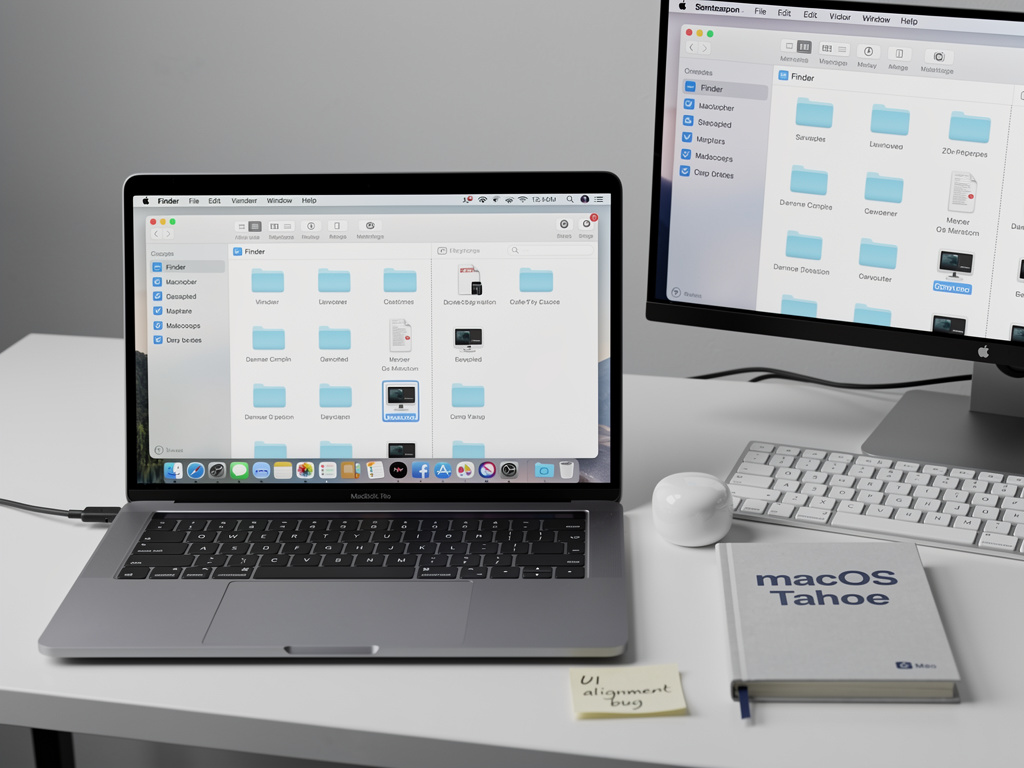
For decades, Apple has built its reputation on an almost obsessive attention to detail — the precise animation curves, the pixel-perfect alignment, the sense that every element on screen has been placed with deliberate care. But a nagging bug in macOS Tahoe’s Finder is challenging that narrative, and industry insiders are beginning to ask whether Apple’s software quality assurance is keeping pace with its ambitious release cadence.
The issue, first documented in detail by MacRumors, centers on a visual glitch in the Finder — macOS’s foundational file management application — where interface elements occasionally slip out of alignment, rendering toolbar icons, sidebar labels, and contextual menus in positions that are subtly but unmistakably wrong. The bug has persisted through multiple point releases of macOS Tahoe, frustrating users who rely on Finder as the backbone of their daily workflows.
A Bug That Refuses to Die
According to the MacRumors report, the Finder UI misalignment issue first surfaced shortly after macOS Tahoe’s initial public release in late 2025. Users began filing reports on Apple’s Feedback Assistant and across developer forums, noting that toolbar buttons would occasionally render a few pixels off from their expected positions, sidebar items would overlap or display with incorrect spacing, and right-click contextual menus would appear with misaligned text and icons. The problem is intermittent, which has made it particularly difficult to reproduce consistently — a characteristic that likely explains why it has eluded Apple’s internal testing protocols for so long.
What makes this bug especially noteworthy is not its severity — it does not cause crashes or data loss — but rather what it symbolizes. Apple’s macOS has long been held up as the gold standard for desktop operating system polish. The Finder, as the very first application users interact with upon booting their Mac, carries an outsized symbolic importance. When the Finder looks broken, even slightly, it sends a signal that reverberates throughout the entire user experience.
The Developer Community Weighs In
The reaction among Apple’s developer community has been pointed. On forums and social media platforms including X (formerly Twitter), independent Mac developers have used the Finder bug as a case study in what they see as a broader erosion of UI quality across Apple’s operating systems. Several prominent developers have noted that AppKit — the framework underlying macOS’s native user interface — has received comparatively less attention from Apple in recent years as the company has poured resources into SwiftUI, its newer cross-platform UI framework.
This tension between AppKit and SwiftUI is not new, but the Finder bug has brought it into sharper relief. AppKit remains the foundation of many of macOS’s most critical system applications, including Finder, and developers have long warned that neglecting its maintenance could lead to exactly the kind of subtle regressions now being observed. The concern is that Apple’s engineering priorities have shifted so heavily toward SwiftUI and cross-platform development — enabling apps to run across iPhone, iPad, Mac, and Apple Vision Pro — that the traditional Mac experience is suffering as collateral damage.
A Pattern of Polish Problems
The Finder issue does not exist in isolation. Over the past several release cycles, macOS users and reviewers have cataloged a growing list of minor but persistent UI inconsistencies. Window resizing animations that stutter, menu bar icons that briefly flicker during system transitions, and notification banners that occasionally display with clipped text have all been documented. Individually, none of these issues rise to the level of a critical bug. Collectively, however, they represent a departure from the standard that Apple itself established and that its most loyal users have come to expect.
Apple has not publicly commented on the Finder alignment bug specifically. The company’s traditional approach to software issues is to address them silently in subsequent updates, and it is entirely possible that a fix is already in development for an upcoming macOS Tahoe point release. But the lack of public acknowledgment has itself become a point of contention. In an era when competing platforms like Windows and various Linux distributions maintain public-facing bug trackers and engage openly with their user communities about known issues, Apple’s silence can feel anachronistic.
The QA Question: Is Apple Spread Too Thin?
Behind the scenes, current and former Apple engineers have offered a more nuanced picture. Speaking on condition of anonymity, several individuals familiar with Apple’s software development processes have suggested that the company’s quality assurance resources are being stretched across an unprecedented number of platforms and product lines. With macOS, iOS, iPadOS, watchOS, tvOS, visionOS, and their respective annual update cycles all demanding attention, the sheer volume of code being shipped each year has grown enormously. The result, these sources suggest, is that lower-priority bugs — particularly cosmetic ones that do not affect functionality — are more likely to slip through the cracks and persist longer before being addressed.
This is a structural challenge that Apple’s leadership has acknowledged in broad terms, if not with specific reference to the Finder bug. Craig Federighi, Apple’s senior vice president of software engineering, has spoken in past interviews about the company’s efforts to improve software reliability, including the introduction of more automated testing and the occasional decision to delay features in favor of stability. The macOS Ventura and Sonoma release cycles both saw Apple publicly defer certain announced features to later point releases, a practice that was widely interpreted as an acknowledgment that the company’s annual release cadence was creating quality pressures.
Why Finder Matters More Than Most Apps
To understand why this particular bug has generated such outsized attention, it helps to appreciate Finder’s unique role in the macOS ecosystem. Unlike most applications, which users can choose to open or ignore, Finder is omnipresent. It manages the desktop, handles file operations, provides the interface for connecting to network volumes, and serves as the default handler for virtually every file-related interaction on the Mac. It is, in a very real sense, the face of macOS.
For professional users — designers, developers, video editors, and other creative professionals who have historically formed the core of Apple’s Mac user base — Finder is not merely a convenience but a critical tool. These users often work with complex directory structures, manage thousands of files across multiple volumes, and rely on Finder’s spatial consistency to navigate their work efficiently. A toolbar button that renders two pixels to the left of its expected position may seem trivial in isolation, but when it disrupts the muscle memory of a user who clicks that button hundreds of times a day, the cumulative friction is real.
The Competitive Context
Apple’s UI polish has long been one of its most potent competitive advantages. The company has historically used the fit and finish of its software as a differentiator, arguing implicitly and sometimes explicitly that the premium price of its hardware is justified in part by the superior quality of the software experience it delivers. That argument becomes harder to sustain when the most basic application on the Mac — the one that ships with every machine and cannot be replaced — exhibits visible defects that persist for months.
Microsoft, for its part, has been investing heavily in the visual coherence of Windows 11, introducing new design languages and modernizing legacy UI components. While Windows has historically been the platform more commonly associated with visual inconsistencies, the gap between the two operating systems in terms of surface-level polish has narrowed considerably. For Apple, maintaining its traditional advantage in this area requires not just innovation but also the unglamorous work of maintaining and refining existing components — work that the Finder bug suggests may not be receiving sufficient priority.
What Comes Next for macOS Quality
The path forward for Apple likely involves both tactical and strategic adjustments. In the near term, a fix for the Finder alignment issue will almost certainly arrive in a future macOS Tahoe update — the bug is too visible and too symbolically important to ignore indefinitely. But the broader question is whether Apple will make structural changes to its development and QA processes to prevent similar issues from recurring.
Some observers have called for Apple to adopt a longer release cycle for macOS, moving away from the annual cadence that has been in place since 2014 in favor of a model that allows more time for testing and refinement. Others have suggested that Apple should invest more heavily in dedicated AppKit engineering resources, ensuring that the framework underlying macOS’s native applications receives the same level of attention as the company’s newer technologies. Still others have argued for greater transparency, including a public-facing issue tracker that would allow users and developers to see which bugs Apple has acknowledged and is actively working to resolve.
Whatever approach Apple takes, the Finder bug in macOS Tahoe serves as a reminder that software quality is not a static achievement but an ongoing commitment. For a company that has built its brand on the promise of experiences that “just work,” even a small crack in the facade can carry significant weight — both with the loyal users who have long championed the platform and with the broader market that is watching to see whether Apple’s legendary attention to detail remains intact.


 WebProNews is an iEntry Publication