
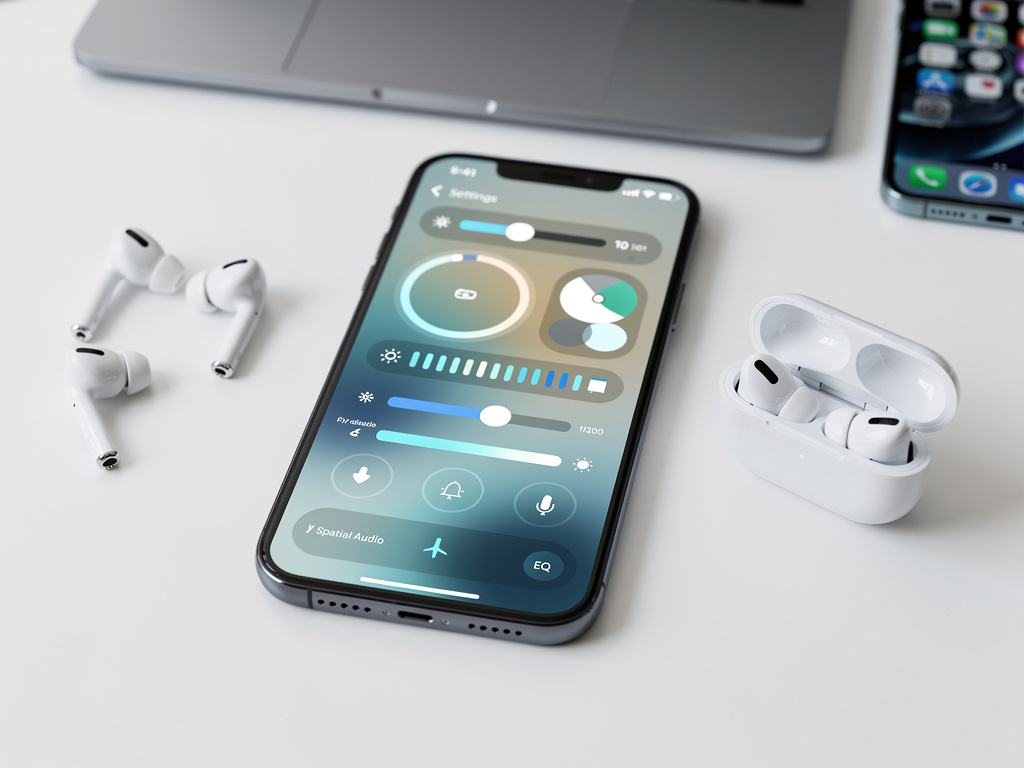
Apple has introduced a completely redesigned AirPods settings interface in iOS 27, giving users far more direct control over their audio devices than previous versions allowed. The update reorganizes scattered preferences into a centralized menu that feels more logical and responsive, addressing long-standing complaints about how difficult it could be to locate specific options buried across multiple screens.
The new layout appears when users tap the name of their connected AirPods in the Bluetooth section of the Settings app. Instead of the previous minimal card that offered only basic controls, the screen now expands into a full-page experience filled with clearly labeled sections, large interactive icons, and contextual information that updates in real time. According to details first reported by MacRumors, the overhaul reflects years of user feedback requesting easier access to features that many people did not even realize existed.
At the top of the redesigned menu sits a prominent header showing the AirPods model name, battery percentages for both earbuds and the case, and a visual representation of the current fit status when applicable. Below this header, users immediately encounter the most frequently adjusted controls. Noise control modes now occupy their own dedicated row with large buttons for Noise Cancellation, Transparency, and Adaptive Audio. Each selection displays a short explanation of what the mode does, helping users who may not remember the exact differences between them.
Spatial Audio settings have received particular attention in this redesign. The menu now includes a dedicated Spatial Audio panel that shows whether the feature is active for the current media and provides one-tap access to personalized spatial audio calibration. Users can also see which apps currently support head tracking and quickly disable the feature if they find it disorienting during specific activities. The addition of these contextual indicators addresses a common source of confusion where Spatial Audio would sometimes activate without the user understanding why or how to turn it off.
Equalizer presets appear much earlier in the menu than before, presented as a horizontal scrollable list of preset thumbnails. Tapping any preset immediately applies it and shows a frequency response graph that updates live as users make adjustments. For those who prefer manual control, a new Advanced EQ section allows precise tweaking of bass, midrange, and treble levels with visual feedback that helps users understand how their changes affect the overall sound signature.
The update also brings significant improvements to how firmware updates are handled. Rather than hiding update information in an obscure submenu, the new interface displays the current firmware version prominently alongside a status indicator that clearly states whether the AirPods are running the latest software. If an update is available, a large blue button appears at the top of the screen, making the process impossible to miss. The menu even estimates how long the update will take based on current battery levels and connection strength.
Battery management features have been expanded considerably. Users can now set custom low-battery warnings for both the earbuds and the charging case, choosing both the percentage threshold and the type of notification they prefer. A new Battery Health section provides detailed information about maximum capacity remaining for each component, similar to what iPhone users see for their devices. This transparency helps owners understand when their AirPods might need replacement and allows them to adjust their usage habits accordingly.
Connection management has also been streamlined. The new menu shows all devices currently linked to the AirPods and makes it simple to switch between them without returning to the main Bluetooth settings. A particularly useful addition is the ability to set default connection priorities for different scenarios. Users can tell their AirPods to automatically connect to their work MacBook when in the office while preferring the iPhone during commutes. These automation rules can be based on time of day, location, or even specific Wi-Fi networks.
Accessibility options now occupy their own clearly labeled section rather than being mixed in with general settings. The menu includes expanded controls for hearing assistance features, including direct integration with Made for iPhone hearing aids and new options for customizing transparency modes for users with specific hearing profiles. Volume limits can be set with more precision, and the interface provides helpful explanations of how these limits protect hearing over time.
For owners of multiple AirPods models, the redesigned menu makes managing different pairs significantly easier. Each set appears as a separate card that can be expanded to show its individual settings while keeping an overview of all connected devices visible at once. This approach eliminates the need to disconnect one pair to access settings for another, a frequent point of frustration in earlier iOS versions.
The update also introduces better integration with Apple Music and other audio apps. Users can now adjust music-specific settings like lossless audio preferences and Dolby Atmos compatibility directly from the AirPods menu without switching applications. Real-time audio analysis shows which codec is currently active and provides suggestions for improving connection quality if interference is detected.
Privacy controls have been enhanced as well. The new interface clearly explains what data the AirPods send to Apple and offers granular options for limiting location-based features or personalized spatial audio mapping. A dedicated Find My section shows the last known location of the charging case and provides quick access to play sound or activate lost mode for any connected component.
Performance improvements accompany the visual changes. The menu loads noticeably faster than previous versions, with settings changes applying almost instantly rather than requiring several seconds of processing time. This responsiveness makes the interface feel more direct and trustworthy, encouraging users to experiment with different configurations.
The redesign extends beyond simple reorganization. Many settings now include short tutorial videos that demonstrate how specific features work in real-world situations. These clips play directly within the settings interface and can be dismissed once users feel comfortable with the controls. The addition of this educational content represents a shift toward making advanced audio features more approachable for casual users who might otherwise never discover them.
Developers have also gained new tools through this update. The expanded AirPods settings framework allows third-party applications to surface relevant controls within the official menu, creating a more consistent experience across different audio apps. Music production applications can now offer direct access to EQ adjustments, while fitness apps can modify transparency settings based on workout intensity without forcing users to leave their primary application.
Early reactions from users who have installed the iOS 27 beta suggest the changes successfully address the main pain points of the previous system. Many report discovering features they had never noticed before simply because the new layout makes them impossible to overlook. The contextual information and explanations help users make more informed decisions about which settings best match their listening preferences and environments.
The timing of this overhaul coincides with the release of new AirPods hardware that takes advantage of the expanded settings capabilities. Features that previously required multiple menu navigations can now be adjusted in seconds, creating a more fluid experience that better matches the wireless freedom the products promise.
Apple appears to have focused on making the most commonly used controls the most prominent while still providing access to advanced options for power users. This balance creates an interface that feels friendly for newcomers yet powerful enough for enthusiasts who want to fine-tune every aspect of their listening experience.
The changes reflect a broader pattern in recent Apple software updates where audio and accessory management receive more thoughtful design attention. As wireless audio devices become more sophisticated with features like adaptive processing, personalized sound profiles, and spatial computing integration, the need for clear, comprehensive control interfaces grows accordingly.
Users upgrading to iOS 27 will find that managing their AirPods no longer feels like hunting through digital drawers for misplaced items. Every major setting now lives in one logical location with clear labels, helpful explanations, and immediate feedback. The result is an interface that treats AirPods as the sophisticated computing devices they have become rather than simple Bluetooth headphones.
This attention to detail in accessory management demonstrates how Apple continues refining even seemingly secondary parts of its operating system. While headline features often capture more attention, improvements like this redesigned AirPods menu significantly impact daily user experience for millions of people who rely on these wireless audio products throughout their days.
The full scope of changes will become clearer as more users test the beta software and provide feedback before the final release. Based on the information currently available from MacRumors and early tester reports, the update successfully transforms a previously fragmented experience into one that feels coherent, responsive, and genuinely useful. For anyone who owns AirPods, the new settings menu alone may prove to be one of the most practical improvements in the iOS 27 update.


 WebProNews is an iEntry Publication