
Revamping the Swipe: Android 17’s Potential Quick Settings Revolution
In the ever-evolving world of mobile operating systems, Google appears poised to address long-standing user frustrations with a significant update to Android’s Quick Settings panel. Recent leaks suggest that Android 17 could introduce a split-panel design, separating notifications from Quick Settings toggles, a move that harks back to earlier Android versions while adapting to modern device forms like foldables. This development, first highlighted in a report from Android Central, points to Google’s efforts to refine usability without overhauling the core interface.
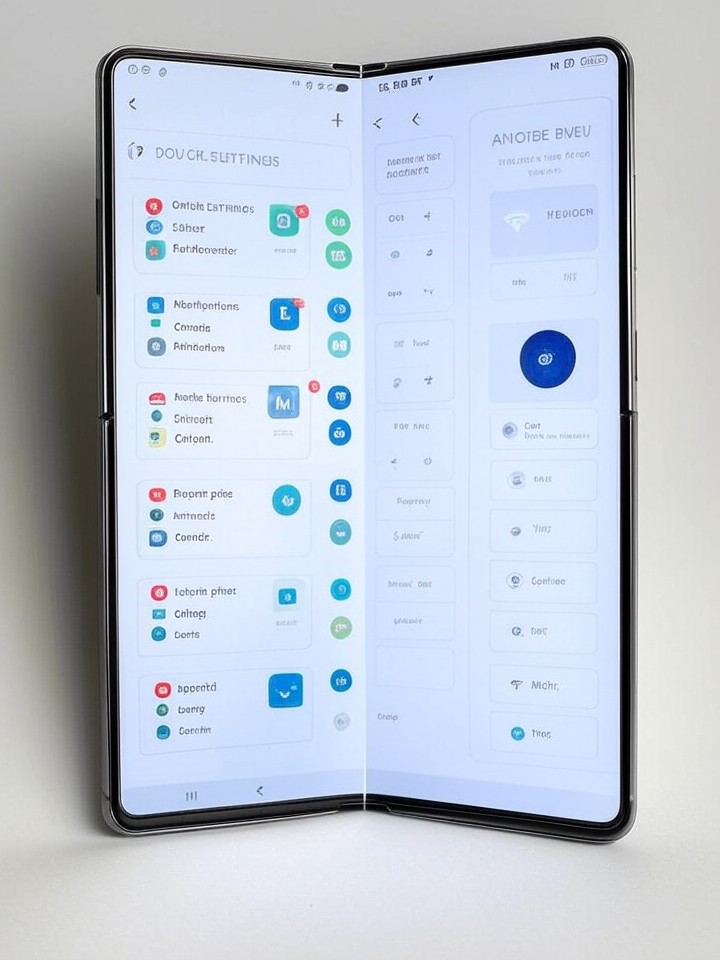
The leak, originating from a Telegram channel known for Android insights, describes a system where swiping down from the left side of the screen reveals notifications, while a right-side swipe pulls up Quick Settings. This dual-shade approach aims to declutter the user experience, particularly on larger screens where combined panels can feel overwhelming. Industry observers note that this isn’t entirely new; similar concepts surfaced in Android 12 but were refined over time. However, the Android 17 iteration seems more polished, potentially making it a standard feature on tablets and foldables, according to details shared in the report.
Beyond the split design, the update may resurrect separate toggles for Wi-Fi and mobile data, undoing a controversial merger introduced in Android 12. Users have long complained about the combined “Internet” tile, which requires extra taps to switch networks. By bringing back individual controls, Google could streamline daily interactions, a change that aligns with feedback from power users and developers alike.
Unpacking the Leaked Features
Drawing from additional sources, this revamp builds on experiments seen in prior betas. For instance, a piece in Digital Trends elaborates on how the optional return to separate toggles targets “daily usability annoyances,” emphasizing a cleaner dual-shade layout. This could mean quicker access to essential functions without navigating through nested menus, a boon for multitasking on devices like the Pixel Fold.
Moreover, the split layout appears tailored for foldables, as noted in a TechTimes article, which highlights enhanced control on expansive displays. On such devices, the separation could allow notifications to occupy one half of the screen while Quick Settings take the other, optimizing space and reducing visual noise. This evolution reflects Google’s broader strategy to make Android more adaptable across hardware variations, from compact phones to larger form factors.
The timing of these leaks is noteworthy, coming just months after Android 16’s release, which introduced resizable tiles and a redesigned brightness slider but stopped short of a full split. Posts on X from tech analysts, including those discussing ongoing beta work, indicate that Google has been iterating on this behind the scenes, with rumors persisting for over a year. This persistence suggests a deliberate refinement process, ensuring the feature lands with minimal bugs.
Historical Context and User Impact
To appreciate the significance, it’s essential to revisit Android’s interface history. Quick Settings debuted in Android 4.2 as a convenient pull-down menu for toggles like Bluetooth and screen rotation. Over iterations, it merged with notifications for a unified shade, a design that worked well on smaller screens but grew cumbersome as devices scaled up. The Android 12 change to combine Wi-Fi and data toggles was met with backlash, as users found it counterintuitive for quick switches, such as toggling off Wi-Fi to conserve battery.
Now, with Android 17 on the horizon, this revamp could mark a return to form, informed by user data and feedback loops. A Gadget Hacks analysis frames it as a “revolution” in usability, contrasting it with past updates that promised much but delivered incremental tweaks. For industry insiders, this signals Google’s responsiveness to ecosystem demands, especially as competitors like Apple’s iOS continue to refine their control centers.
On the foldable front, the update could be a game-changer. As per insights from Android Police, the split shade seems “inevitable” for these devices, where screen real estate allows for more dynamic interactions. Imagine unfolding a device to see notifications on one panel and settings on another, facilitating seamless productivity without constant swiping.
Technical Underpinnings and Development Insights
Delving deeper, the leaked builds reveal code-level changes that enable this flexibility. Developers familiar with Android’s AOSP (Android Open Source Project) note that the split functionality ties into gesture navigation improvements, potentially integrating with edge-swipe mechanics for intuitive access. This isn’t just cosmetic; it involves backend optimizations to ensure low latency, crucial for a fluid experience on high-refresh-rate displays.
Furthermore, the return of separate Wi-Fi and mobile data tiles addresses a specific pain point. In current versions, tapping the Internet tile opens a submenu, adding friction to what should be instantaneous. By contrast, the proposed design allows one-tap toggling, which could reduce user errors and enhance accessibility for those with motor impairments. Sources like a Yahoo Tech piece echo this, noting the leaks’ focus on practical enhancements over flashy visuals.
X discussions amplify the buzz, with users and leakers speculating on beta rollouts. Posts from prominent Android enthusiasts highlight how this could extend to customization, allowing users to configure swipe directions or panel contents, building on Android 16’s Material You theming.
Implications for Device Manufacturers
For OEMs like Samsung and Nothing, Android 17’s changes present both opportunities and challenges. Samsung’s One UI already customizes Quick Settings extensively, so integrating Google’s split design could require skin adjustments to maintain brand consistency. A post from Nothing on X about their OS updates underscores the trend toward more expressive interfaces, suggesting third-party adaptations might enhance the base feature set.
In the broader market, this update could influence adoption rates. Foldables, still a niche segment, might see boosted sales if the software feels more tailored, as per market analyses. Google’s Pixel line, serving as a reference implementation, will likely debut these features, setting the standard for others to follow.
Privacy and security considerations also come into play. With separated panels, notifications—often containing sensitive info—remain isolated, potentially reducing accidental exposures. This aligns with Google’s ongoing emphasis on user control, as seen in recent privacy dashboards.
Ecosystem-Wide Ripple Effects
Looking ahead, the revamp could pave the way for more modular interfaces. Imagine integrating AI-driven suggestions into Quick Settings, like auto-toggling modes based on location or time. While not confirmed, leaks hint at such extensibility, drawing parallels to experimental features in Android betas.
Competitive pressures factor in too. Apple’s Control Center offers customizable toggles with haptic feedback, a benchmark Android might aim to surpass. By refining Quick Settings, Google strengthens its position in the OS wars, appealing to developers who build apps reliant on quick-access controls.
User sentiment, gleaned from X threads, is largely positive, with many expressing relief at the potential fixes. However, some worry about fragmentation if the feature is optional, leading to inconsistent experiences across devices.
Future-Proofing Android’s Interface
As Android 17 approaches, expected in late 2026 or early 2027 based on Google’s typical cycle, these leaks offer a glimpse into a more intuitive future. The split design, combined with toggle separations, addresses core usability gaps, potentially redefining how users interact with their devices daily.
For app developers, this means adapting to new layouts, ensuring notifications render optimally in split views. Testing on emulators will be key, as the changes could affect everything from widget placements to gesture recognitions.
Ultimately, if implemented thoughtfully, this overhaul could elevate Android’s reputation for practicality, proving that sometimes, the best innovations revisit and refine the past.
Broader Industry Ramifications
Extending beyond Google, this development underscores a shift toward user-centric design in tech. With devices becoming more versatile—think AR glasses or wearables—the need for adaptable interfaces grows. Android’s approach could inspire similar updates in other platforms, fostering a more cohesive multi-device experience.
Economic angles emerge too. Enhanced usability might drive longer device retention, impacting sales cycles for manufacturers. In enterprise settings, quicker settings access could boost productivity, appealing to IT departments managing fleets of Android devices.
Feedback loops will be crucial post-launch. Google’s history of iterating based on user data suggests any initial rollout kinks will be ironed out swiftly, ensuring the feature’s longevity.
Strategic Positioning in a Competitive Arena
In the context of Google’s ecosystem, this ties into broader initiatives like Gemini AI integration, where Quick Settings could serve as a hub for smart controls. Leaks from sources like 9to5Google provide galleries of the proposed UI, illustrating a clean, modern aesthetic that complements Pixel hardware.
For insiders, the real intrigue lies in the code. References in AOSP commits hint at scalable implementations, allowing OEMs to tweak without breaking core functionality. This flexibility is vital in a diverse hardware environment.
As the leaks continue to surface, the anticipation builds. Android 17’s Quick Settings revamp isn’t just a tweak—it’s a statement on evolving user needs in an increasingly connected world.


 WebProNews is an iEntry Publication