
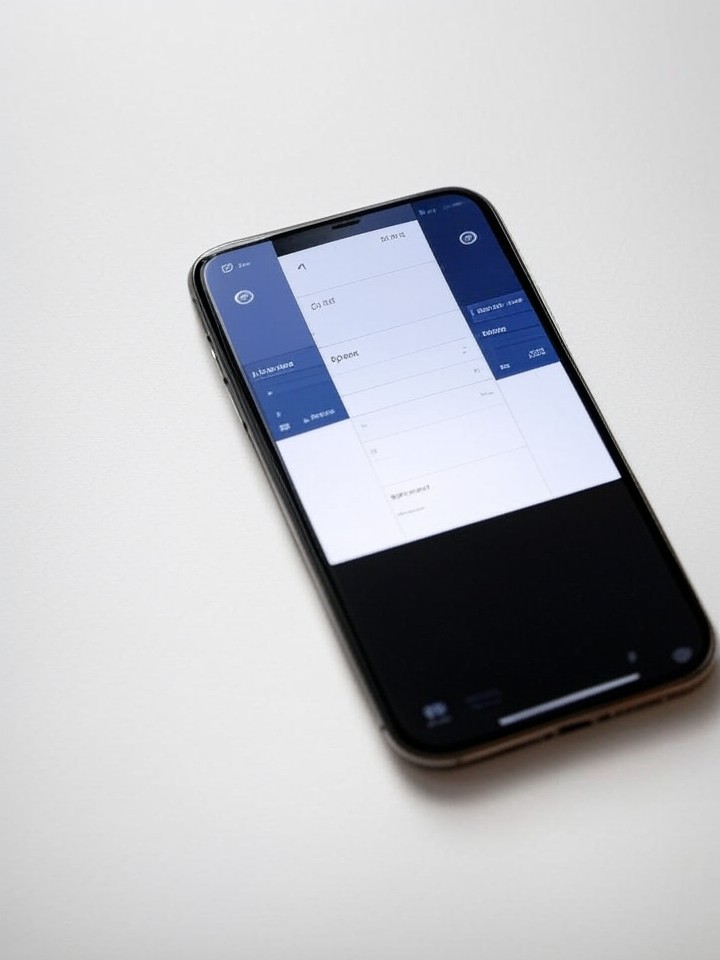
In the ever-evolving world of mobile operating systems, Google’s latest iteration, Android 16, is introducing subtle yet significant enhancements to multitasking capabilities, particularly tailored for devices with compact displays. This update addresses a long-standing challenge: making split-screen functionality more practical on smartphones that lack the expansive real estate of tablets or foldables. Drawing from recent innovations, Android 16 incorporates a flexible 90:10 screen division ratio, allowing users to allocate the majority of the display to one app while keeping a secondary app in a slim sidebar. This isn’t just a cosmetic tweak; it’s a thoughtful response to user feedback about the limitations of traditional even splits on smaller screens, where apps often feel cramped and unusable.
The genesis of this feature can be traced back to inspirations from other manufacturers, such as OnePlus’s Open Canvas system, which has been praised for its dynamic approach to app pairing. According to reports from tech enthusiasts and developers, Google has adapted similar mechanics to create what it calls “flexible App Pairs.” These pairs enable quicker transitions between apps without the need for constant resizing or repositioning, streamlining workflows like checking emails while referencing a calendar. On devices with screens under 6 inches, where space is at a premium, this asymmetrical division ensures that the primary app retains enough room to function effectively, while the secondary one provides quick glances or inputs without overwhelming the interface.
Industry analysts note that this move aligns with broader trends in mobile productivity, where users increasingly demand desktop-like efficiency from their pocket-sized gadgets. For instance, the update builds on Android’s existing multitasking foundations, but refines them for real-world scenarios. Early adopters have reported that the 90:10 ratio feels intuitive, reducing the friction that often discourages split-screen use on non-foldable phones. This is particularly relevant as smartphone designs continue to prioritize portability over sheer size, pushing software to compensate for hardware constraints.
Enhancing Usability Through Asymmetrical Design
Delving deeper into the technical underpinnings, Android 16’s split-screen overhaul introduces resizable boundaries that users can adjust on the fly, moving beyond rigid 50:50 splits. Sources like Lifehacker highlight how this flexibility makes dual-app interactions more viable on smaller displays, with the narrower section ideal for apps like messaging or notes that don’t require full visibility. The feature reportedly debuted in beta form during Android 16’s quarterly platform releases, with full integration in the stable version rolling out to Pixel devices and select partners.
Comparisons to previous Android versions reveal a marked improvement. In Android 15, split-screen was functional but often cumbersome on compact phones, leading to overlapped text or unresponsive controls. Now, with the 90:10 option, developers can optimize apps to adapt automatically, ensuring elements like buttons and text scale appropriately. This is achieved through updated APIs that allow apps to detect and respond to these uneven divisions, a detail uncovered in developer previews shared on platforms like Reddit’s r/Android community.
Moreover, the update isn’t isolated; it ties into Android’s broader ecosystem enhancements. For example, when connected to external monitors, the system now supports more advanced windowing, a collaboration between Google and Samsung that echoes desktop environments. This synergy suggests Google’s strategy to blur the lines between mobile and traditional computing, making split-screen a gateway to more sophisticated multitasking paradigms.
Integration with App Ecosystems and User Feedback
Feedback from beta testers, as aggregated in various online forums, underscores the practical benefits. Posts on X (formerly Twitter) from users like developers and tech journalists describe the 90:10 mode as a “game-changer” for productivity, especially in scenarios like browsing while taking notes or monitoring social feeds during video calls. One prominent post from a tech insider noted that this feature, inspired by but not directly copied from OnePlus, enhances efficiency without requiring users to switch apps repeatedly.
In terms of app compatibility, Google has mandated that apps targeting Android 16 must be resizable and adaptive, ignoring previous restrictions on orientation or aspect ratios. This policy, detailed in announcements from Android Developers on X, ensures a consistent experience across devices. For smaller screens, this means apps can fluidly adjust to the 90:10 layout, preventing the visual clutter that plagued earlier implementations.
User sentiment, drawn from recent discussions on social media, indicates high satisfaction. Many highlight how this update makes multitasking feel natural on everyday smartphones, not just premium foldables. However, some insiders caution that while it’s a step forward, it may not fully resolve issues on the smallest devices, where even a 10% sliver could feel too narrow for complex interactions.
Broader Implications for Mobile Productivity
Expanding the scope, Android 16’s split-screen refinements are part of a larger December update that includes custom icon shapes, enhanced dark themes, and notification organizers, as reported by Android Authority. This bundle aims to elevate the overall user experience, with the 90:10 mode serving as a cornerstone for mobile workflows. Industry observers see this as Google’s push to compete with iOS’s multitasking features, which have long been criticized for their limitations on non-tablet devices.
For developers, the changes open new avenues for app design. By supporting flexible ratios, apps can incorporate split-screen awareness, such as syncing data between paired applications in real-time. This could revolutionize sectors like finance, where users might monitor stocks in one pane while analyzing charts in another, all on a compact phone screen.
Critically, the feature’s rollout has been smooth, with minimal bugs reported in the latest stable releases. Publications like Tech Advisor note that alongside security patches, these multitasking improvements position Android 16 as a mature update, focusing on refinement over radical overhauls.
Future-Proofing Multitasking in a Foldable World
Looking ahead, rumors swirling in tech circles suggest that Android 17 might build on this foundation with even more ambitious features, such as split-panel quick settings optimized for foldables. Leaks from sources like Android Central indicate a potential dual-shade interface that separates notifications and toggles, further enhancing usability on devices with variable screen sizes.
This evolution reflects Google’s data-driven approach, informed by usage analytics showing that split-screen adoption spikes on larger devices but lags on smaller ones. By addressing this gap, Android 16 not only boosts immediate productivity but also sets the stage for hybrid devices that seamlessly transition between form factors.
Insiders speculate that partnerships with OEMs like Samsung could lead to hardware-specific tweaks, such as integrating the 90:10 mode with stylus inputs for note-taking. This collaborative effort underscores the ecosystem’s maturity, where software innovations drive hardware relevance.
Challenges and Competitive Landscape
Despite the positives, challenges remain. Not all apps are yet optimized, leading to occasional inconsistencies where secondary apps fail to scale properly in the narrower section. Developer communities on platforms like Reddit emphasize the need for broader adoption to maximize the feature’s potential.
In the competitive arena, Android’s advancements put pressure on rivals. Apple’s iOS, for instance, offers stage manager on iPads but lacks comparable flexibility on iPhones, potentially giving Android an edge in the productivity market. Analysts from Mavigadget suggest this could extend to three-app views in future updates, pushing the boundaries of what’s possible on mobile hardware.
Ultimately, these developments signal a shift toward more versatile mobile computing, where screen size no longer dictates capability. As users demand more from their devices, features like Android 16’s enhanced split-screen ensure that even the most compact phones can handle demanding tasks with grace.
Strategic Positioning in the OS Wars
From a business perspective, Google’s focus on such features strengthens its position in the enterprise sector, where multitasking efficiency can influence device procurement. Companies increasingly favor Android for its customization, and refinements like this bolster that appeal.
Social media buzz, including posts from influencers, amplifies the update’s reception, with many praising its practicality. This organic promotion aids Google’s marketing, reducing reliance on paid campaigns.
As the rollout continues, expect further iterations based on user data, potentially incorporating AI-driven app pairing suggestions to anticipate needs.
Ecosystem-Wide Ripple Effects
The ripple effects extend to accessory makers, who might design stands or cases that encourage split-screen use on smaller devices. This could spawn a niche market for productivity-focused peripherals.
For consumers, the update democratizes advanced features, making high-end multitasking accessible without needing flagship hardware.
In essence, Android 16’s split-screen evolution exemplifies thoughtful innovation, bridging the gap between ambition and everyday utility in mobile technology.


 WebProNews is an iEntry Publication