
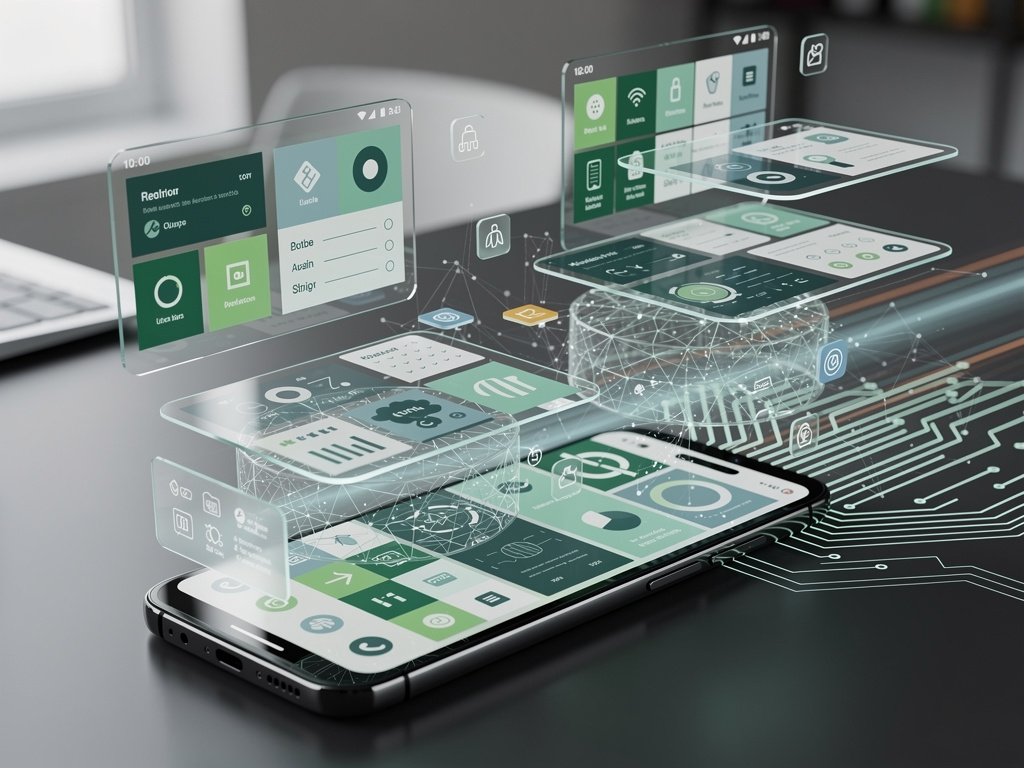
Revolutionizing Multitasking: Inside Android’s QPR2 Overhaul of the Recent Apps Interface
Google’s latest quarterly platform release, known as QPR2 for Android 16, has quietly introduced a series of enhancements that could fundamentally alter how users interact with their devices on a daily basis. At the heart of this update lies a revamped recent apps screen, a feature that has long served as the nerve center for multitasking on Android smartphones. This isn’t just a cosmetic tweak; it’s a thoughtful evolution designed to streamline navigation, boost productivity, and integrate more seamlessly with the ecosystem of apps and services. Drawing from insights shared in a recent analysis by Android Authority, the changes address longstanding user pain points while paving the way for more intuitive device management.
The recent apps screen, often accessed by swiping up from the bottom of the display or tapping a dedicated button, has traditionally been a carousel of open applications, allowing quick switches between tasks. With QPR2, Google has expanded this interface to include richer previews and more actionable controls. Users now encounter larger app thumbnails that provide at-a-glance context, such as live updates from messaging apps or progress indicators for downloads. This builds on previous iterations but goes further by incorporating elements like quick-share options directly within the preview cards, reducing the need to fully open an app just to perform a simple action.
Beyond the visual upgrades, the update introduces smarter grouping of related tasks. For instance, if you’re juggling multiple browser tabs or document editors, the system intelligently clusters them, making it easier to close batches or switch contexts without sifting through a cluttered list. Industry observers note that this mirrors some of the task management efficiencies seen in desktop operating systems, potentially blurring the lines between mobile and traditional computing environments.
Enhancing User Control and Accessibility in Everyday Use
Delving deeper, the QPR2 enhancements aren’t limited to aesthetics; they emphasize accessibility and customization. One standout feature is the ability to pin frequently used apps to the top of the recent apps list, ensuring they’re always within easy reach. This is particularly beneficial for power users who rely on specific tools throughout the day, such as note-taking apps or productivity suites. According to posts from developers and enthusiasts on X (formerly Twitter), this pinning mechanism has been praised for cutting down on navigation time, with some users reporting a noticeable uptick in efficiency during beta testing.
Moreover, Google has integrated haptic feedback more prominently into the interface, providing tactile cues when swiping through apps or selecting options. This subtle addition enhances the sense of control, especially on devices with advanced vibration motors like the latest Pixel series. The update also refines gesture navigation, smoothing out transitions and reducing lag that plagued earlier versions, as highlighted in a video breakdown by 9to5Google.
For those concerned with privacy and security, QPR2 bolsters controls within the recent apps screen by allowing users to quickly revoke permissions or force-close apps that might be running in the background unnecessarily. This ties into broader system improvements, such as enhanced battery optimization, where the interface now displays real-time power consumption stats per app, empowering users to make informed decisions on the fly.
Integration with Broader Android Ecosystem and Performance Gains
The recent apps overhaul doesn’t exist in isolation; it’s deeply intertwined with other QPR2 features that amplify its impact. For example, the update coincides with advancements in notification management, where summaries generated by on-device AI can appear directly in app previews. This means glancing at the recent apps screen could reveal key updates without diving into individual notifications, a boon for professionals inundated with alerts. Insights from the official Android Developers Blog underscore how these AI-driven elements leverage machine learning to prioritize content based on user behavior.
Performance-wise, QPR2 brings measurable improvements to how the recent apps screen handles resource-intensive tasks. On Pixel devices, for instance, app switching feels snappier thanks to optimized memory allocation and faster rendering. A report from Android Central details benchmarks showing reduced load times on the Pixel 10 series post-update, attributing this to under-the-hood tweaks in the Android runtime environment. These gains are especially evident in scenarios involving heavy multitasking, like editing photos while streaming media.
Furthermore, the update extends its reach to emerging features like desktop mode, where the recent apps interface adapts to larger screens. As noted in coverage by Android Authority in a separate piece on Circle to Search integration, users connecting their phones to external displays can now utilize the revamped screen for more desktop-like workflows, complete with resizable windows and enhanced search capabilities.
Developer Implications and Future-Proofing the Platform
From a developer’s perspective, QPR2’s changes to the recent apps screen open new avenues for app optimization. The expanded previews encourage creators to design richer snapshot views, potentially increasing user engagement by showcasing more dynamic content. The Android Developers release notes outline APIs that allow apps to customize how they appear in this interface, from embedding interactive elements to supporting themed icons that match the system’s aesthetic.
This forward-thinking approach aligns with Google’s push toward a more cohesive Android experience across devices. Enthusiast discussions on platforms like Reddit, as seen in a thread from r/Android, speculate that these updates lay groundwork for foldable devices and tablets, where multitasking interfaces must scale effectively to varying form factors. Developers are already experimenting with these tools in beta builds, reporting smoother integration with features like split-screen mode.
Looking ahead, the QPR2 enhancements signal Google’s commitment to iterative improvements rather than waiting for major annual releases. A piece from The Verge discusses how this accelerated schedule could deliver features to non-Pixel Android phones faster, fostering a more uniform ecosystem and encouraging third-party manufacturers to adopt these changes swiftly.
User Feedback and Real-World Adoption Challenges
Early adopters have been vocal about the practical benefits of the updated recent apps screen. On X, posts from tech influencers like Mishaal Rahman highlight specific tweaks, such as improved HDR handling that prevents brightness spikes during app switches, enhancing usability in low-light conditions. This resonates with users who multitask late into the night, reducing eye strain and improving overall comfort.
However, not all feedback is unanimously positive. Some users report minor bugs in the beta rollout, such as inconsistent thumbnail rendering on older devices, as mentioned in community forums. Google’s response has been proactive, with patches addressing these issues in subsequent builds, demonstrating the value of quarterly updates in refining features based on real-world input.
Adoption rates will likely vary by device manufacturer. While Pixel owners receive these updates directly, Samsung and other brands may lag, incorporating elements into their custom skins like One UI. This fragmentation remains a hurdle, but QPR2’s focus on core system interfaces could pressure OEMs to prioritize compatibility, ultimately benefiting the broader user base.
Strategic Positioning in a Competitive Market
In the broader context of mobile operating systems, Android’s QPR2 update positions Google to compete more aggressively with rivals like Apple’s iOS, which has long excelled in fluid multitasking. By refining the recent apps screen, Google addresses a key area where Android has sometimes felt less polished, potentially attracting switchers from other platforms.
Analysts point to the integration of AI and customization as key differentiators. A blog post from Google’s official channels emphasizes how these features make devices “smarter and more personal,” aligning with trends toward adaptive computing. For industry insiders, this signals a shift toward ecosystems where software enhancements drive hardware loyalty, rather than vice versa.
As QPR2 rolls out more widely, its impact on daily workflows could redefine expectations for mobile productivity. Whether it’s quicker app management or deeper system insights, these changes underscore Google’s strategy to evolve Android into a more responsive and user-centric platform.
Pushing Boundaries: Innovations Beyond the Screen
Extending the conversation, QPR2’s recent apps enhancements dovetail with other system-wide improvements, such as expanded dark theme support and widget metrics. Coverage from WebProNews notes how these elements contribute to better battery life and thermal management, indirectly benefiting multitasking by allowing devices to handle more open apps without throttling.
For enterprise users, the update’s security features, including SMS OTP protection, add layers of defense accessible from the recent apps interface. This could appeal to businesses deploying Android fleets, where quick access to secure app controls is paramount.
Ultimately, the QPR2 overhaul represents a maturation of Android’s core functionalities, blending user feedback with technological advancements to create a more seamless experience. As developers and users continue to explore its depths, it may well set the standard for future updates, ensuring Android remains at the forefront of mobile innovation.


 WebProNews is an iEntry Publication