
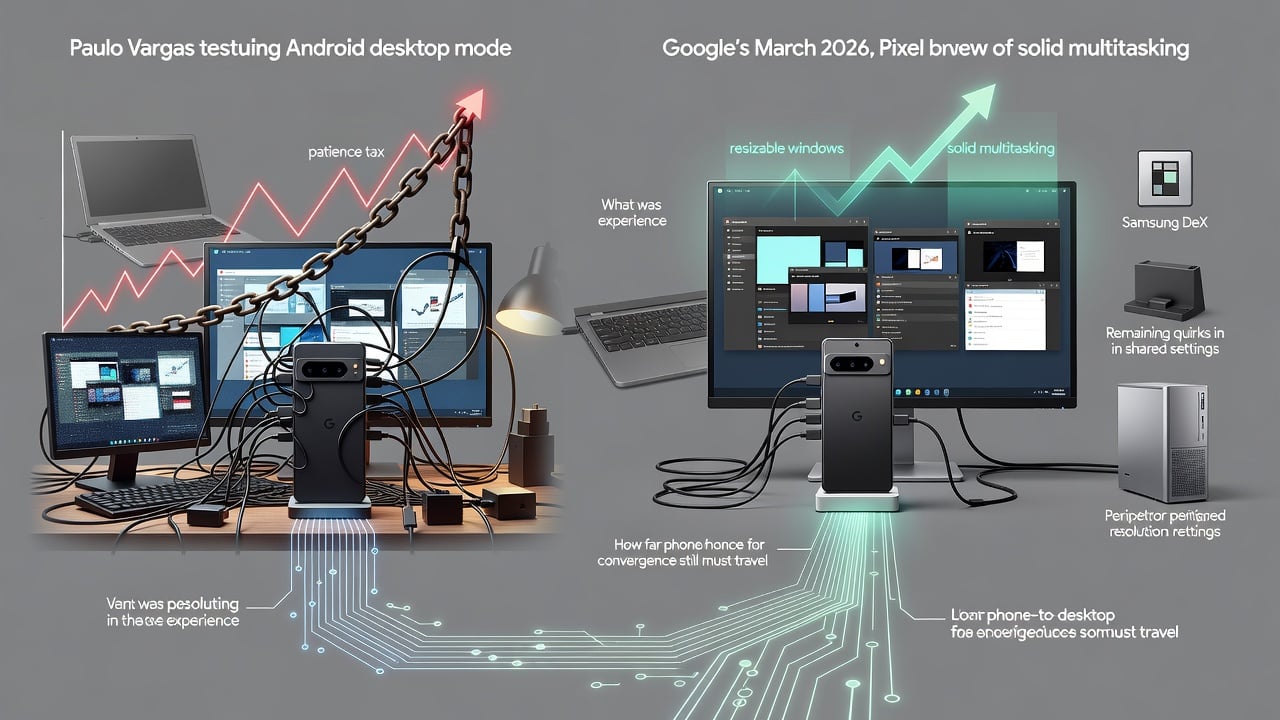
Paulo Vargas sat down with a Pixel phone, a monitor, a keyboard, a mouse and a USB-C hub. He intended to write and publish an entire article without touching his laptop. For the first hour the setup looked convincing. Windows floated. Apps responded. The browser handled WordPress without major complaint.
Then reality set in. Every small task demanded extra patience. Moving between tabs felt deliberate. Image uploads lagged. Menus took longer than they should. By the end of the workday he had finished the piece. But the experience left him wondering why he hadn’t simply brought the laptop.
“desktop mode only feels convenient after you’ve rebuilt half a desk around it,” Vargas wrote in Digital Trends. “Why didn’t I just bring the machine with the screen, keyboard, trackpad, ports, battery management, and operating system already built around this exact job?”
His question cuts to the heart of a shift that accelerated this year. Google rolled out native desktop mode with the March 2026 Pixel Drop on Android 16. The feature, long in beta, turned Pixel 8 and newer phones into a workstation when plugged into an external display. No special dock required. Just a USB-C cable that supports DisplayPort Alt Mode, a monitor, and optional peripherals.
Robert Triggs tested it extensively for Android Authority. He found the transition instant. The same apps, data and contacts appeared on the big screen. Multitasking worked. Yet shared elements between phone and desktop created friction. Wallpaper, icons, color themes and dark mode stayed identical across both. Screen timeout remained locked at 30 seconds on the phone side. Bluetooth devices paired automatically whether he wanted them in desktop or mobile mode.
“You could say, Desktop Mode’s greatest strength doubles as its biggest weakness,” Triggs observed. The unified system delivered continuity. It also meant desktop choices cluttered the phone interface and vice versa.
But the capability surprised many. On a Pixel 10 Pro, the mode delivered a taskbar, launcher, resizable windows and cursor control that felt closer to a real operating system than early experiments suggested. Some apps like Gmail, Firefox and Google Docs opened in full desktop layouts. Others fell back to tablet interfaces that looked stretched. Up to five apps could run comfortably on the external display while one remained active on the phone. Idle windows closed automatically to save resources.
Jade Bryan Jardinico pushed the limits in Android Police. She edited and exported 4K video on a Pixel 9 Pro XL using the desktop environment. Performance stayed fluid. Animations remained smooth. The setup convinced her that the mode could serve as a reliable productivity tool for students or parents who lack a dedicated laptop. Keyboard shortcuts added polish. Users could remap them with granularity that exceeded Samsung’s long-standing DeX implementation.
“After spending time with it, I am convinced the new Desktop Mode has a shot at being a reliable go-to productivity tool,” she wrote.
Samsung DeX, launched in 2017, cast a long shadow. It offered nine years of refinement by the time Google’s version arrived. Yet Google’s approach borrowed heavily while adding distinct touches. It runs the identical Android system as the phone rather than a separate environment. Window management feels more free-form. Continuity between modes is tighter. And the March 2026 update brought it out of developer preview into public release.
Still, limitations persist. Scaling on 4K monitors often renders at 1080p and upsamples, producing blur. True 2K support is missing on many displays. Mouse input shows slight delay compared with a Windows laptop. Games rarely accept keyboard input, forcing controllers. And the entire setup requires cables, a monitor and peripherals. The phone in your pocket stops being portable the moment you plug it in.
Vargas captured the contradiction perfectly. The mode proves phones pack enough power for real work. Browser-based tools run. Productivity apps function. But the experience recreates a laptop setup without the laptop’s refinements. Battery life drains faster under load. Heat builds. And that nagging sense remains: why not use the device designed for this exact scenario?
Recent coverage shows the conversation evolving quickly. In June 2026, XDA Developers noted the Pixel implementation already felt surprisingly competent despite its relative youth. The author tested on a Pixel 10 Pro and found most workflows viable, though he would still reach for a Mac or Windows machine unless traveling without one.
Comparisons between Pixel Desktop Mode and Samsung DeX continue in forums and review videos. DeX holds advantages in polish for certain tasks. Google’s version excels in shortcut customization and direct integration with the core Android experience. Neither fully replaces a laptop for demanding users. Both point toward a future where the phone acts as the sole computing device.
Google has signaled further investment. Android 17 builds on the foundation with improved multitasking and windowing. Hardware partners explore docks that reduce cable clutter. The vision of dropping a phone onto a wireless charger and watching a full desktop environment appear no longer sounds like pure fantasy.
But today’s reality carries a patience tax. Tasks that flow on a dedicated laptop require extra clicks or seconds of waiting on the phone. Settings bleed between contexts. Resolution quirks appear on high-end monitors. And the question Vargas posed lingers. Who is this feature truly for?
For travelers who forgot their laptop. For parents managing work at the kitchen table. For students stretching a budget. For anyone who wants to test whether their pocket computer can handle desk duties. It can. Sometimes quite well. Yet the experience still makes many miss the laptop. Not because the phone lacks power. But because the surrounding hardware, software polish and ergonomic details haven’t caught up.
The progress since early DeX experiments is undeniable. Window snapping, free resizing, taskbar integration and shortcut support have matured. App compatibility has widened. The barrier to entry has dropped to a single cable. These aren’t small advances.
Even so, the setup often feels like a convincing impersonation rather than a true equal. It gets the job done. Then it reminds you why dedicated laptops exist. That tension defines the current state of Android desktop mode. Capable enough to spark excitement. Rough enough to send users back to their laptops. For now.


 WebProNews is an iEntry Publication