
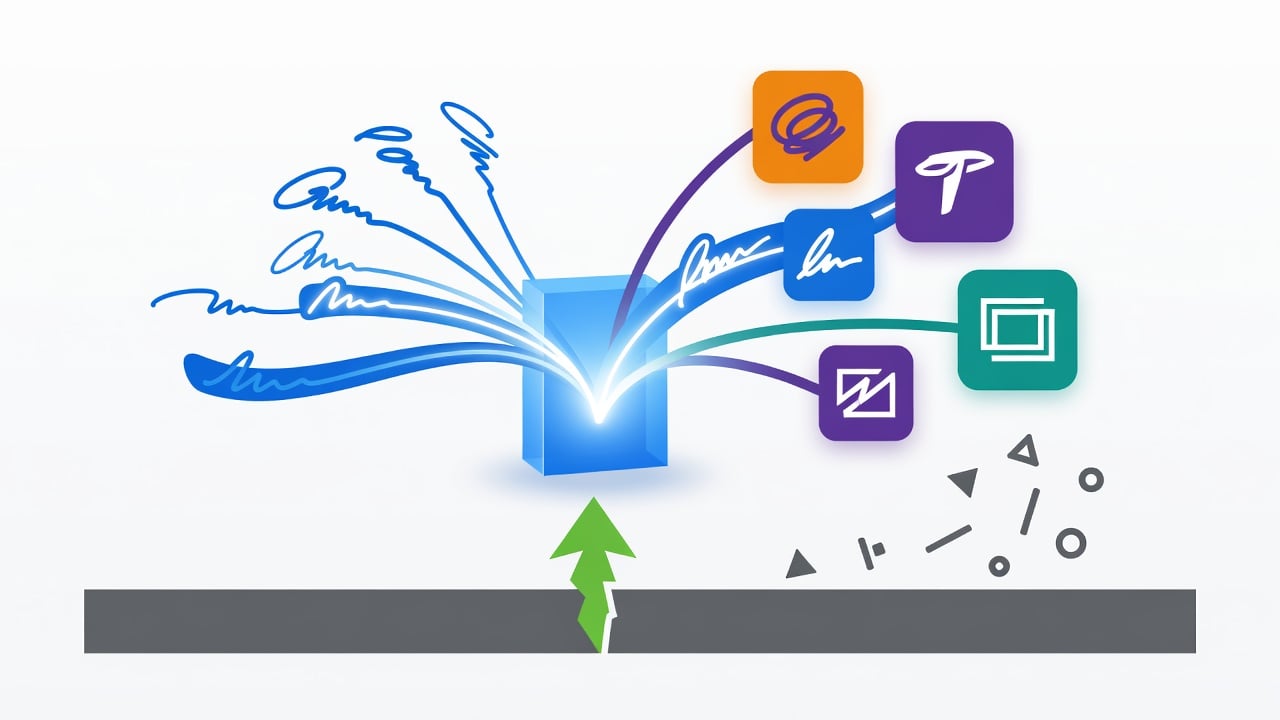
Google has begun rolling out a new system-level app that stores users’ signatures and makes them available across Android applications. The move addresses a long-standing gap in mobile productivity. Signing documents on Android often required third-party tools or awkward workarounds. Now a native solution arrives quietly through the June 2026 Google Play system update.
The app, simply called Signature, acts as a central repository. Users create and save multiple versions of their autograph. Supporting apps can then pull from this store. Think of it as the photo picker but for handwritten marks. A partial window pops up. It displays existing signatures or prompts for a new one. No full app switch. No copy-paste hassle.
Three input methods exist. Users can scribble directly on the screen with a finger or stylus. They can type initials and choose from several fonts. Or they can upload a photo of a physical signature. Multiple variants of each type fit inside the vault. A dedicated management screen lets owners review and delete entries they no longer want. Simple. Direct.
Android Authority first spotted the app in devices already updated with the latest Play system components. A OnePlus 15, a OnePlus 13R, and a Google Pixel 9 all showed the preinstalled Signature app. (Android Authority) Delivery through Google Play system updates means manufacturers don’t control the timetable. Any device on Android 12 or newer, API level 31 and above, should receive it.
But the rollout raises questions. Google has not yet published official developer guidance. How exactly apps request signatures remains unclear in public documentation. The mechanism mirrors established Android patterns for media selection. That similarity suggests an intent for broad adoption. Still, without concrete APIs or sample code, integration stays speculative.
Document signing has lagged on Android. Apple offers Markup and signature tools inside Files and Mail that feel native. Many Android users turn to DocuSign, Adobe Sign or smaller utilities. Those solutions work. They also add friction. Extra logins. Separate storage. Permission prompts that stack up. Google’s approach promises to cut that down.
Security matters here. Signatures carry legal weight in contracts, tax forms and KYC processes. The new app stores data locally. Yet any system-level component invites scrutiny. How does Google protect the vault from unauthorized access? Does the picker enforce strict app-by-app permissions? Details stay thin for now.
And the timing feels strategic. Google continues tightening Android’s app distribution rules. A separate August 2025 announcement revealed plans to require developer identity verification even for sideloaded apps. (TechCrunch) Starting in select countries in September 2026, only verified developers’ packages will install cleanly on certified devices. The Register covered the implications for independent creators who previously distributed APKs without Google’s involvement. (The Register)
Signature fits into this larger picture. A trusted, Google-managed signature store could reduce reliance on unsigned or lightly vetted document apps. It might also encourage more financial and enterprise software to build native flows instead of directing users to browsers.
Developers already familiar with Play App Signing understand the importance of certificates. Google’s official documentation stresses that the app signing key remains constant for the life of an application. (Android Developers) The new Signature feature operates at a different layer. It handles user-generated content rather than code authenticity. Yet both reflect the same priority: consistent identity and trust.
Early user reaction on X mixed curiosity with mild skepticism. One researcher posted screenshots and noted the app’s clean interface. Others wondered aloud about enterprise use cases or potential privacy trade-offs. No major backlash has surfaced yet. The feature feels too practical to spark outrage.
Compatibility looks broad. Android 12 launched in 2021. Millions of devices still run it or newer versions. Google Play system updates reach far beyond flagship phones. That reach gives the Signature app an advantage over any standalone download. Users won’t hunt the Play Store. It simply appears.
Of course appearance does not guarantee usage. Apps must adopt the picker. Banks, insurers, government services and productivity suites need to add support. Until then the vault sits mostly empty. Google’s history with similar components offers hope. The photo picker gained traction once major apps integrated it. Expect the same pattern here.
Legal and regulatory angles add complexity. Electronic signatures must satisfy laws like ESIGN in the United States or eIDAS in Europe. A system-provided tool does not automatically confer compliance. Developers will still need audit trails, consent records and tamper-proof storage for many workflows. The Signature app likely supplies only the visual element. The rest remains the app’s responsibility.
Look closer at the three input options. Scribbling feels most authentic but varies by device screen and finger precision. Typed initials offer consistency yet lack personal flair. Uploaded photos bring real ink but introduce quality and cropping issues. Users will mix and match. Some will keep a formal version for contracts and a casual one for internal forms.
Management page matters. Digital clutter builds fast. Old signatures from previous jobs or outdated styles should disappear easily. The dedicated screen addresses that need directly. Delete. Done.
So what comes next? Google could expand the feature in future Play updates. Integration with Drive, Gmail or the Files app seems logical. Support for PDF form fields would boost utility. Voice-guided creation for accessibility might follow. These remain educated guesses. The company has stayed silent on roadmap details.
Industry watchers note parallels with other quiet Google improvements. The June 2026 Android Drop brought personalization and safety tweaks but made no mention of Signature in its public blog. (Google Blog) The feature arrived through the system update channel instead. That low-key delivery suggests Google views it as infrastructure rather than a headline product.
Security researchers have long criticized fragmented signature handling on Android. MicroG projects even implemented signature spoofing for open-source compatibility. (GitHub – microG) A standardized Google solution could reduce the need for such workarounds on stock devices. Whether custom ROMs adopt similar behavior stays unknown.
For enterprise IT teams the app offers both opportunity and new policy questions. Should company devices allow personal signatures in the vault? Can signatures be preloaded or restricted through MDM? Early documentation does not answer these points.
Users on older hardware might wait longer. Although the minimum API is 31, actual rollout depends on Google Play services version and carrier approval in some regions. Past system updates have shown uneven adoption curves.
The broader trend is clear. Google keeps adding system-level capabilities that reduce dependence on individual apps. Autofill, credential management, media selection, now signatures. Each piece chips away at the friction that once defined mobile work. The result feels less like a collection of programs and more like a cohesive environment.
That cohesion carries risks. Greater centralization means greater impact if something goes wrong. A vulnerability in the Signature picker could affect every document app on the platform. Google’s track record on timely patches helps, yet the attack surface grows.
Developers face a choice. Ignore the new component and keep existing flows. Or invest engineering time to call the picker and handle the returned data. Early adopters will likely see higher completion rates on signature fields. Laggards may lose users to competitors who make the process effortless.
Google has not commented publicly beyond the technical rollout. No blog post. No tweetstorm. The app simply appeared on updated devices. That restraint fits the pattern of many Mainline modules. They land first. Explanations follow later if needed.
One thing feels certain. Digital signatures just became more ordinary on Android. What once required a dedicated app or desktop detour now sits inside the operating system. The change won’t grab headlines like new AI features. Its effect on daily workflows could prove more lasting.
Watch how quickly productivity and finance apps add support. Their response will determine whether Google’s Signature experiment succeeds or joins the list of underused system tools. For now the vault stands ready. The signatures wait inside. The rest depends on the apps that choose to open the door.


 WebProNews is an iEntry Publication