
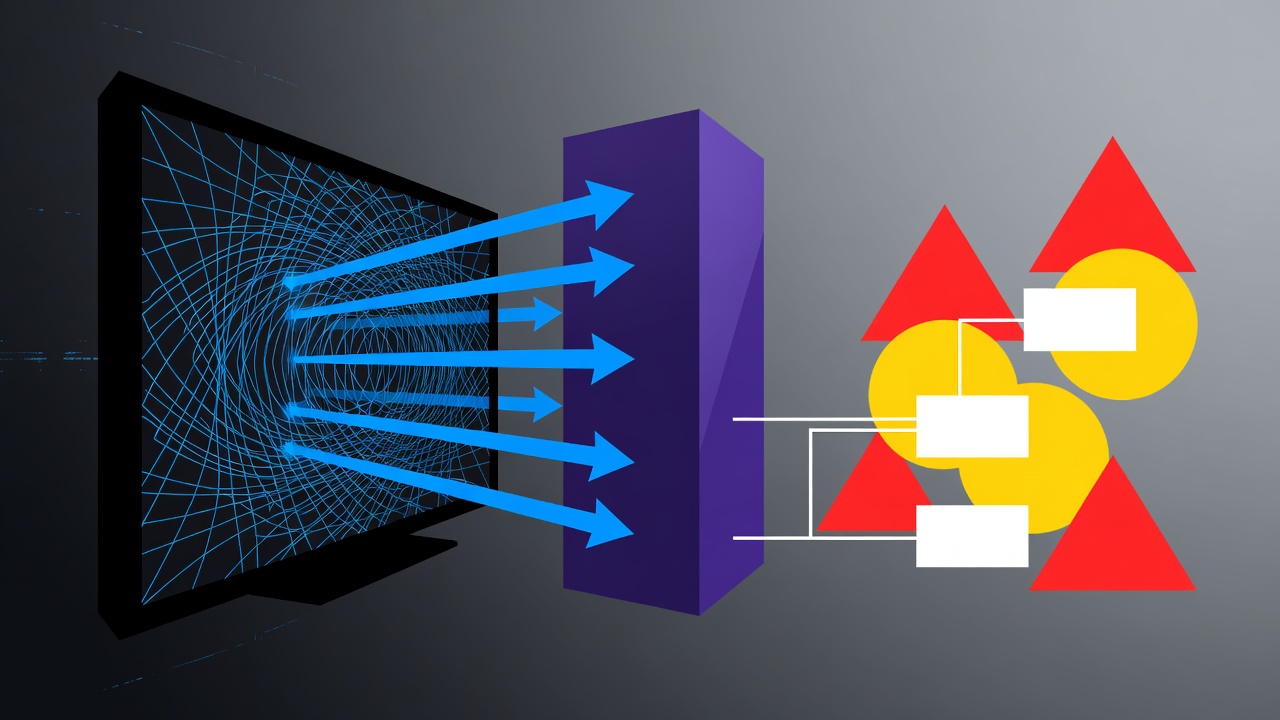
Smart TVs promised convenience. They delivered surveillance instead. These devices, now standard in millions of homes, quietly log what appears on screen. They send details to manufacturers and partners. And they do it by default.
Automatic content recognition sits at the center. ACR scans video or audio signals. It creates fingerprints. Then it matches them against databases of shows, movies, ads and even video games. The result? A detailed record of viewing habits. One that travels far beyond the living room.
The Scale of TV Tracking
Research shows ACR can activate as often as every 10 milliseconds on some sets. It uploads profiles several times a minute. The technology works on every input. Cable. Streaming apps. HDMI from a laptop, game console or external player. Even personal photos or security camera feeds get captured. Nothing escapes.
A 2024 study published on arXiv and referenced by The New York Times Wirecutter (Oct. 6, 2025) confirmed the frequency. Co-author Yash Vekaria described it as “like someone has installed a camera 24-7 in your living room.” Data brokers buy these profiles. Advertisers target households across devices. The business grew large enough that one former TV maker earned more from data sales than hardware sales in 2021.
But the original article from MakeUseOf put it plainly. “Your smart TV is essentially a data collection device that can also play Netflix and YouTube.” ACR watches everything. All of these features come enabled by default.
Recent reporting adds urgency. Consumer Reports updated its guide on Oct. 19, 2025. It tested LG, Samsung, TCL, Roku and others. TVs collect location, app usage, voice data and more. You cannot stop every flow without unplugging the internet. Yet turning off ACR cuts the biggest leak.
Platform-Specific Steps That Actually Work
Manufacturers hide the controls. Menus differ. Some bury options under legal agreements that users accept during setup without reading. Others reset after software updates. Still, action is possible.
For Samsung sets, head to Settings > All Settings > General & Privacy > Terms & Privacy. Uncheck Viewing Information Services. That disables the ACR equivalent. Also turn off Interest-Based Advertisements. Samsung’s policy requires agreeing to Smart Hub terms, but these two toggles limit the worst tracking.
LG webOS users go to Settings > All Settings > Support > Privacy & Terms. Look for User Agreements. Disable Viewing Information, which powers Live Plus. Opt out of Interest-Based Cross-Device Advertising and related data sharing. Consumer Reports notes LG improved some defaults after earlier criticism, but manual checks remain necessary.
Roku TVs and streaming sticks offer clearer paths. Settings > Privacy > Smart TV Experience. Turn off “Use Info from TV Inputs.” This stops ACR-style tracking of antenna, cable and HDMI sources. Also uncheck Personalize Ads and reset the advertising ID. Roku’s voice settings let users choose Never for microphone access.
Amazon Fire TV devices require Settings > Preferences > Privacy Settings. Disable Automatic Content Recognition, Device Usage Data, Collect App and Over-the-Air Usage, and Interest-Based Ads. A 2025 addition allows managing sharing from individual apps. Reset the advertising ID regularly. It breaks the persistent profile advertisers build.
Sony Google TVs often include Samba Interactive TV. Disable it in the privacy or initial setup menu. Android TV and Google TV owners should visit Privacy > Ads and reset the advertising ID. Limit personalized ads through Google’s My Ad Center where possible. Brands like TCL and Hisense follow similar Google paths but add their own agreements.
Vizio SmartCast models label it Smart Interactivity or Viewing Data. Decline during setup if possible. In Admin & Privacy settings, turn off data collection for ads and recommendations. Past FTC action against Vizio in 2017 highlighted second-by-second tracking of 100 billion daily data points from millions of TVs. The company paid $2.2 million.
PCMag’s explainer, updated in 2026, reinforces the pattern. It lists brand-specific names: Live Plus on LG, Viewing Information Services on Samsung, Use Information for TV Inputs on Roku. “Even if the device manufacturer or platform holder says the data is private, secure, and anonymized, the tech is still invasive,” the article states. “In fact, it’s probably *more* invasive than you might think.”
Additional steps help further. Reset advertising IDs every few months. They act as unique trackers linking activity over time. Disable microphones and cameras unless needed. Many sets allow voice features only after explicit policy acceptance. Cover cameras with tape or use physical shutters. Turn off location services. They feed hyper-local ad targeting with little user benefit.
Switch to private DNS servers such as Cloudflare or Quad9. This hides some analytics domains from your ISP and can reduce certain ad calls. The change appears in network settings under advanced IP options. It won’t block everything, but it adds a layer.
But here’s the limit. Even with every toggle flipped, some data flows. Firmware updates can re-enable features. Connected apps from Netflix or others collect separately. And if the TV reconnects to the internet after being offline, stored ACR data may upload later, according to Wirecutter’s testing.
Industry responses vary. Some companies now require clearer consent for ACR following the 2017 Vizio case and subsequent pressure. Yet setup screens still nudge users toward enabling recommendations and “enhanced experience” features that activate tracking. A University College London study from November 2024, covered widely, found opt-out paths complex and buried across multiple menus.
Recent social discussion on X echoes frustration. Users shared step-by-step disable lists for Roku and Fire TV just days ago, warning that screens get “watched every 15 seconds.” Others noted 2025 models from certain brands rank highest for privacy risks due to persistent telemetry.
Alternatives exist for the concerned. External streaming devices like Apple TV collect less viewing data by design. Some users run TVs without internet connection except for occasional updates. Dumb monitors paired with separate boxes avoid built-in smarts entirely. These choices sacrifice some integration. They restore control.
The economics explain why change comes slowly. Connected TV advertising reached tens of billions annually because of this data. Profiles inform not just TV ads but cross-device campaigns that follow viewers to phones and laptops. Your evening news habits might shape mortgage offers shown on a tablet the next day.
So take the time. Grab the remote. Dig through those privacy menus before another episode starts. Disable ACR under whatever name it hides. Reset identifiers. Limit voice and location access. The picture quality stays the same. The unseen audience shrinks. Your living room becomes yours again.


 WebProNews is an iEntry Publication