

Today, Google introduced Walking Navigation for Google Maps for mobile 4.5 on Android. This is described as a marriage between the existing Navigation and walking directions features. Users can also now use Street View smart navigation or the new Google Maps search bar.
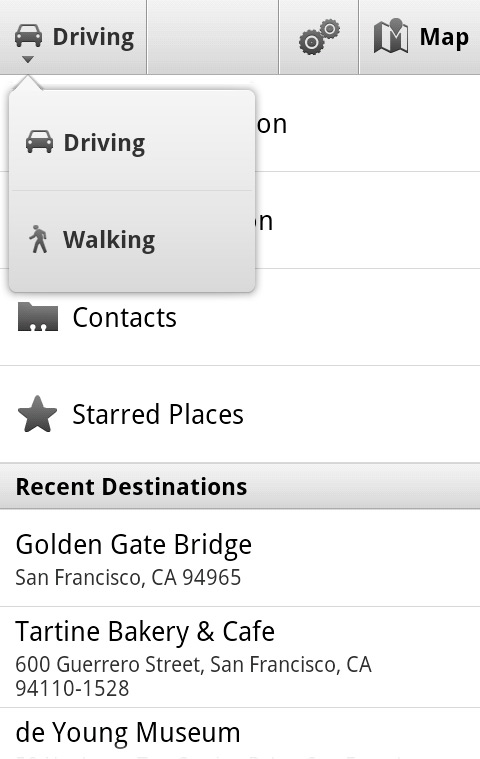
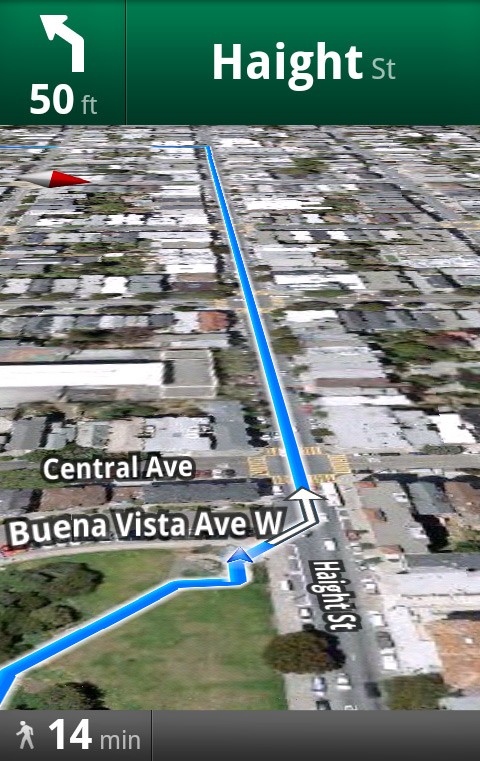
"Walking Navigation lets you use GPS navigation with walking directions that are more direct and use pedestrian pathways when we know about them," explain Google software engineers Andrey Ulanov and Kevin Law. "To try it now, choose the ‘Walking’ option from the Navigation icon. Walking Navigation has a few changes that help when you’re on your feet. For example, your phone will vibrate when you need to make a turn. You can even turn off voice guidance and just use these notifications while soaking in the sights and sounds around you. To help you orient yourself with your surroundings, the map will rotate with you as you turn the phone, and walking mode uses satellite view by default. Use it like a virtual compass with satellite imagery to look ahead or help pick out landmarks along the way."
Walking Navigation is in beta, and may not always have the bet information.
"If you want a sneak preview of where you’re going, use the new Street View on Google Maps with smart navigation and updated imagery," says Law. "Just like with Street View smart navigation on your computer, you no longer have to slowly move down a street by tapping arrows along roads repeatedly. Now you can quickly navigate Street View by dragging Pegman from the corner and highlighting where you want to go with a lightly shaded “pancake” on roads or a rectangle on buildings. Let go of the screen when highlighting the front of a building, and you’ll fly there and turn to face it. With a swipe of your finger, you can hop rivers and scale buildings."
This requires an update to the Street View on Google Maps Android app.
The new Google Maps Search bar appears at the top of the map, and lets you quickly search, open Google Places, use the layers menu, or find your location. You can also filter search results by distance or ratings, view prices, and see cross streets for places.


 WebProNews is an iEntry Publication