

Last year Google launched Campaign Insights for AdWords. This is at tool for advertisers to see data about their campaigns’ performance. Google has now launched this tool for YouTube ad campaigns.
It’s only available for campaigns that are reserved in advance, and not those bought in the AdWords auction. YouTube says it can only measure the effects of large campaigns, but it’s working hard on expanding into smaller ones.
"Campaign Insights compares the impact of a campaign on a large groups of users who were exposed to a display ad campaign with the impact on a similar group who were not exposed to the campaign," explains Product Marketing Manager Peter Sherman. "Specifically, it then calculates the incremental lift in both online search activity and website visits — a good indicator of advertising effectiveness. Our models are even sophisticated enough to identify the incremental lift that was specifically caused by the display campaign (as opposed to incidentally correlated.)"
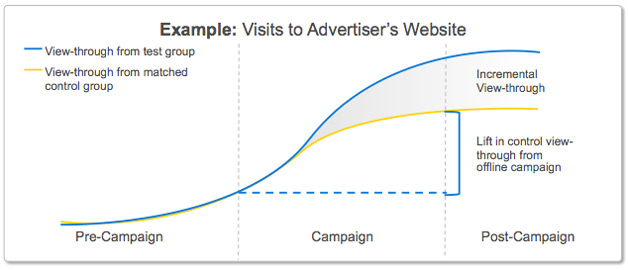
"YouTube is increasingly becoming a key advertising platform for marketers of all kinds, from new display advertisers to some of the biggest brands in the world," says Sherman. "A common need for all advertisers is to measure the effectiveness of their campaigns beyond click-through rates or the basic number of impressions. This is especially true for video advertising, which can have a powerful, lasting brand effect beyond click-throughs or conversions."
Advertisers who wish to use Campaign Insights with YouTube campaigns are instructed to contact their Google sales representative.


 WebProNews is an iEntry Publication