

Score one for the whole “do no evil” directive at Google. Late yesterday, the search giant enabled click-to-call capabilities for emergency-related mobile search results, effectively acknowledging that it’s as important for users to be able to contact poison control as reach an advertiser.
To be fair, we hadn’t heard anyone complain that Google’s priorities weren’t straight. The fact that Google made an effort to highlight emergency information (putting phone numbers above normal search results) was indeed applauded in more than a few circles.
Then, separately, many people considered the company’s click-to-call tech to be a smart way of removing an obstacle between advertisers and searchers.
Still, this new development (which applies in more languages than just English) is nice to see.
A post on the Official Google.org Blog explained the move by stating, “Previously, mobile users in one of these countries who conducted searches around poison control, suicide and common emergency numbers received a result showing the relevant emergency phone number. . . . People on mobile will now get the same result, but the phone number will be a link that allows you to dial the number instantly, just by clicking the link.”
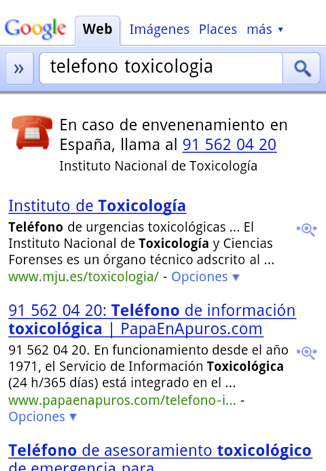
Next, the post added, “We hope this addition is a small step that helps connect people with crucial information that they need immediately.”


 WebProNews is an iEntry Publication